> ## Documentation Index
> Fetch the complete documentation index at: https://www.checklyhq.com/docs/llms.txt
> Use this file to discover all available pages before exploring further.
# Alert Configuration
> Complete guide to configuring alert settings, escalation strategies, retry mechanisms, and threshold alerting in Checkly for optimal incident response.
Alert configuration controls **when** and **how often** you receive notifications when checks fail, degrade, or recover. Proper configuration minimizes alert fatigue while ensuring critical issues receive immediate attention.
## Configuration Hierarchy
Checkly provides a three-tier configuration system that allows for flexible alert management across your organization:
* Applied to all checks unless overridden
* Organization-wide defaults
* Simplifies management at scale
* Consistent baseline behavior
* Override account defaults for checks within Groups
* Team-based alert preferences
* Service-specific requirements
* Departmental escalation policies
* Fine-tune specific check behavior
* Handle special requirements
* Debug and testing scenarios
* Legacy system accommodations
### Configuration Inheritance
Understanding how settings cascade through the hierarchy:
1. **Check-level settings** always take highest precedence
2. **Group-level settings** override account defaults for member checks
3. **Account-level settings** provide the baseline for all other configurations
4. **Explicit overrides** can be enabled/disabled at group level
Runs you [cancel](/concepts/cancellation) never trigger alerts. No failure, degraded, or recovery notification is sent for a cancelled run, regardless of the settings above.
## Alert Configuration
### Account-Level
Configure organization-wide defaults that apply to all checks:
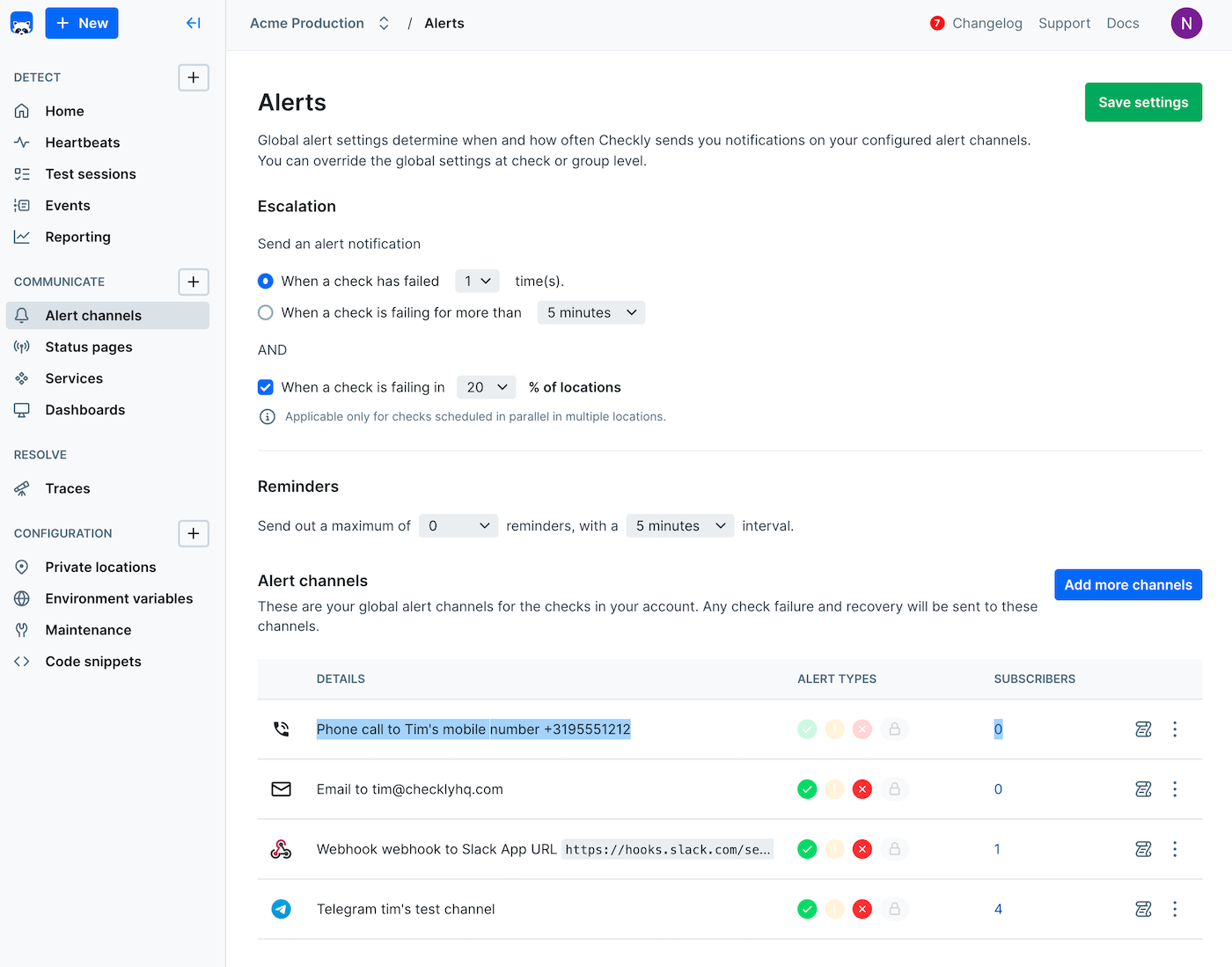 **Account Settings Benefits:**
* Consistency: Uniform alerting behavior across all monitoring
* Efficiency: Configure once, apply everywhere
* Compliance: Meet organizational alerting requirements
* Scalability: Easy to manage large numbers of checks
### Group-Level
Configure alerts for teams and service categories:
**Account Settings Benefits:**
* Consistency: Uniform alerting behavior across all monitoring
* Efficiency: Configure once, apply everywhere
* Compliance: Meet organizational alerting requirements
* Scalability: Easy to manage large numbers of checks
### Group-Level
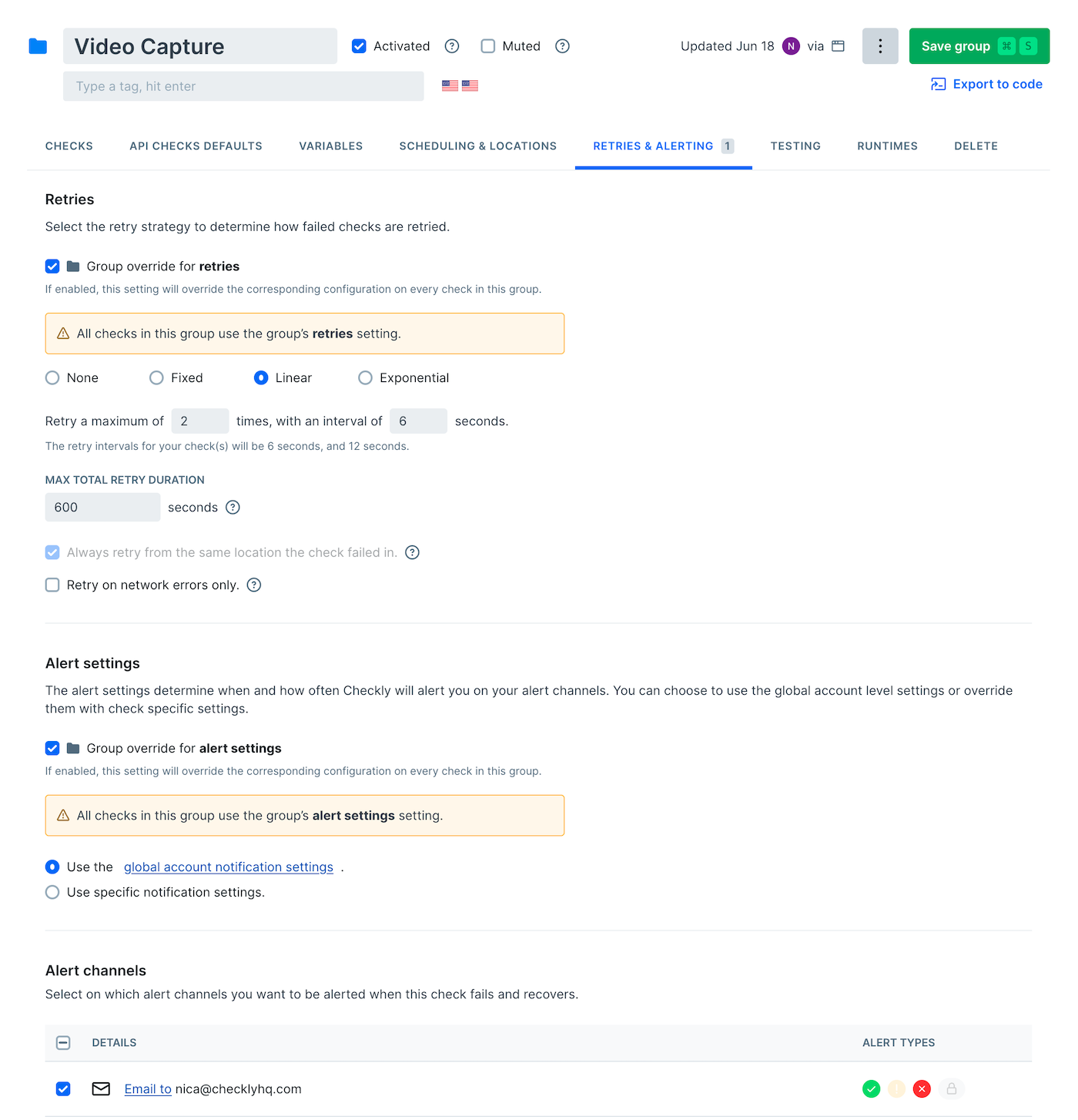
Configure alerts for teams and service categories:
 ### Group Override
Configure how group settings interact with individual checks:
**If checked, Group settings override individual check settings**
* Group settings take precedence
* Ensures consistency within teams
* Prevents individual check drift
* Simplifies management
**If unchecked, individual check settings take precedence**
* Check-level customization allowed
* Handle special cases easily
* Legacy system accommodation
* Granular control when needed
### Check-Level
Fine-tune alerting for specific checks with unique requirements:
### Group Override
Configure how group settings interact with individual checks:
**If checked, Group settings override individual check settings**
* Group settings take precedence
* Ensures consistency within teams
* Prevents individual check drift
* Simplifies management
**If unchecked, individual check settings take precedence**
* Check-level customization allowed
* Handle special cases easily
* Legacy system accommodation
* Granular control when needed
### Check-Level
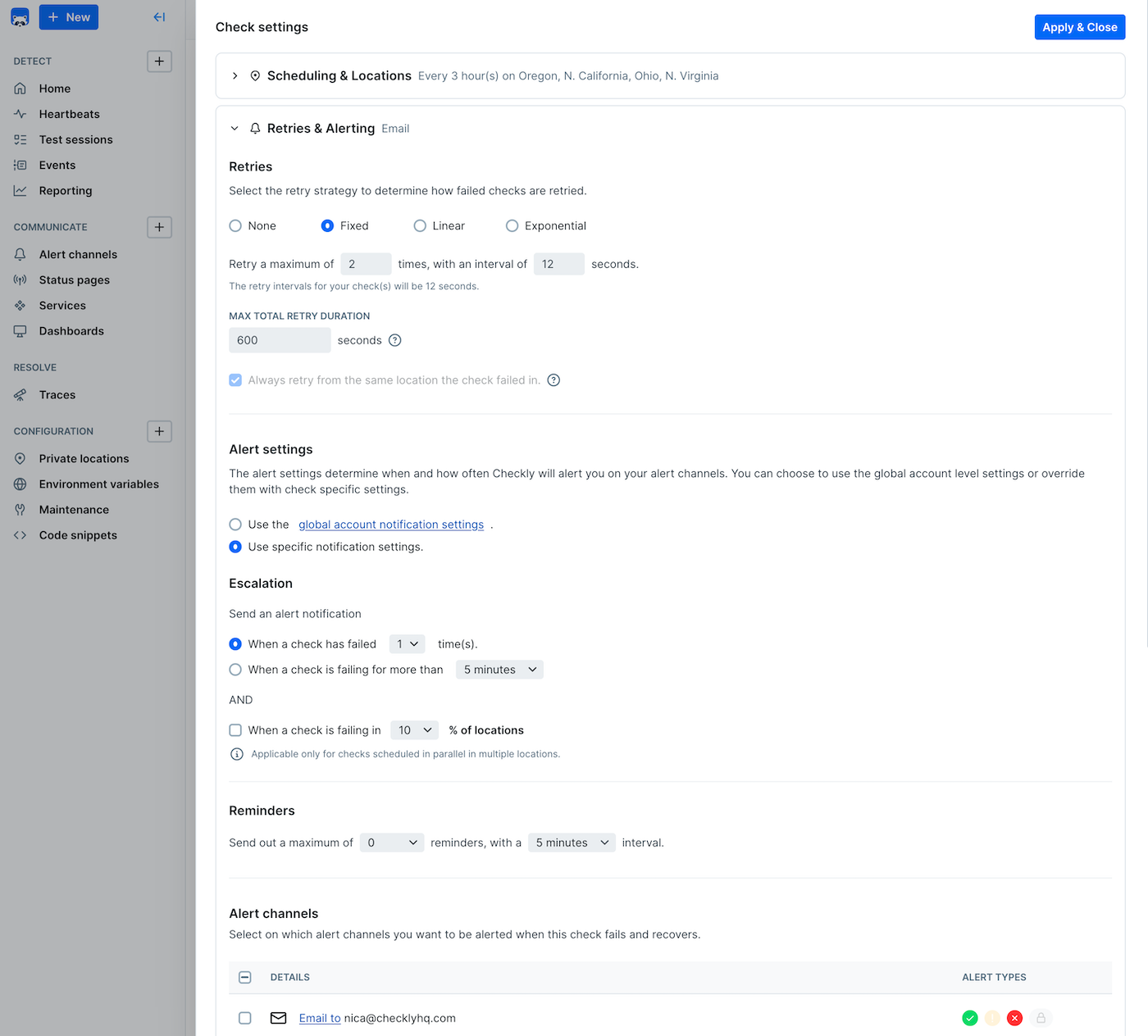
Fine-tune alerting for specific checks with unique requirements:
 Start with conservative alert settings and gradually tune based on your team's response patterns and service reliability characteristics. Too many alerts can be worse than too few.
## Escalation Configuration
**Monitoring as Code**: Learn more about [configuring escalation strategies for your Checkly constructs](/constructs/alert-escalation-policy).
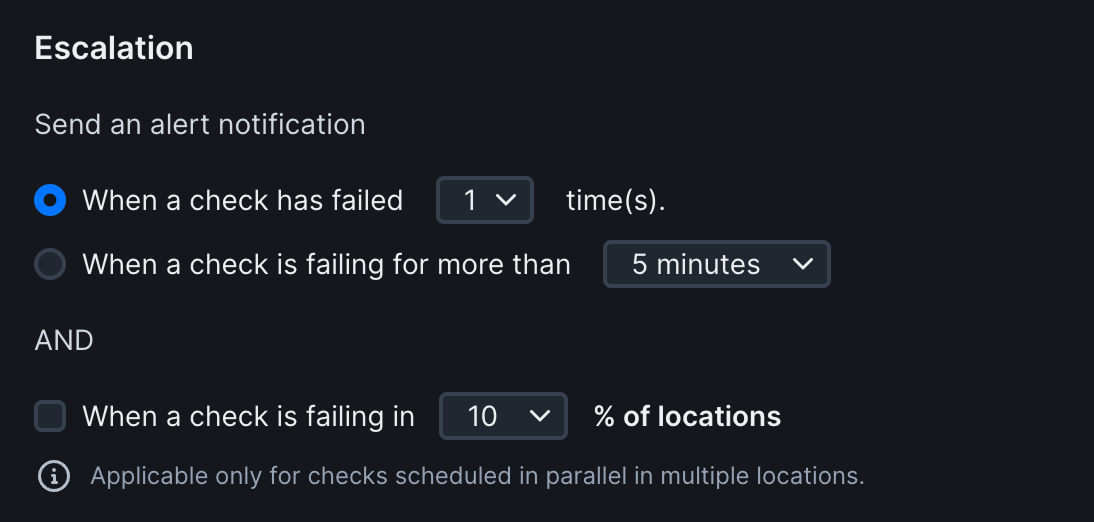
The escalation box allows you to decide when an alert should be triggered. We give you three options that are applied to all checks:
Start with conservative alert settings and gradually tune based on your team's response patterns and service reliability characteristics. Too many alerts can be worse than too few.
## Escalation Configuration
**Monitoring as Code**: Learn more about [configuring escalation strategies for your Checkly constructs](/constructs/alert-escalation-policy).
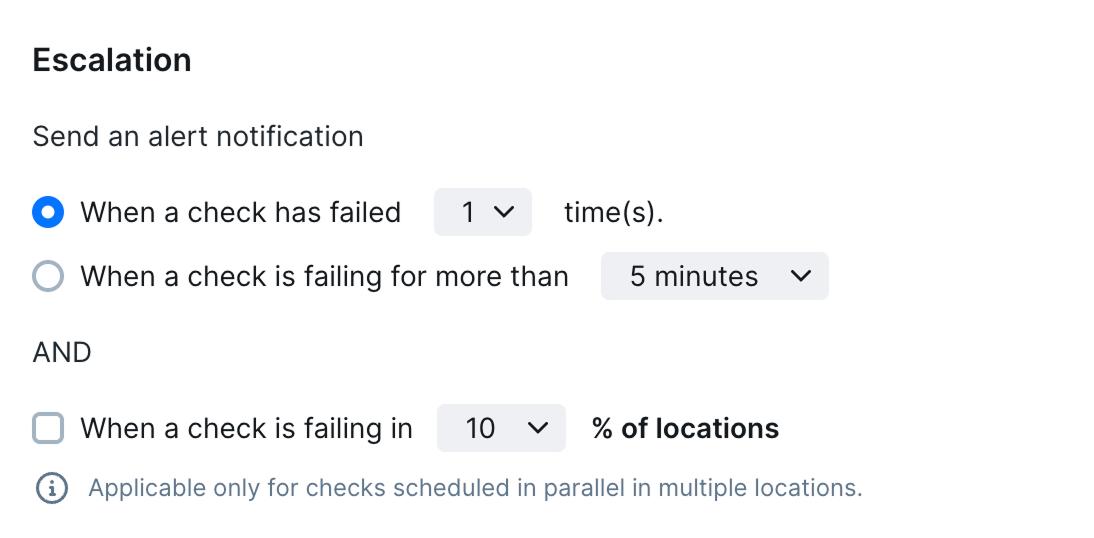
The escalation box allows you to decide when an alert should be triggered. We give you three options that are applied to all checks:
 ### Run-Based Escalation
Get alerted when a check has failed a number of times consecutively. We call this a *Run Based* escalation. Note that failed checks retried
from a different region are not considered "consecutive".
### Run-Based Escalation
Get alerted when a check has failed a number of times consecutively. We call this a *Run Based* escalation. Note that failed checks retried
from a different region are not considered "consecutive".

 **How it works:**
* Consecutive Failure Counting
* Counts failed check runs in sequence
* Resets counter on successful run
* Cross-location failures count as one run
* Retries don't count as separate runs
**Best for: Stable Systems**
* Predictable failure patterns
* Clear success/failure states
* Services with known reliability
* APIs with consistent behavior
### Time-Based Escalation
We alert you when a check is still failing after a period of time, regardless of the amount of check runs that are failing.
This option should mostly be used when checks are run very regularly, i.e. once every minute or five minutes.
**How it works:**
* Consecutive Failure Counting
* Counts failed check runs in sequence
* Resets counter on successful run
* Cross-location failures count as one run
* Retries don't count as separate runs
**Best for: Stable Systems**
* Predictable failure patterns
* Clear success/failure states
* Services with known reliability
* APIs with consistent behavior
### Time-Based Escalation
We alert you when a check is still failing after a period of time, regardless of the amount of check runs that are failing.
This option should mostly be used when checks are run very regularly, i.e. once every minute or five minutes.

 **How it works:**
* Monitors failure duration, not count
* Ideal for high-frequency checks
* Ignores individual run results
* Focuses on sustained problems
**Best for: High-Frequency Monitoring**
* Checks running every 1-5 minutes
* Services with intermittent issues
* Rate-limited APIs
* Network-dependent services
### Location-Based Escalation
This option can be selected in addition to the run or time-based escalation settings and only affect checks running in [parallel](/concepts/scheduling#parallel) with two or more locations selected.
When enabled, alerts will only be sent when the specified percentage of locations are failing. Use this setting to reduce alert noise and fatigue for services that can handle being unavailable from some locations before action is required.
**How it works:**
* Monitors failure duration, not count
* Ideal for high-frequency checks
* Ignores individual run results
* Focuses on sustained problems
**Best for: High-Frequency Monitoring**
* Checks running every 1-5 minutes
* Services with intermittent issues
* Rate-limited APIs
* Network-dependent services
### Location-Based Escalation
This option can be selected in addition to the run or time-based escalation settings and only affect checks running in [parallel](/concepts/scheduling#parallel) with two or more locations selected.
When enabled, alerts will only be sent when the specified percentage of locations are failing. Use this setting to reduce alert noise and fatigue for services that can handle being unavailable from some locations before action is required.

 **Benefits:**
* Reduces false positives from regional issues
* Focuses on global service problems
* Accommodates CDN and geo-distributed services
* Filters out single-location network problems
## Reminder Configuration
Configure follow-up notifications for unresolved incidents.
**Benefits:**
* Reduces false positives from regional issues
* Focuses on global service problems
* Accommodates CDN and geo-distributed services
* Filters out single-location network problems
## Reminder Configuration
Configure follow-up notifications for unresolved incidents.

 Checkly automatically manages reminder lifecycle:
Primary alert sent to configured channels when escalation threshold is met
Reminder countdown begins based on configuration
Follow-up alerts sent at configured intervals
All pending reminders cancelled when check recovers
Optional escalation to different teams/channels after maximum reminders
When a check failure is resolved, we cancel any outstanding reminders so you don't get mixed signals.
## Muting and Temporary Controls
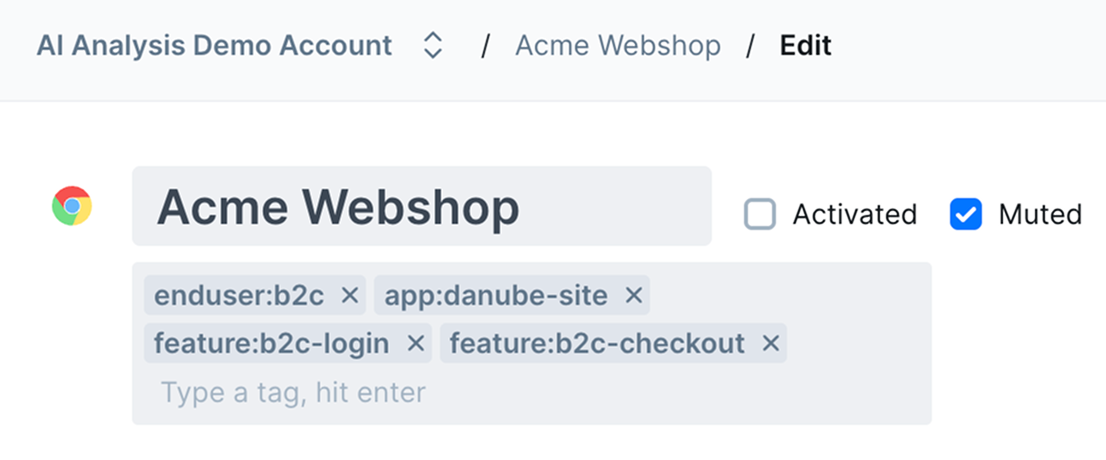
Toggling the "mute" checkbox on a check stops the sending of all alerts but keeps the check running. This is useful when
your check might be flapping or showing other unpredictable behavior. Just mute the alerts but keep the check going while
you troubleshoot.
Checkly automatically manages reminder lifecycle:
Primary alert sent to configured channels when escalation threshold is met
Reminder countdown begins based on configuration
Follow-up alerts sent at configured intervals
All pending reminders cancelled when check recovers
Optional escalation to different teams/channels after maximum reminders
When a check failure is resolved, we cancel any outstanding reminders so you don't get mixed signals.
## Muting and Temporary Controls
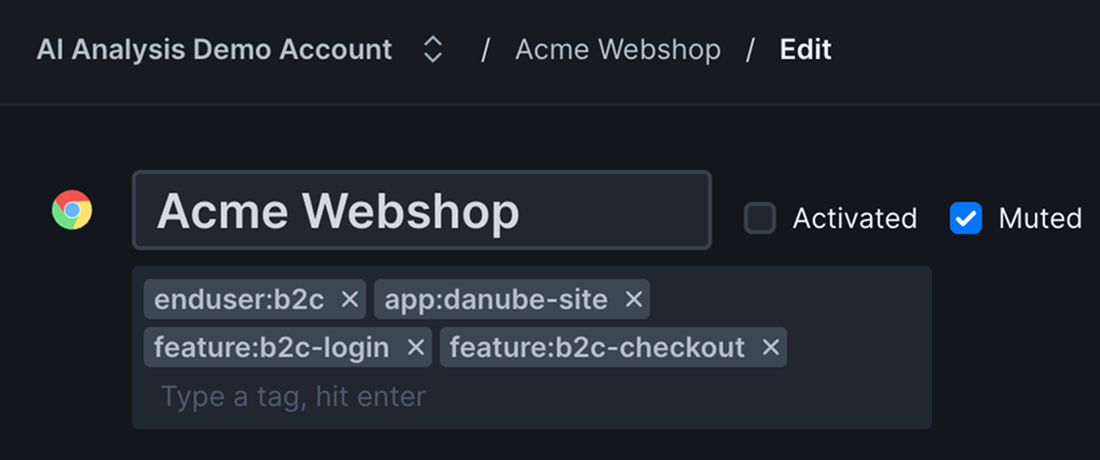
Toggling the "mute" checkbox on a check stops the sending of all alerts but keeps the check running. This is useful when
your check might be flapping or showing other unpredictable behavior. Just mute the alerts but keep the check going while
you troubleshoot.
 Always test your alert configuration changes in non-production environments first. Failed alert delivery during an actual incident can significantly impact response time.
Use Checkly's alert notification log to analyze delivery patterns and identify optimization opportunities. Look for channels with high failure rates or excessive alert volume.
Always test your alert configuration changes in non-production environments first. Failed alert delivery during an actual incident can significantly impact response time.
Use Checkly's alert notification log to analyze delivery patterns and identify optimization opportunities. Look for channels with high failure rates or excessive alert volume.