> ## Documentation Index
> Fetch the complete documentation index at: https://checklyhq.com/docs/llms.txt
> Use this file to discover all available pages before exploring further.
# DNS Monitor Configuration
> Configure your DNS monitor to verify record resolution.
### Basic Setup
Specify the domain and record type you want to check:
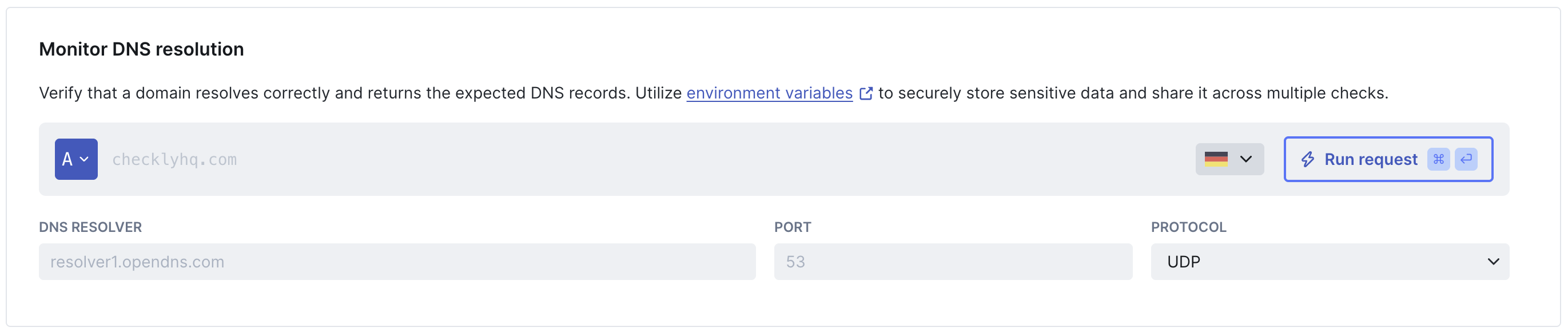
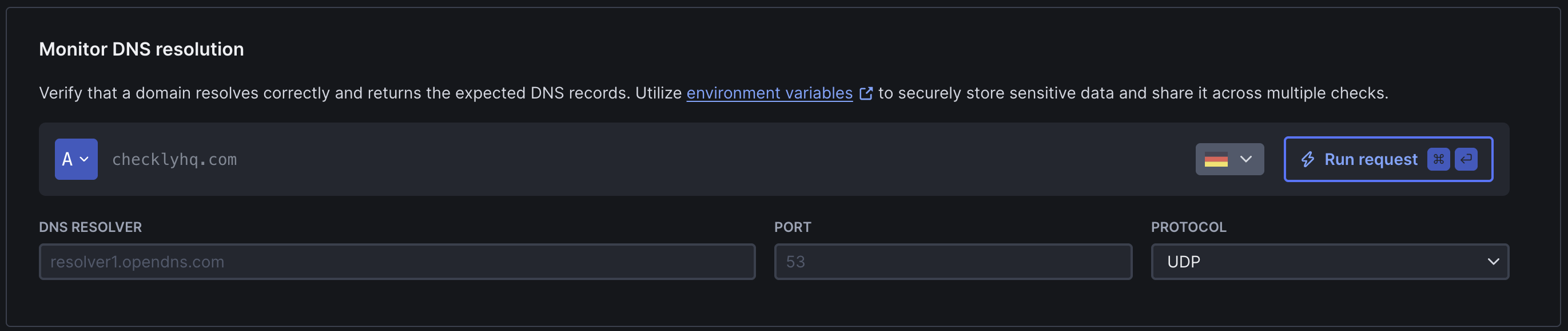 * **Domain:** The domain you want to monitor (e.g. `checklyhq.com`)
* **Record type:** The DNS record to query. See [supported record types](/detect/uptime-monitoring/dns-monitors/overview#supported-dns-record-types) for the full list
* **DNS server:** Queries use 8.8.8.8 (Google DNS) by default with automatic failover to 1.1.1.1 (Cloudflare) and an internal AWS resolver on errors. You can specify a custom nameserver and port (e.g., `1.1.1.1:53` or `dns.google:53`) to test resolver-specific behavior
* **Protocol:** You can pin DNS queries to UDP-only or TCP-only
### Assertions
Assertions let you define what the expected result of a DNS query should be.
The raw and JSON responses are shown on the results page of a DNS monitor run and can be used as a reference when defining assertions.
* **Domain:** The domain you want to monitor (e.g. `checklyhq.com`)
* **Record type:** The DNS record to query. See [supported record types](/detect/uptime-monitoring/dns-monitors/overview#supported-dns-record-types) for the full list
* **DNS server:** Queries use 8.8.8.8 (Google DNS) by default with automatic failover to 1.1.1.1 (Cloudflare) and an internal AWS resolver on errors. You can specify a custom nameserver and port (e.g., `1.1.1.1:53` or `dns.google:53`) to test resolver-specific behavior
* **Protocol:** You can pin DNS queries to UDP-only or TCP-only
### Assertions
Assertions let you define what the expected result of a DNS query should be.
The raw and JSON responses are shown on the results page of a DNS monitor run and can be used as a reference when defining assertions.

 * **Response time:** The lookup time in milliseconds. Use this to set thresholds for failed lookups
* **Response code:** By default, DNS monitors pass when the return code is NOERROR and fail on error codes (FORMERR, SERVFAIL, NXDOMAIN, etc.). You can override this behavior by defining a custom return code assertion
* **Text answer:** The raw DNS response as plain text. Use this to check for specific strings in the response
* **JSON answer:** The DNS response parsed as JSON. This allows you to target specific fields using JSON path assertions. The response structure varies by record type. See [JSON response schemas](#json-response-schemas) below for all supported record types.
With JSON path assertions, you can:
* `$.Answer[0].TTL` → validate TTL values are within expected ranges
* `$.Answer[0].data` → check specific IP addresses or record values
* `$.Answer.length` → check how many records were returned
* `$.Status` → verify the DNS response status code
Learn more about JSON path assertions: [JSON responses with JSON path](/detect/assertions/#json-responses-with-json-path).
### JSON Response Schema
The DNS response is parsed into a structured JSON format. All responses share a common structure:
```json theme={null}
{
"Answer": [
// Array of answer records
],
"Question": [
{
"name": "example.com.",
"type": "A"
}
],
"Status": "NOERROR",
"TC": false,
"RD": true,
"RA": true,
"AD": false,
"CD": false
}
```
**Key fields**:
* `Answer` - Array of DNS records returned
* `Question` - The DNS query that was made
* `Status` - Response status (NOERROR, NXDOMAIN, SERVFAIL, etc.)
* `TC` - Truncated flag
* `RD` - Recursion desired flag
* `RA` - Recursion available flag
* `AD` - Authenticated data flag
* `CD` - Checking disabled flag
```json theme={null}
{
"Answer": [
{
"name": "checklyhq.com.",
"type": "A",
"TTL": 27,
"data": "18.66.102.85"
},
{
"name": "checklyhq.com.",
"type": "A",
"TTL": 27,
"data": "18.66.102.10"
}
],
"Question": [
{
"name": "checklyhq.com.",
"type": "A"
}
],
"Status": "NOERROR",
"TC": false,
"RD": true,
"RA": true,
"AD": false,
"CD": false
}
```
Common assertions:
* `$.Answer[0].data` - Check specific IP address
* `$.Answer[0].TTL` - Validate TTL value
```json theme={null}
{
"Answer": [
{
"name": "example.com.",
"type": "AAAA",
"TTL": 300,
"data": "2606:2800:220:1:248:1893:25c8:1946"
}
],
"Question": [
{
"name": "example.com.",
"type": "AAAA"
}
],
"Status": "NOERROR"
}
```
Common assertions:
* `$.Answer[0].data` - Check IPv6 address
* `$.Answer[0].TTL` - Validate TTL value
```json theme={null}
{
"Answer": [
{
"name": "www.example.com.",
"type": "CNAME",
"TTL": 300,
"data": "example.com."
}
],
"Question": [
{
"name": "www.example.com.",
"type": "CNAME"
}
],
"Status": "NOERROR"
}
```
Common assertions:
* `$.Answer[0].data` - Verify canonical name target
```json theme={null}
{
"Answer": [
{
"name": "example.com.",
"type": "MX",
"TTL": 3600,
"data": "10 mail.example.com."
},
{
"name": "example.com.",
"type": "MX",
"TTL": 3600,
"data": "20 mail2.example.com."
}
],
"Question": [
{
"name": "example.com.",
"type": "MX"
}
],
"Status": "NOERROR"
}
```
Common assertions:
* `$.Answer[0].data` - Check MX priority and mail server (format: "priority hostname")
```json theme={null}
{
"Answer": [
{
"name": "example.com.",
"type": "TXT",
"TTL": 300,
"data": "v=spf1 include:_spf.example.com ~all"
}
],
"Question": [
{
"name": "example.com.",
"type": "TXT"
}
],
"Status": "NOERROR"
}
```
Common assertions:
* `$.Answer[0].data` - Verify SPF, DKIM, or other TXT records
* Text response contains `v=spf1` - Check for SPF record
```json theme={null}
{
"Answer": [
{
"name": "example.com.",
"type": "NS",
"TTL": 86400,
"data": "ns1.example.com."
},
{
"name": "example.com.",
"type": "NS",
"TTL": 86400,
"data": "ns2.example.com."
}
],
"Question": [
{
"name": "example.com.",
"type": "NS"
}
],
"Status": "NOERROR"
}
```
Common assertions:
* `$.Answer[0].data` - Check specific nameserver
```json theme={null}
{
"Answer": [
{
"name": "example.com.",
"type": "SOA",
"TTL": 3600,
"data": "ns1.example.com. admin.example.com. 2024010100 7200 3600 1209600 3600"
}
],
"Question": [
{
"name": "example.com.",
"type": "SOA"
}
],
"Status": "NOERROR"
}
```
**SOA data format**: `primary-ns responsible-email serial refresh retry expire minimum`
Common assertions:
* `$.Answer[0].data` - Verify SOA record (contains serial number and nameserver)
* Text response contains expected serial number
HTTPS records carry [SvcParams](https://www.rfc-editor.org/rfc/rfc9460) — the
parameters a browser uses to connect over HTTP/3 on its first request (`alpn`,
`ipv4hint`/`ipv6hint`, `ech`, …). The whole record is rendered into the `data`
field in DNS presentation format.
```json theme={null}
{
"Answer": [
{
"name": "is.checkly.online.",
"type": "HTTPS",
"TTL": 300,
"data": "1 . alpn=\"h3,h2\" ipv4hint=\"188.114.96.0,188.114.97.0\" ipv6hint=\"2a06:98c1:3120::,2a06:98c1:3121::\""
}
],
"Question": [
{
"name": "is.checkly.online.",
"type": "HTTPS"
}
],
"Status": "NOERROR"
}
```
Common assertions:
* Text answer with the regex `alpn="([^"]*)"` contains `h3` - verify HTTP/3 is advertised (the capture group scopes the match to the `alpn` value)
* Text answer with the regex `alpn="([^"]*)"` contains `h2` - verify HTTP/2 is advertised
* `$.Answer[0].data` contains `ipv4hint` - verify IPv4 address hints are published
* `$.Answer[0].data` contains `ipv6hint` - verify IPv6 address hints are published
Use a text-answer **capture group** (`alpn="([^"]*)"`) rather than a bare
`contains('h3')` over the whole record. A bare substring check can false-match
unrelated bytes such as an `ipv4hint` octet or the `ech` blob; the capture group
scopes the match to the advertised protocols.
**Record type support**: DNS monitors currently support A, AAAA, CNAME, MX, NS, SOA, TXT, and HTTPS record types. Additional record types (SRV, CAA, PTR, etc.) may be added in future updates.
### Response Time Limits
Define performance thresholds for degraded or failed states:
* **Response time:** The lookup time in milliseconds. Use this to set thresholds for failed lookups
* **Response code:** By default, DNS monitors pass when the return code is NOERROR and fail on error codes (FORMERR, SERVFAIL, NXDOMAIN, etc.). You can override this behavior by defining a custom return code assertion
* **Text answer:** The raw DNS response as plain text. Use this to check for specific strings in the response
* **JSON answer:** The DNS response parsed as JSON. This allows you to target specific fields using JSON path assertions. The response structure varies by record type. See [JSON response schemas](#json-response-schemas) below for all supported record types.
With JSON path assertions, you can:
* `$.Answer[0].TTL` → validate TTL values are within expected ranges
* `$.Answer[0].data` → check specific IP addresses or record values
* `$.Answer.length` → check how many records were returned
* `$.Status` → verify the DNS response status code
Learn more about JSON path assertions: [JSON responses with JSON path](/detect/assertions/#json-responses-with-json-path).
### JSON Response Schema
The DNS response is parsed into a structured JSON format. All responses share a common structure:
```json theme={null}
{
"Answer": [
// Array of answer records
],
"Question": [
{
"name": "example.com.",
"type": "A"
}
],
"Status": "NOERROR",
"TC": false,
"RD": true,
"RA": true,
"AD": false,
"CD": false
}
```
**Key fields**:
* `Answer` - Array of DNS records returned
* `Question` - The DNS query that was made
* `Status` - Response status (NOERROR, NXDOMAIN, SERVFAIL, etc.)
* `TC` - Truncated flag
* `RD` - Recursion desired flag
* `RA` - Recursion available flag
* `AD` - Authenticated data flag
* `CD` - Checking disabled flag
```json theme={null}
{
"Answer": [
{
"name": "checklyhq.com.",
"type": "A",
"TTL": 27,
"data": "18.66.102.85"
},
{
"name": "checklyhq.com.",
"type": "A",
"TTL": 27,
"data": "18.66.102.10"
}
],
"Question": [
{
"name": "checklyhq.com.",
"type": "A"
}
],
"Status": "NOERROR",
"TC": false,
"RD": true,
"RA": true,
"AD": false,
"CD": false
}
```
Common assertions:
* `$.Answer[0].data` - Check specific IP address
* `$.Answer[0].TTL` - Validate TTL value
```json theme={null}
{
"Answer": [
{
"name": "example.com.",
"type": "AAAA",
"TTL": 300,
"data": "2606:2800:220:1:248:1893:25c8:1946"
}
],
"Question": [
{
"name": "example.com.",
"type": "AAAA"
}
],
"Status": "NOERROR"
}
```
Common assertions:
* `$.Answer[0].data` - Check IPv6 address
* `$.Answer[0].TTL` - Validate TTL value
```json theme={null}
{
"Answer": [
{
"name": "www.example.com.",
"type": "CNAME",
"TTL": 300,
"data": "example.com."
}
],
"Question": [
{
"name": "www.example.com.",
"type": "CNAME"
}
],
"Status": "NOERROR"
}
```
Common assertions:
* `$.Answer[0].data` - Verify canonical name target
```json theme={null}
{
"Answer": [
{
"name": "example.com.",
"type": "MX",
"TTL": 3600,
"data": "10 mail.example.com."
},
{
"name": "example.com.",
"type": "MX",
"TTL": 3600,
"data": "20 mail2.example.com."
}
],
"Question": [
{
"name": "example.com.",
"type": "MX"
}
],
"Status": "NOERROR"
}
```
Common assertions:
* `$.Answer[0].data` - Check MX priority and mail server (format: "priority hostname")
```json theme={null}
{
"Answer": [
{
"name": "example.com.",
"type": "TXT",
"TTL": 300,
"data": "v=spf1 include:_spf.example.com ~all"
}
],
"Question": [
{
"name": "example.com.",
"type": "TXT"
}
],
"Status": "NOERROR"
}
```
Common assertions:
* `$.Answer[0].data` - Verify SPF, DKIM, or other TXT records
* Text response contains `v=spf1` - Check for SPF record
```json theme={null}
{
"Answer": [
{
"name": "example.com.",
"type": "NS",
"TTL": 86400,
"data": "ns1.example.com."
},
{
"name": "example.com.",
"type": "NS",
"TTL": 86400,
"data": "ns2.example.com."
}
],
"Question": [
{
"name": "example.com.",
"type": "NS"
}
],
"Status": "NOERROR"
}
```
Common assertions:
* `$.Answer[0].data` - Check specific nameserver
```json theme={null}
{
"Answer": [
{
"name": "example.com.",
"type": "SOA",
"TTL": 3600,
"data": "ns1.example.com. admin.example.com. 2024010100 7200 3600 1209600 3600"
}
],
"Question": [
{
"name": "example.com.",
"type": "SOA"
}
],
"Status": "NOERROR"
}
```
**SOA data format**: `primary-ns responsible-email serial refresh retry expire minimum`
Common assertions:
* `$.Answer[0].data` - Verify SOA record (contains serial number and nameserver)
* Text response contains expected serial number
HTTPS records carry [SvcParams](https://www.rfc-editor.org/rfc/rfc9460) — the
parameters a browser uses to connect over HTTP/3 on its first request (`alpn`,
`ipv4hint`/`ipv6hint`, `ech`, …). The whole record is rendered into the `data`
field in DNS presentation format.
```json theme={null}
{
"Answer": [
{
"name": "is.checkly.online.",
"type": "HTTPS",
"TTL": 300,
"data": "1 . alpn=\"h3,h2\" ipv4hint=\"188.114.96.0,188.114.97.0\" ipv6hint=\"2a06:98c1:3120::,2a06:98c1:3121::\""
}
],
"Question": [
{
"name": "is.checkly.online.",
"type": "HTTPS"
}
],
"Status": "NOERROR"
}
```
Common assertions:
* Text answer with the regex `alpn="([^"]*)"` contains `h3` - verify HTTP/3 is advertised (the capture group scopes the match to the `alpn` value)
* Text answer with the regex `alpn="([^"]*)"` contains `h2` - verify HTTP/2 is advertised
* `$.Answer[0].data` contains `ipv4hint` - verify IPv4 address hints are published
* `$.Answer[0].data` contains `ipv6hint` - verify IPv6 address hints are published
Use a text-answer **capture group** (`alpn="([^"]*)"`) rather than a bare
`contains('h3')` over the whole record. A bare substring check can false-match
unrelated bytes such as an `ipv4hint` octet or the `ech` blob; the capture group
scopes the match to the advertised protocols.
**Record type support**: DNS monitors currently support A, AAAA, CNAME, MX, NS, SOA, TXT, and HTTPS record types. Additional record types (SRV, CAA, PTR, etc.) may be added in future updates.
### Response Time Limits
Define performance thresholds for degraded or failed states:

 ### Frequency
Set how often the monitor runs (every 10 seconds to 24 hours):
### Frequency
Set how often the monitor runs (every 10 seconds to 24 hours):

 ### Scheduling & Locations
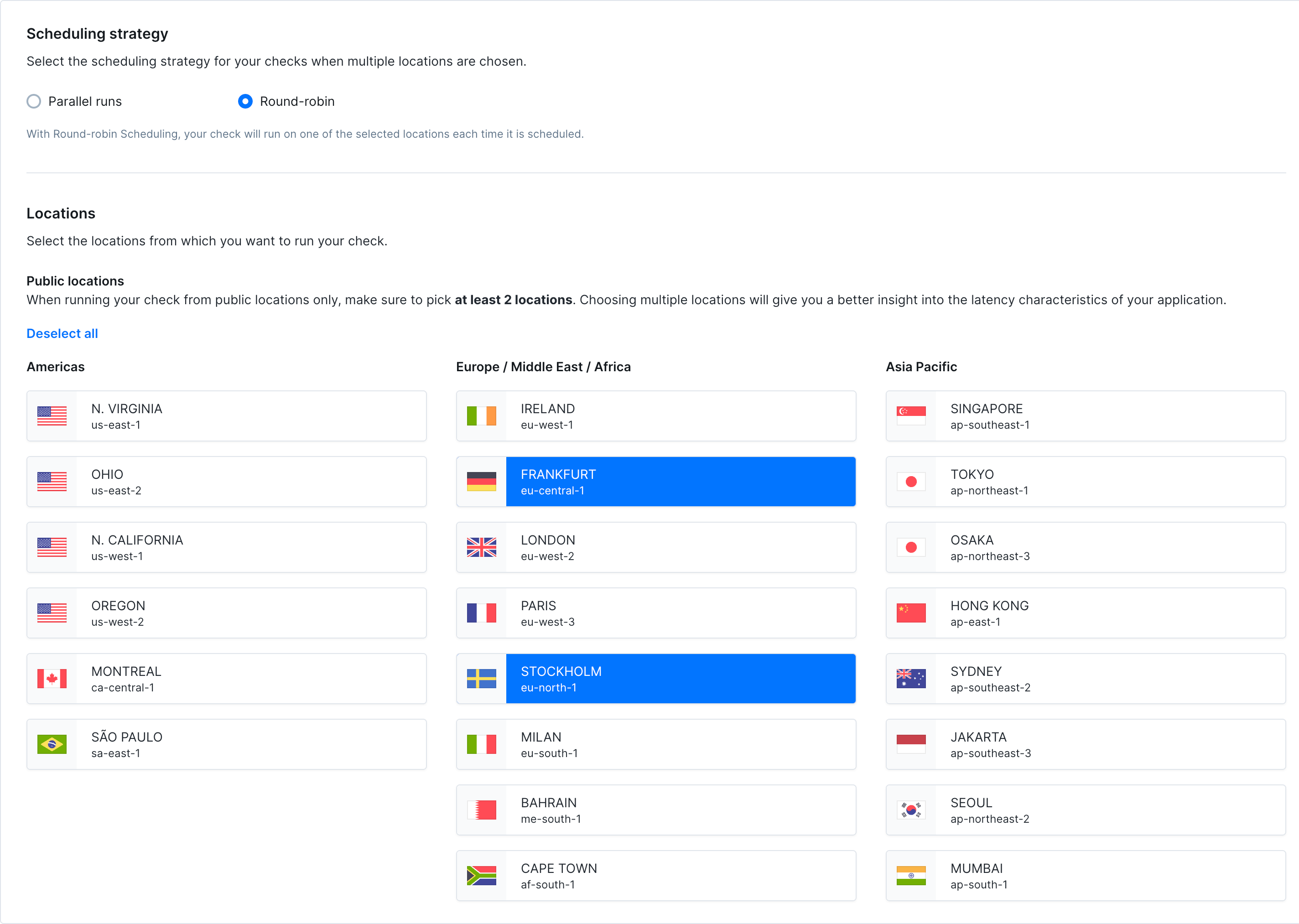
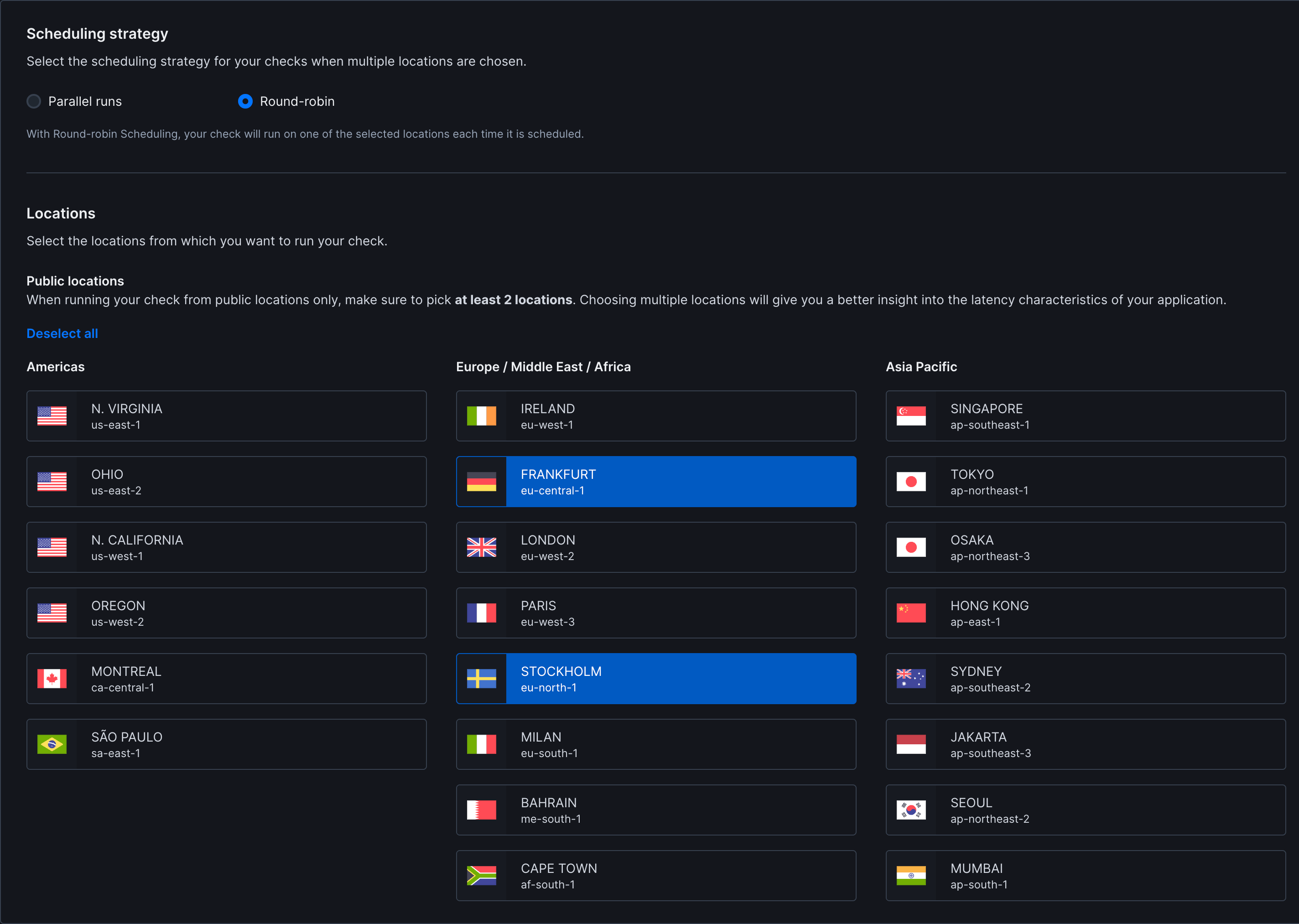 * **Strategy:** Choose between round-robin or parallel execution. Learn more about [scheduling strategies](/concepts/scheduling)
* **Locations:** Select [public](/concepts/locations/#public-locations) or [private](/platform/private-locations/overview) locations to run the monitor from
### Additional Settings
* **Name:** Give your monitor a clear name to identify it in dashboards and alerts
* **Description:** Add context about what this monitor does and why it matters. Supports markdown, max 500 characters. When a failure occurs, [Rocky AI](/ai/rocky-ai) uses the description to provide more accurate [root cause and user impact analysis](/resolve/ai-root-cause-analysis/overview)
* **Tags:** Use tags to organize monitors across [dashboards](/communicate/dashboards/overview/) and [maintenance windows](/communicate/maintenance-windows/overview)
* **Retries:** Define how failed runs should be retried. See [retry strategies](/communicate/alerts/retries)
* **Alerting:** Configure your [alert settings](/communicate/alerts/configuration), [alert channels](/communicate/alerts/channels), or set up [webhooks](/integrations/alerts/webhooks) for custom integrations
## Common Use Cases
**Scenario**: Your CDN provides multiple IP addresses for redundancy. You need to ensure all IPs are reachable.
**Configuration**:
* **Domain**: `cdn.example.com`
* **Record type**: A
* **Assertions**:
* `$.Answer[0].TTL` is less than `300` (ensure low TTL for quick failover)
* `$.Answer[0].data` equals expected IP address
* Text response contains expected IP range (check multiple IPs in raw response)
**Scenario**: Monitor SPF, DKIM, and DMARC records to prevent email spoofing.
**Configuration**:
* **Domain**: `example.com`
* **Record type**: TXT
* **Assertions**:
* Text response contains `v=spf1`
* `$.Answer[0].data` contains `v=spf1`
For DMARC:
* **Domain**: `_dmarc.example.com`
* **Record type**: TXT
* **Assertions**:
* Text response contains `v=DMARC1`
* `$.Answer[0].data` contains `p=reject` or `p=quarantine`
**Scenario**: Ensure primary and backup mail servers are correctly configured.
**Configuration**:
* **Domain**: `example.com`
* **Record type**: MX
* **Assertions**:
* `$.Answer[0].data` contains `10 mail.example.com.` (priority 10 + hostname)
* Text response contains `mail.example.com`
**Scenario**: After updating nameservers, verify all nameservers return consistent results.
**Configuration**:
* **Domain**: `example.com`
* **Record type**: NS
* Create separate monitors for each nameserver:
* Monitor 1: DNS server `ns1.example.com:53`
* Monitor 2: DNS server `ns2.example.com:53`
* **Assertions**:
* `$.Answer[0].data` equals `ns1.example.com.` or `ns2.example.com.`
**Scenario**: Publishing an HTTPS DNS record lets browsers connect over HTTP/3 (QUIC) on the first request, saving a round trip. Monitor that the record stays published and keeps advertising `h3`.
**Configuration**:
* **Domain**: `example.com`
* **Record type**: HTTPS
* **Assertions**:
* Response code equals `NOERROR` (the record resolves)
* Text answer with regex `alpn="([^"]*)"` contains `h3` (HTTP/3 advertised)
* `$.Answer[0].data` contains `ipv4hint` (IPv4 address hints published)
* **Strategy:** Choose between round-robin or parallel execution. Learn more about [scheduling strategies](/concepts/scheduling)
* **Locations:** Select [public](/concepts/locations/#public-locations) or [private](/platform/private-locations/overview) locations to run the monitor from
### Additional Settings
* **Name:** Give your monitor a clear name to identify it in dashboards and alerts
* **Description:** Add context about what this monitor does and why it matters. Supports markdown, max 500 characters. When a failure occurs, [Rocky AI](/ai/rocky-ai) uses the description to provide more accurate [root cause and user impact analysis](/resolve/ai-root-cause-analysis/overview)
* **Tags:** Use tags to organize monitors across [dashboards](/communicate/dashboards/overview/) and [maintenance windows](/communicate/maintenance-windows/overview)
* **Retries:** Define how failed runs should be retried. See [retry strategies](/communicate/alerts/retries)
* **Alerting:** Configure your [alert settings](/communicate/alerts/configuration), [alert channels](/communicate/alerts/channels), or set up [webhooks](/integrations/alerts/webhooks) for custom integrations
## Common Use Cases
**Scenario**: Your CDN provides multiple IP addresses for redundancy. You need to ensure all IPs are reachable.
**Configuration**:
* **Domain**: `cdn.example.com`
* **Record type**: A
* **Assertions**:
* `$.Answer[0].TTL` is less than `300` (ensure low TTL for quick failover)
* `$.Answer[0].data` equals expected IP address
* Text response contains expected IP range (check multiple IPs in raw response)
**Scenario**: Monitor SPF, DKIM, and DMARC records to prevent email spoofing.
**Configuration**:
* **Domain**: `example.com`
* **Record type**: TXT
* **Assertions**:
* Text response contains `v=spf1`
* `$.Answer[0].data` contains `v=spf1`
For DMARC:
* **Domain**: `_dmarc.example.com`
* **Record type**: TXT
* **Assertions**:
* Text response contains `v=DMARC1`
* `$.Answer[0].data` contains `p=reject` or `p=quarantine`
**Scenario**: Ensure primary and backup mail servers are correctly configured.
**Configuration**:
* **Domain**: `example.com`
* **Record type**: MX
* **Assertions**:
* `$.Answer[0].data` contains `10 mail.example.com.` (priority 10 + hostname)
* Text response contains `mail.example.com`
**Scenario**: After updating nameservers, verify all nameservers return consistent results.
**Configuration**:
* **Domain**: `example.com`
* **Record type**: NS
* Create separate monitors for each nameserver:
* Monitor 1: DNS server `ns1.example.com:53`
* Monitor 2: DNS server `ns2.example.com:53`
* **Assertions**:
* `$.Answer[0].data` equals `ns1.example.com.` or `ns2.example.com.`
**Scenario**: Publishing an HTTPS DNS record lets browsers connect over HTTP/3 (QUIC) on the first request, saving a round trip. Monitor that the record stays published and keeps advertising `h3`.
**Configuration**:
* **Domain**: `example.com`
* **Record type**: HTTPS
* **Assertions**:
* Response code equals `NOERROR` (the record resolves)
* Text answer with regex `alpn="([^"]*)"` contains `h3` (HTTP/3 advertised)
* `$.Answer[0].data` contains `ipv4hint` (IPv4 address hints published)