> ## Documentation Index
> Fetch the complete documentation index at: https://checklyhq.com/docs/llms.txt
> Use this file to discover all available pages before exploring further.
# Send Alerts to FireHydrant
> Integrate with FireHydrant to create and resolve incidents from Checkly alerts
Checkly integrates with [FireHydrant](https://firehydrant.io/) to create and resolve incidents in your FireHydrant installation. More specifically, Checkly will:
* Alert you on Slack when a check fails, allowing you to create an incident on FireHydrant with one click.
* Close incidents automatically when a failing check recovers.
Assuming you already have [set up Slack on FireHydrant](https://support.firehydrant.io/hc/en-us/articles/360058203511), the integration can be configured as follows:
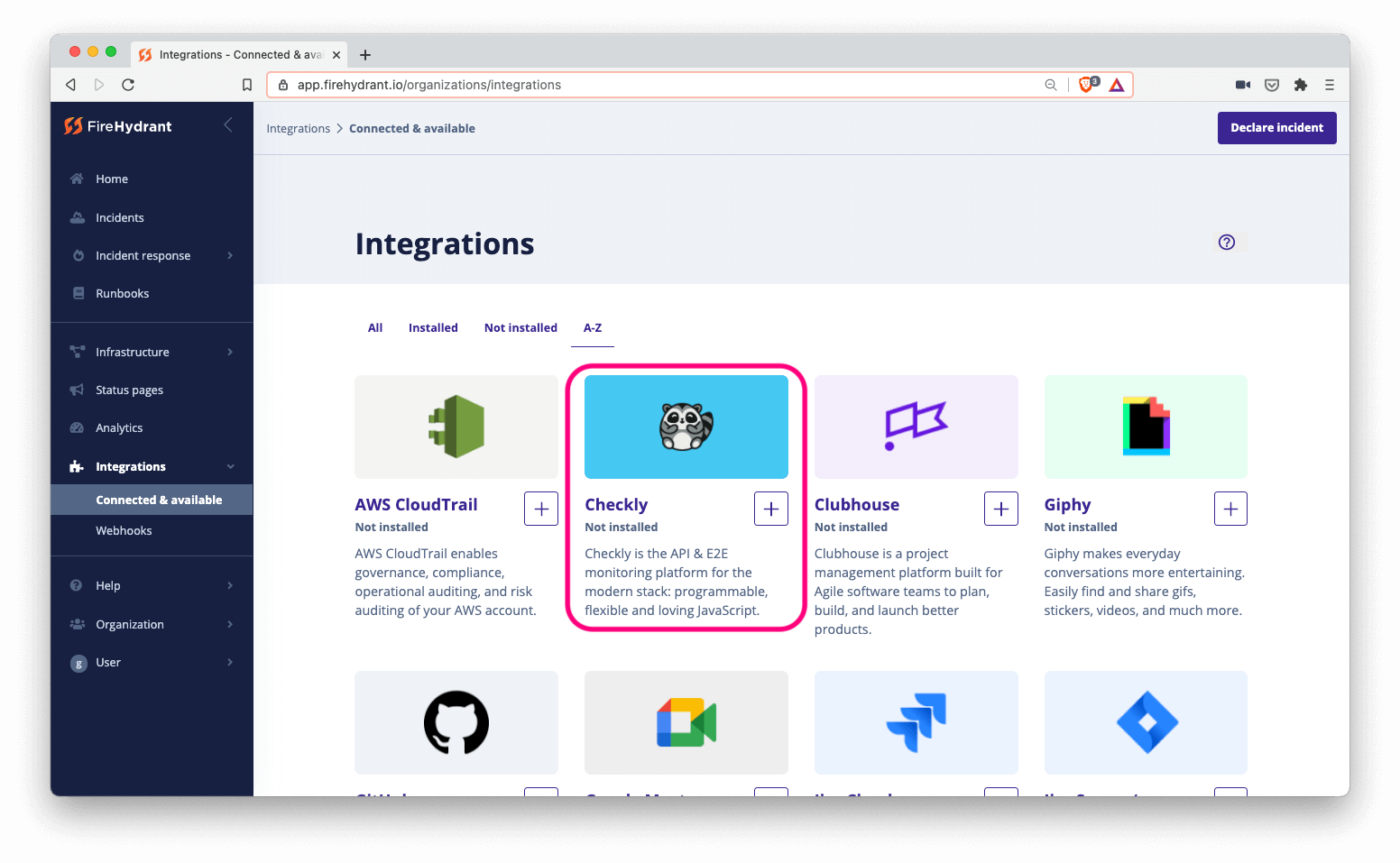
1. Log in to FireHydrant and navigate to `Integrations > Connected & available`, then select Checkly.
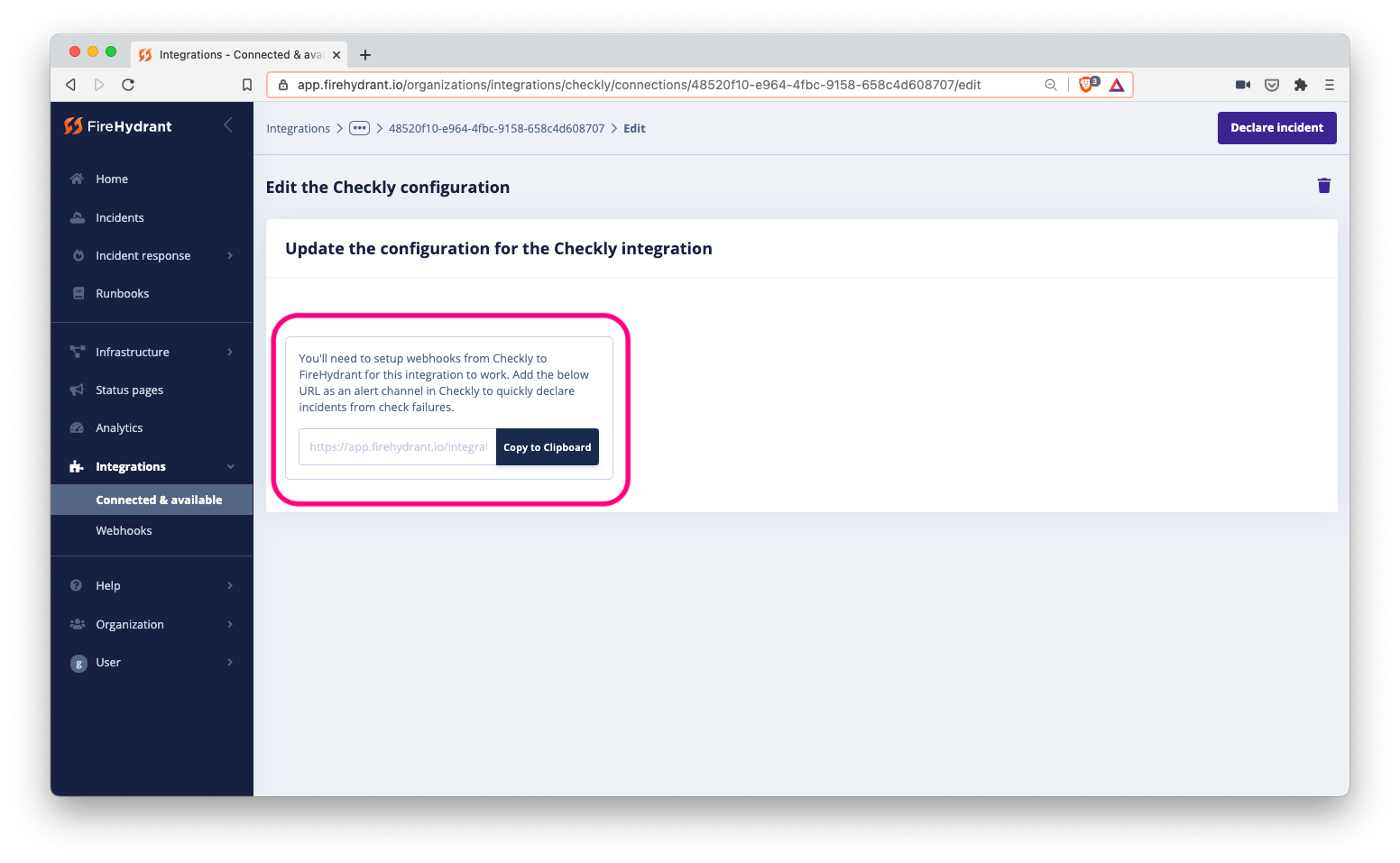
 2. Next, copy the generated URL to your clipboard.
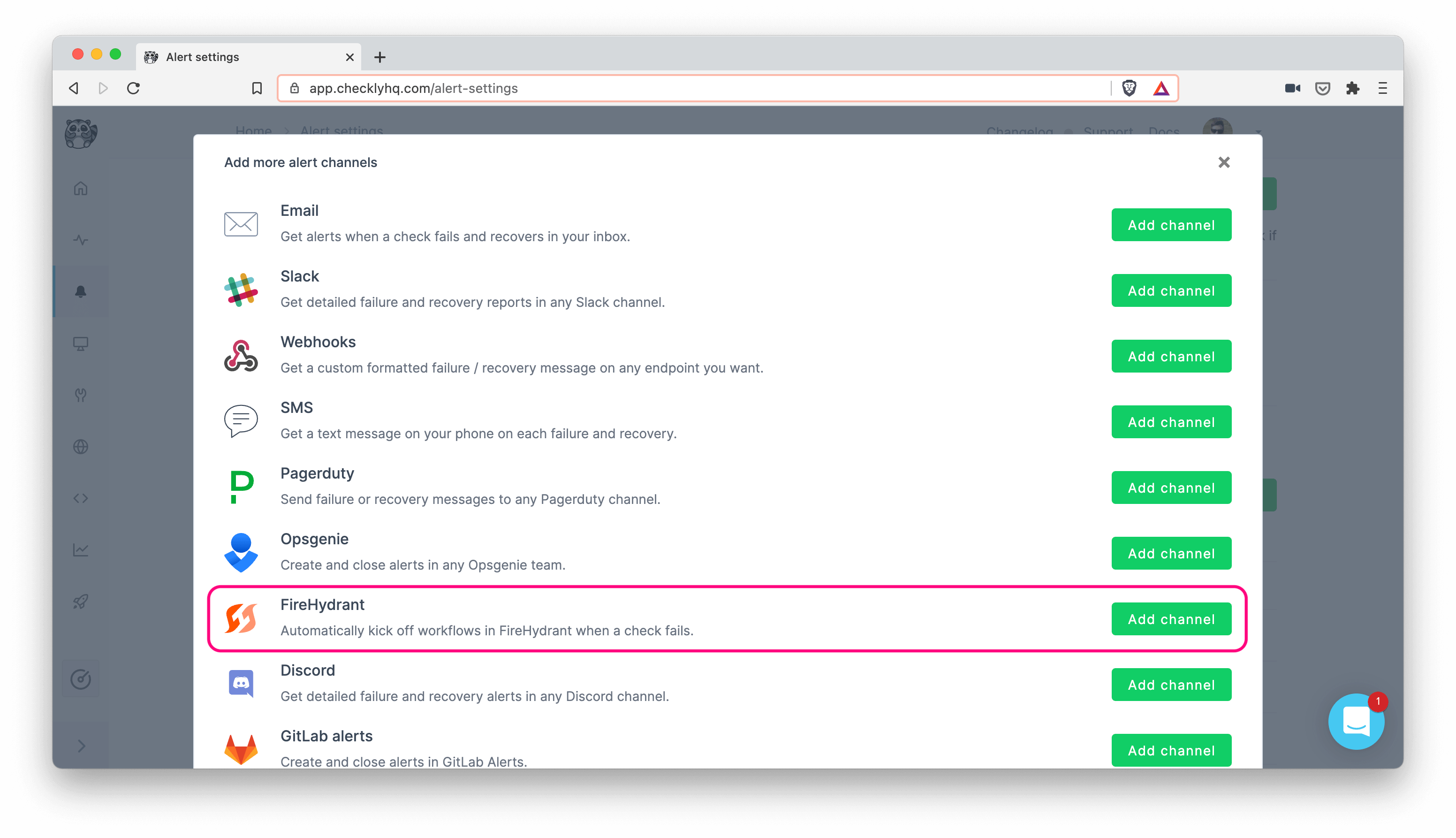
 3. Log in to Checkly and navigate to `Alert Settings`. Click the `Add more channels` button, find FireHydrant on the list, and click `Add channel`.
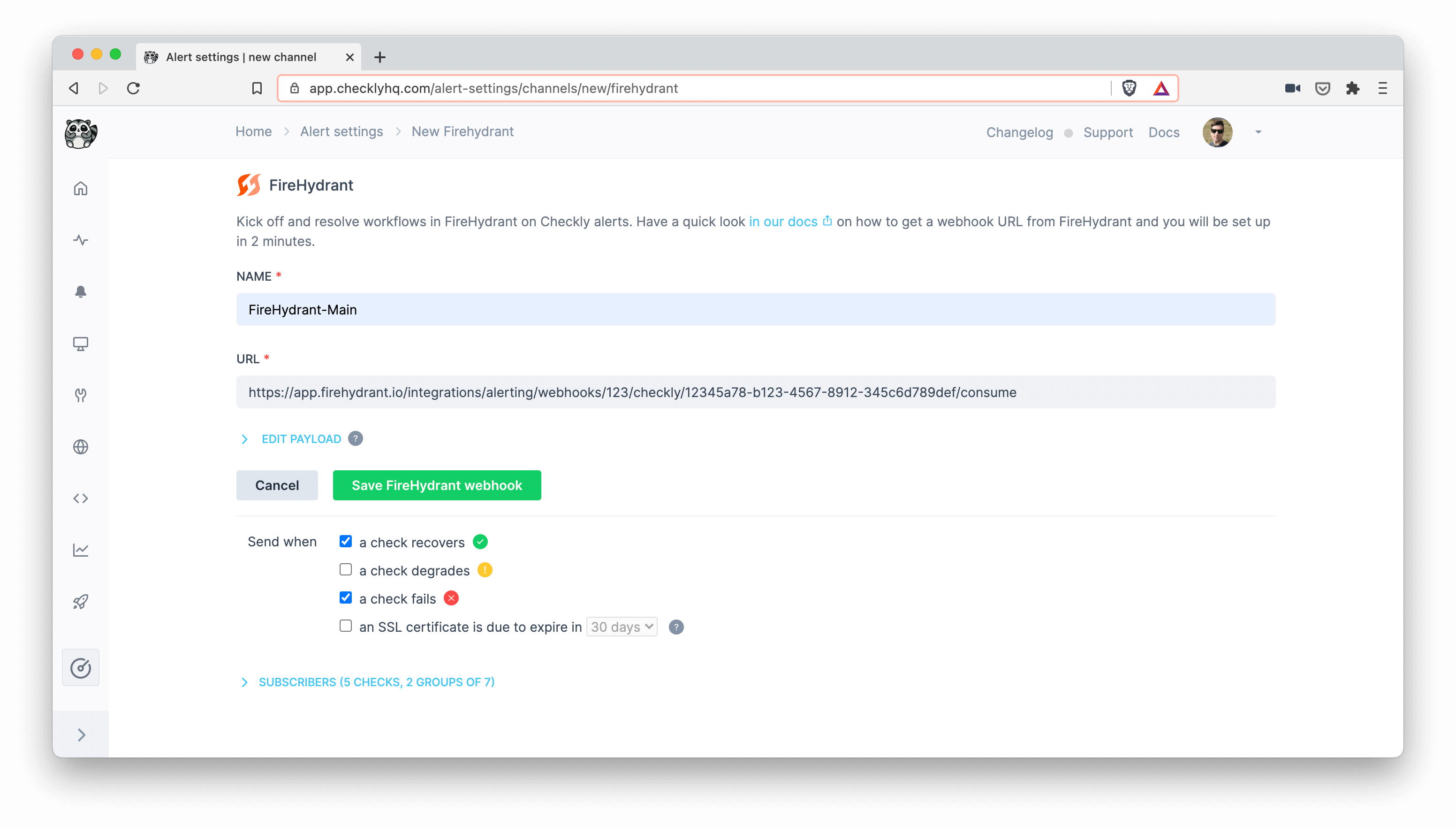
 4. Enter a name of your choosing for the alert channel, together with the URL you copied from FireHydrant. Make sure that the right checks are subscribing to the channel and that the `Send when` rules are correctly set, then hit `Save FireHydrant Webhook`.
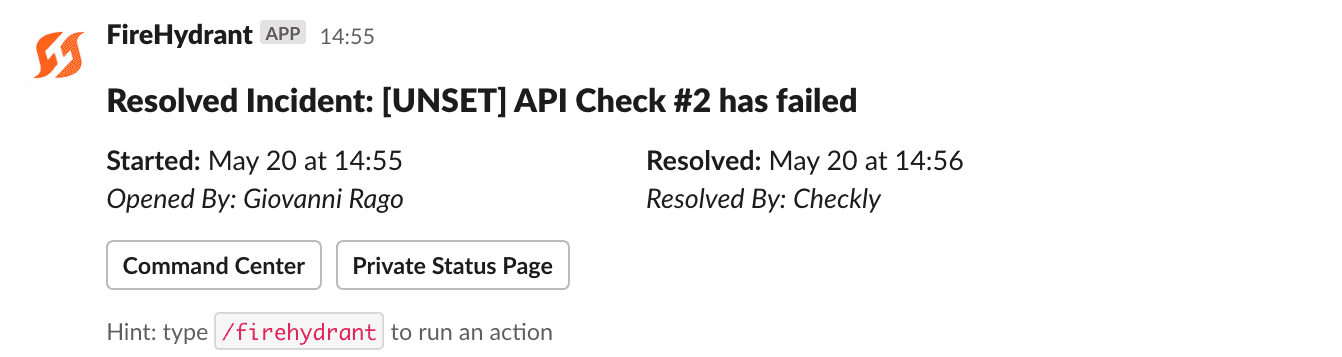
 You are all set! Now, when a check fails, you will see an alert in your configured Slack channel:
 At this point, you can choose to either create an incident on FireHydrant or dismiss the alert. In case the related check recovers, the incident will be closed.
 Congratulations, you have successfully integrated Checkly with FireHydrant!