> ## Documentation Index
> Fetch the complete documentation index at: https://checklyhq.com/docs/llms.txt
> Use this file to discover all available pages before exploring further.
# Integrating StatusPage
> Configure StatusPage integration to automatically open incidents when Checkly monitors fail
Checkly's webhooks can be used to automatically open incidents with [StatusPage](https://www.atlassian.com/software/statuspage). Assuming you already have your status page set up, the setup is as follows:
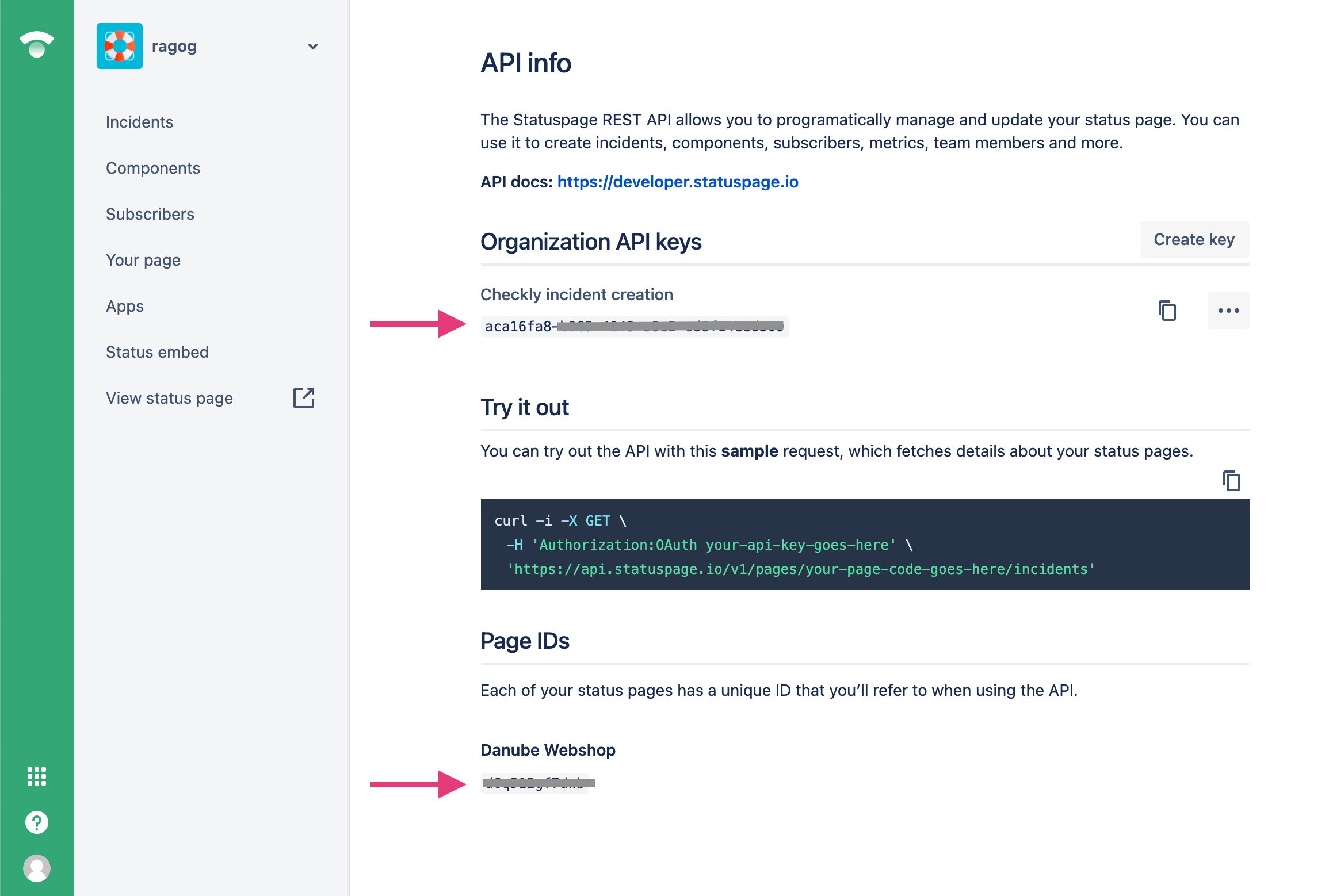
1. First of all, ensure you have an API key available for your status page. In case you don't, [create a new one](https://support.atlassian.com/statuspage/docs/create-and-manage-api-keys/). You will also need to make a note of your status page's id.
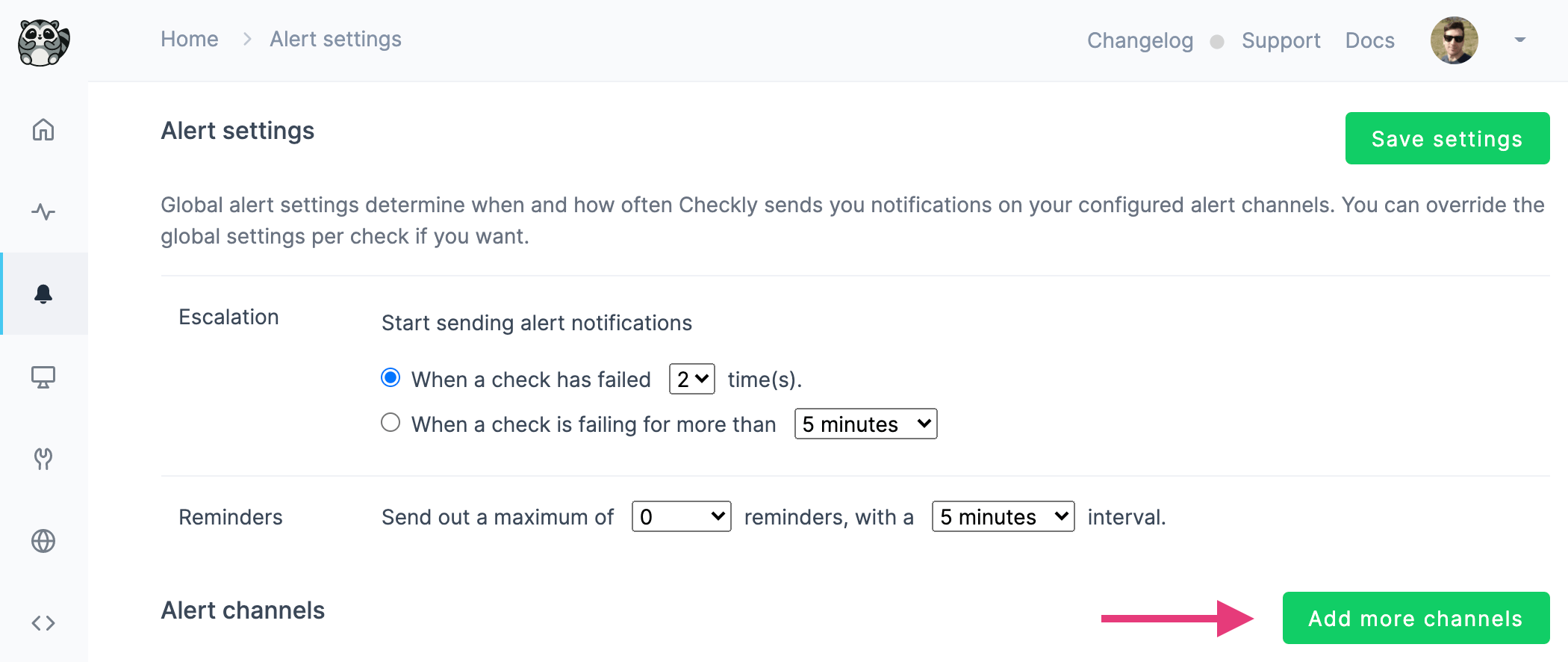
 2. Next up, navigate to the Alert Settings tab on Checkly and add a new channel.
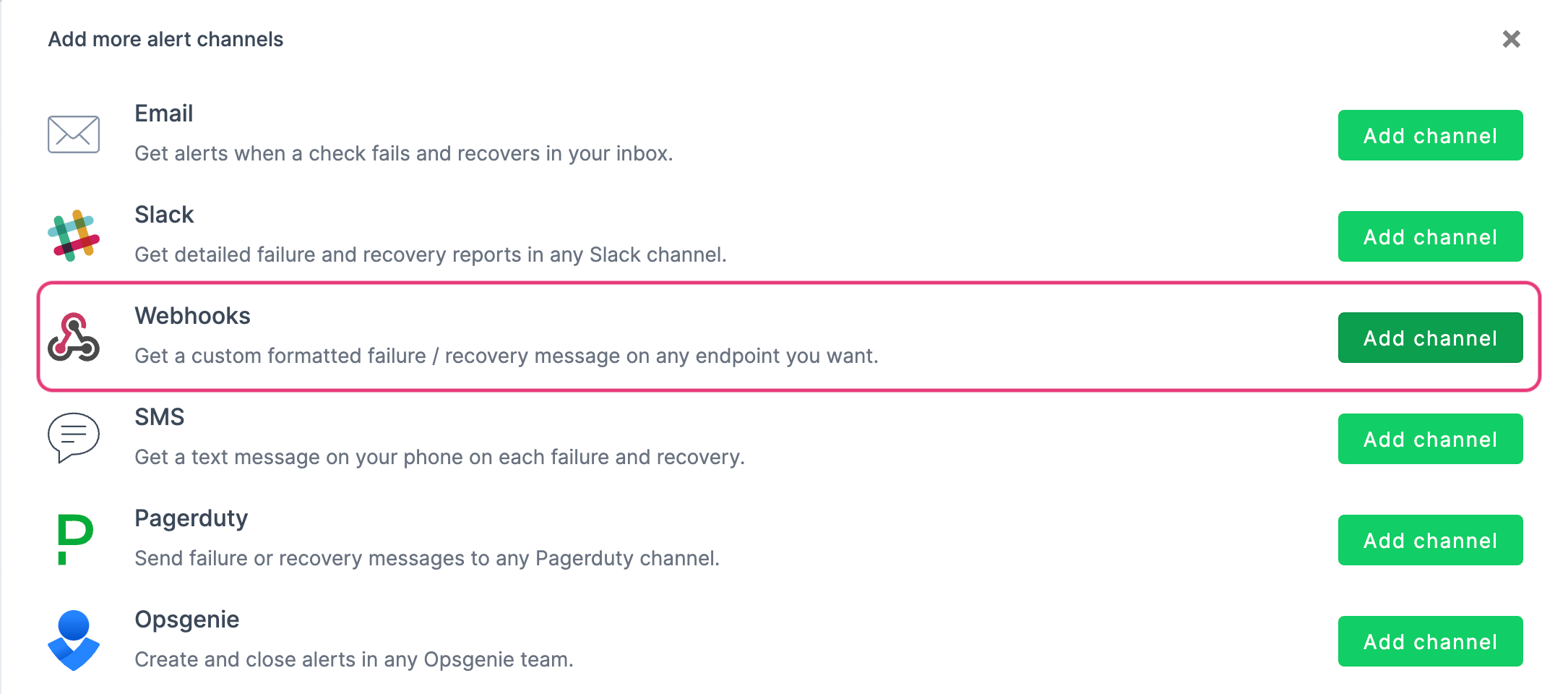
 3. Select `Webhook`.
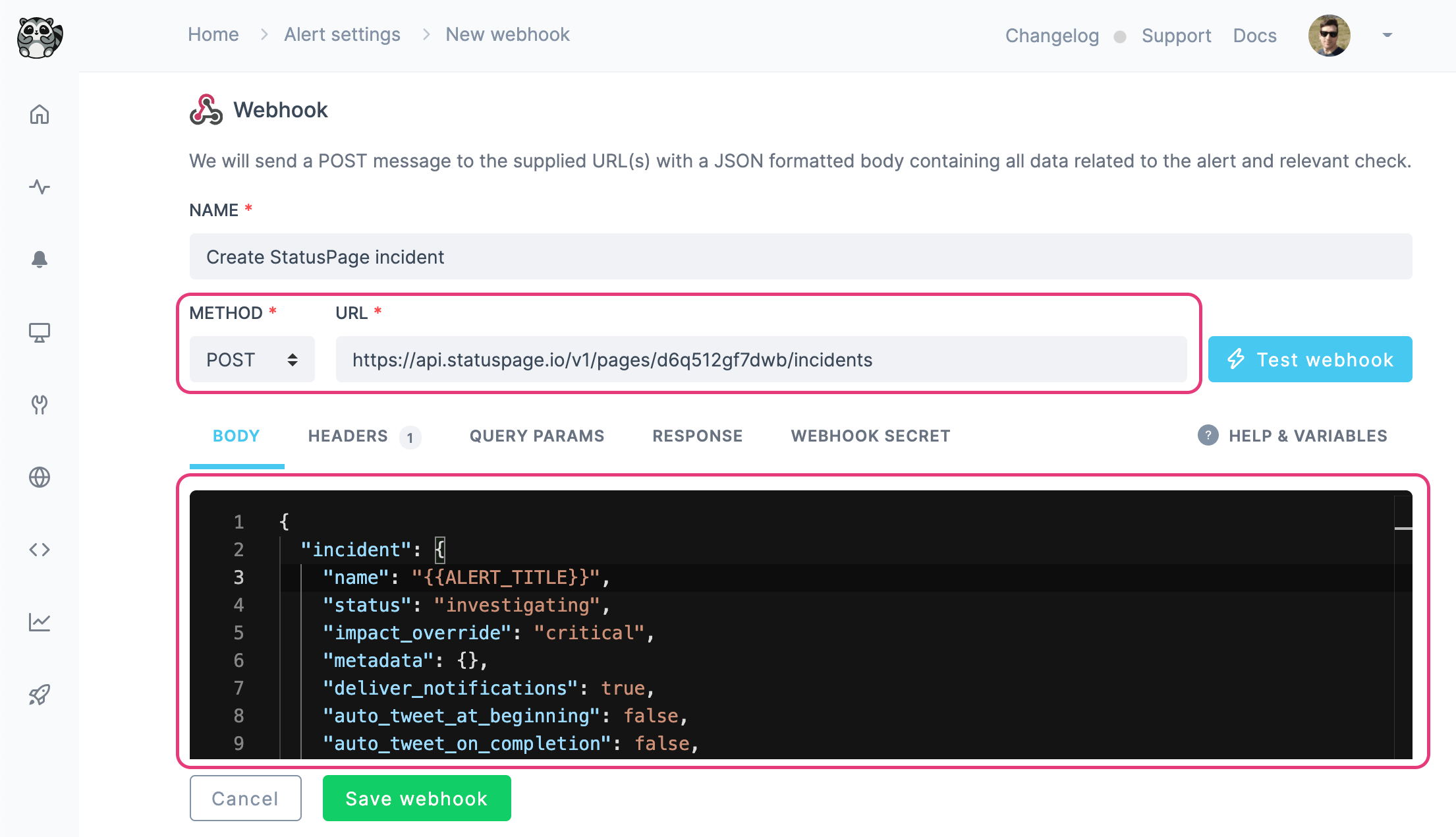
 4. Configuring the webhook, enter `POST` as method and `https://api.statuspage.io/v1/pages//incidents` as URL. The body needs to be configured as shown in StatusPage's [official documentation](https://developer.statuspage.io/#operation/postPagesPageIdIncidents).
An example could be:
```json theme={null}
{
"incident": {
"name": "{{ALERT_TITLE}}",
"status": "investigating",
"impact_override": "critical",
"metadata": {},
"deliver_notifications": true,
"auto_tweet_at_beginning": false,
"auto_tweet_on_completion": false,
"auto_tweet_on_creation": false,
"auto_tweet_one_hour_before": false,
"backfill_date": "string",
"backfilled": false,
"body": "Something broke :(",
"components": {},
"component_ids": [],
"scheduled_auto_transition": false
}
}
```
Where the `name` field will be set to the title of the Checkly alert. See all [available alert variables](/integrations/alerts/webhooks#using-variables).
4. Configuring the webhook, enter `POST` as method and `https://api.statuspage.io/v1/pages//incidents` as URL. The body needs to be configured as shown in StatusPage's [official documentation](https://developer.statuspage.io/#operation/postPagesPageIdIncidents).
An example could be:
```json theme={null}
{
"incident": {
"name": "{{ALERT_TITLE}}",
"status": "investigating",
"impact_override": "critical",
"metadata": {},
"deliver_notifications": true,
"auto_tweet_at_beginning": false,
"auto_tweet_on_completion": false,
"auto_tweet_on_creation": false,
"auto_tweet_one_hour_before": false,
"backfill_date": "string",
"backfilled": false,
"body": "Something broke :(",
"components": {},
"component_ids": [],
"scheduled_auto_transition": false
}
}
```
Where the `name` field will be set to the title of the Checkly alert. See all [available alert variables](/integrations/alerts/webhooks#using-variables).
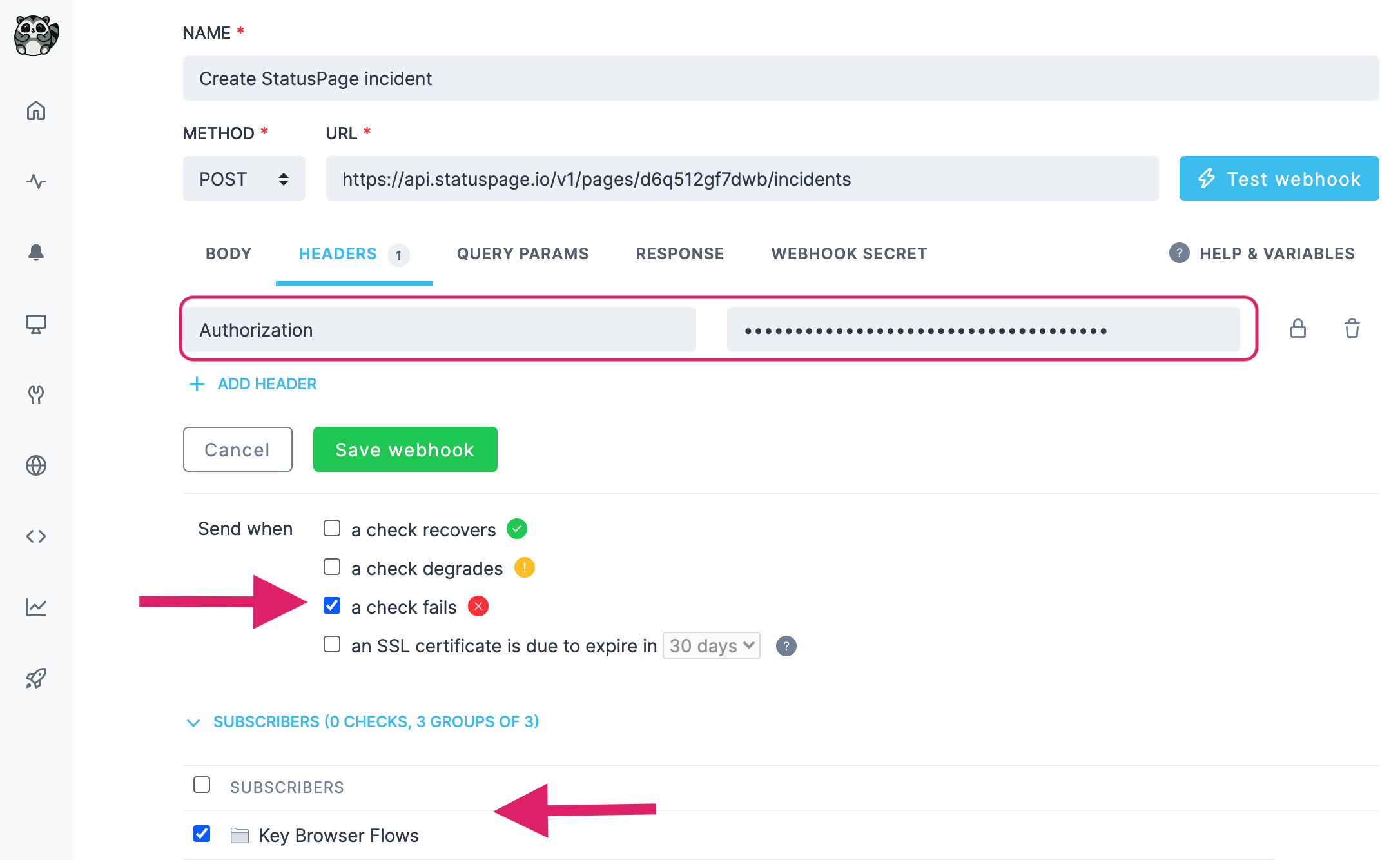
 5. You will also need to provide your StatusPage API key in the `Authorization` header in the Headers tab, as well as select on which status the webhook should fire ("when a check fails", in this case), and which checks/groups should subscribe to the webhook. Subscribed checks and groups will trigger the webhook and open an incident.
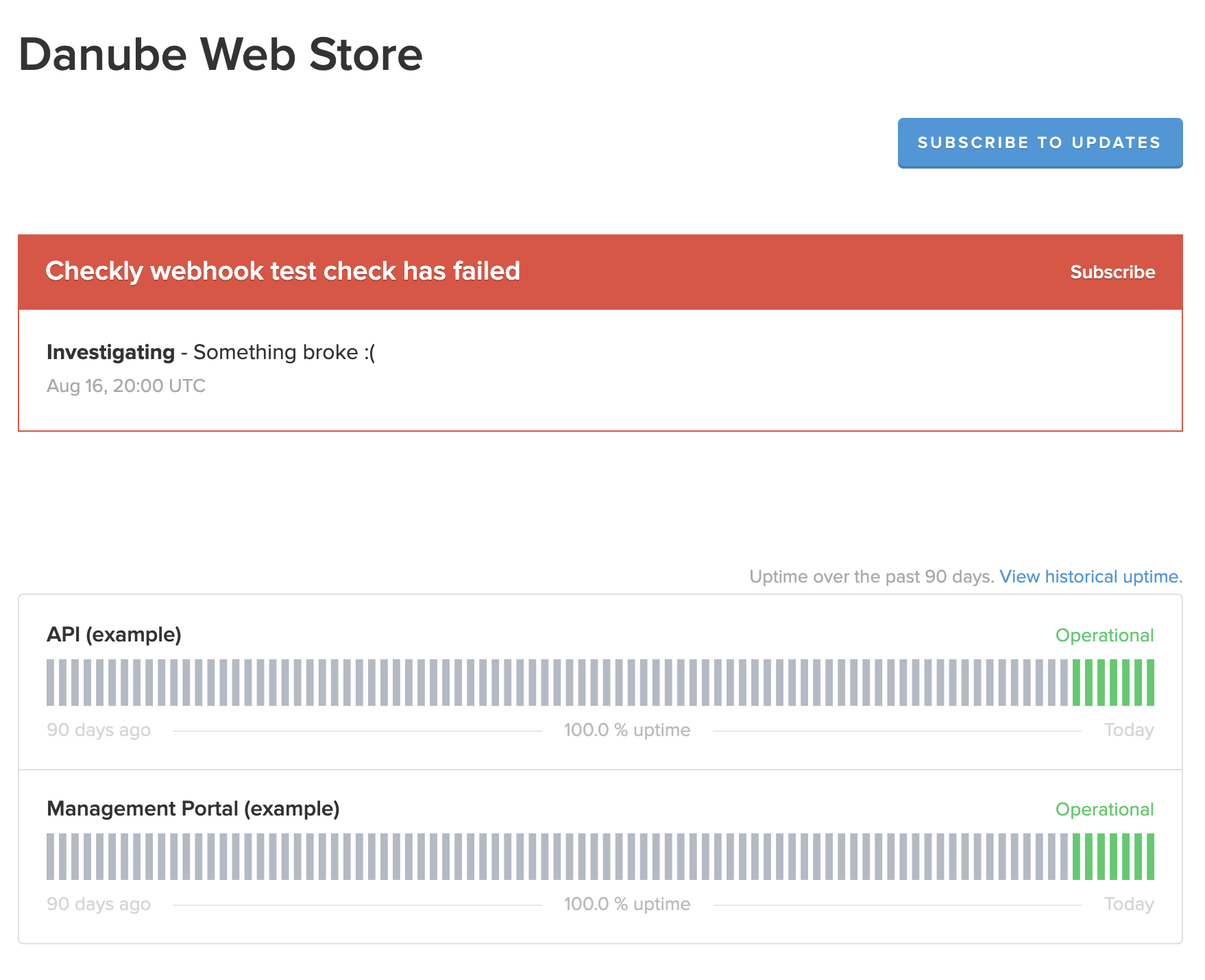
 You are done! When a subscribed check fails, an incident will be opened on StatusPage:
 Note that currently, automatically resolving existing incidents on check recovery is not supported.
Congratulations! You have successfully integrated Checkly with StatusPage!
Note that currently, automatically resolving existing incidents on check recovery is not supported.
Congratulations! You have successfully integrated Checkly with StatusPage!