Bugs don't stop at CI/CD. Why would Playwright? 
Sign up and start using Playwright for end-to-end monitoring with Checkly.
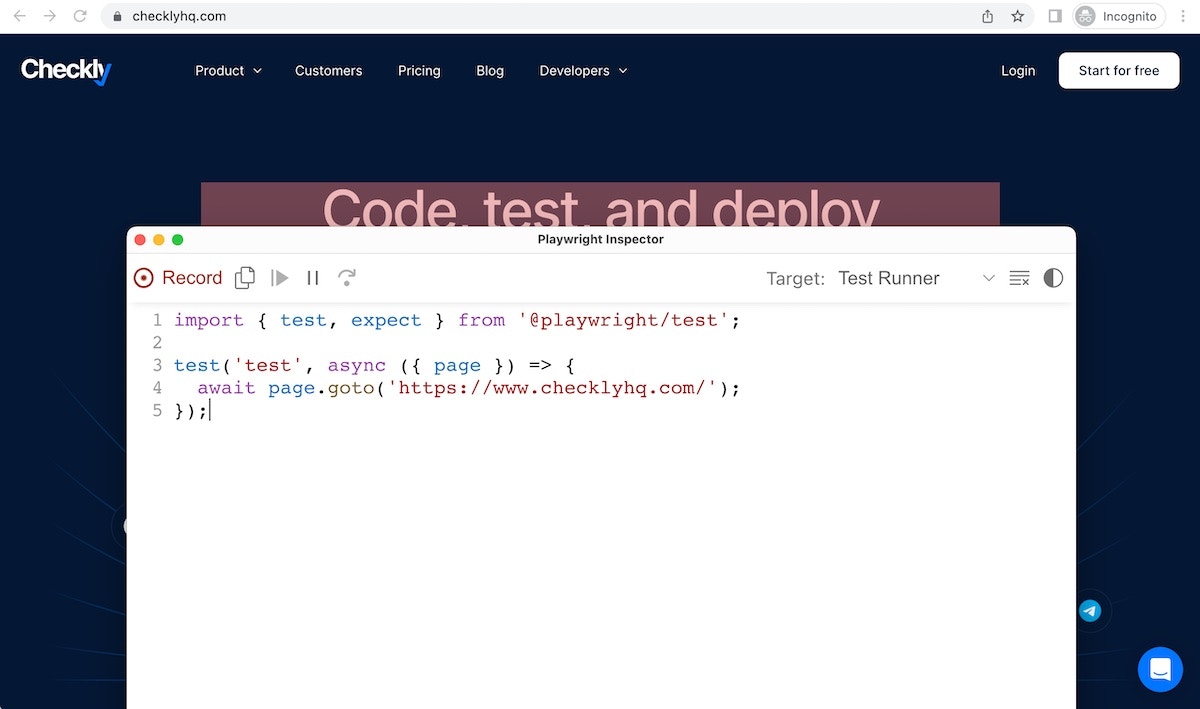 > Pro tip: if you're using [the Playwright VS Code extension](https://marketplace.visualstudio.com/items?itemName=ms-playwright.playwright#record-new-tests), you can also record and run scripts in your editor.
## Using recorders effectively
Regardless of your chosen approach, you will want to inspect the output scripts to make sure they are doing what you need them to in the fastest and most reliable way possible.
Double-check the newly created scripts and tweak it when necessary, especially keeping an eye out for:
1. Selectors, which should be in line with common [best practices](/learn/playwright/selectors/).
2. [Waits](/learn/playwright/navigation/), which should ensure the right element is present and/or ready for interaction at the right time; also, make sure you get rid of unnecessary waits.
3. Any sort of needless duplication.
## Takeaways
1. Recorders are a powerful tool to speed up script creation.
2. Recorded scripts should always be inspected and possibly tweaked to ensure correctness and efficiency.
3. Script maintenance is still required after scripts have been recorded.
## Further reading
1. [Playwright Codegen](https://playwright.dev/docs/codegen-intro#running-codegen) documentation.
> Pro tip: if you're using [the Playwright VS Code extension](https://marketplace.visualstudio.com/items?itemName=ms-playwright.playwright#record-new-tests), you can also record and run scripts in your editor.
## Using recorders effectively
Regardless of your chosen approach, you will want to inspect the output scripts to make sure they are doing what you need them to in the fastest and most reliable way possible.
Double-check the newly created scripts and tweak it when necessary, especially keeping an eye out for:
1. Selectors, which should be in line with common [best practices](/learn/playwright/selectors/).
2. [Waits](/learn/playwright/navigation/), which should ensure the right element is present and/or ready for interaction at the right time; also, make sure you get rid of unnecessary waits.
3. Any sort of needless duplication.
## Takeaways
1. Recorders are a powerful tool to speed up script creation.
2. Recorded scripts should always be inspected and possibly tweaked to ensure correctness and efficiency.
3. Script maintenance is still required after scripts have been recorded.
## Further reading
1. [Playwright Codegen](https://playwright.dev/docs/codegen-intro#running-codegen) documentation.