> ## Documentation Index
> Fetch the complete documentation index at: https://www.checklyhq.com/docs/llms.txt
> Use this file to discover all available pages before exploring further.
# Environment variables and secrets
> Store and manage common configuration values across your checks
Your checks might share the same configuration data, like an authentication token, a user name, or even a specific part of the URL. You can use variables and secrets to 'DRY' up your checks, store these variables in one place, and keep sensitive data secure.
## Overview
There are two ways to store configuration information in Checkly: Variables and secrets. Both variables and secrets are encrypted at rest and in flight.
* **Variables** are used to store non-sensitive information. Variables are shown in plaintext when being edited, on the check result page and in logs. Variables can be accessed via the CLI and API.
* **Secrets** allow you to store sensitive data for use in checks. Once saved, secrets are never shown in the UI or in logs and cannot be accessed via the CLI or API.
Secrets are fully supported starting with runtime version 2024.09 and later. For [Private Locations](/platform/private-locations/overview/), secrets are available in agent version `3.3.4` and later, and for the [CLI](/cli/overview/), in version `4.9.0` and later.
To ensure the integrity of Playwright artifacts (traces, videos and screenshots), the following are not scrubbed, even when saved as secrets: The characters `/` and `*` and the full or partial match of `/artifact/`, `https://`, `http://`, `*********`, and `123`.
Values of the keys `sha1`, `_sha1`, `pageref`, `downloadsPath`, `tracesDir`, `pageId` and any string that ends with `sha1` will not be scrubbed from the Playwright trace, but will be scrubbed from the general check result.
Numbers are not scrubbed from the Playwright trace, but from the general check result.
This page provides a general overview of environment variables. For information specific to the CLI, refer to our [Checkly CLI documentation](/cli/environment-variables).
From here on, in this document, we refer to both variables and secrets as 'variables' for ease of reading, unless explicitly mentioned.
## Managing variables
You can create environment variables and secrets at three hierarchical levels:
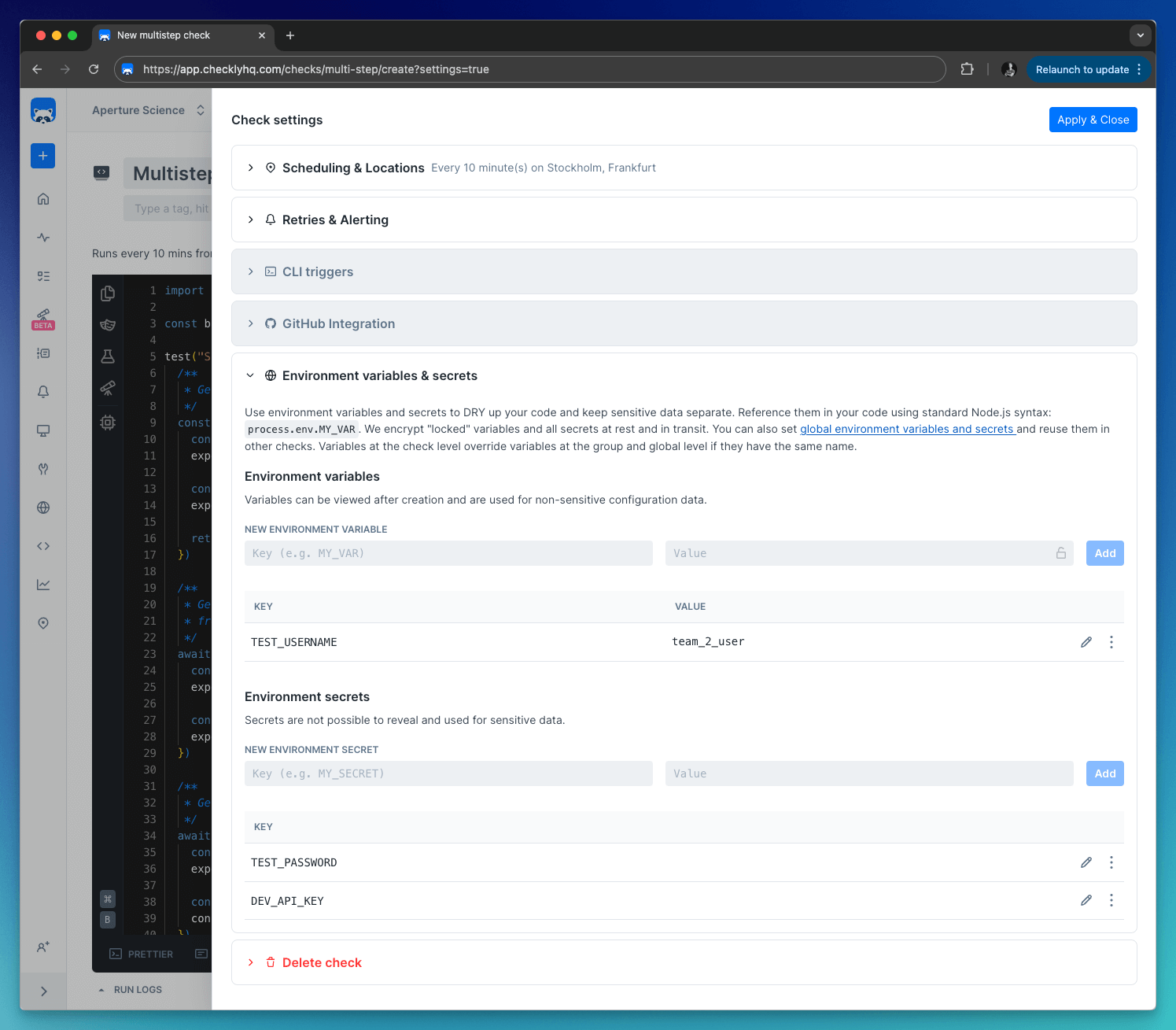
Variables defined at the check level are only available to that specific check. Use these for check-specific configuration or to override group/global variables.
**Supported by:** API (only via the CLI), Browser, Multistep & Playwright checks
Check-level variables are shown in the **Variables** tab on the check edit page.
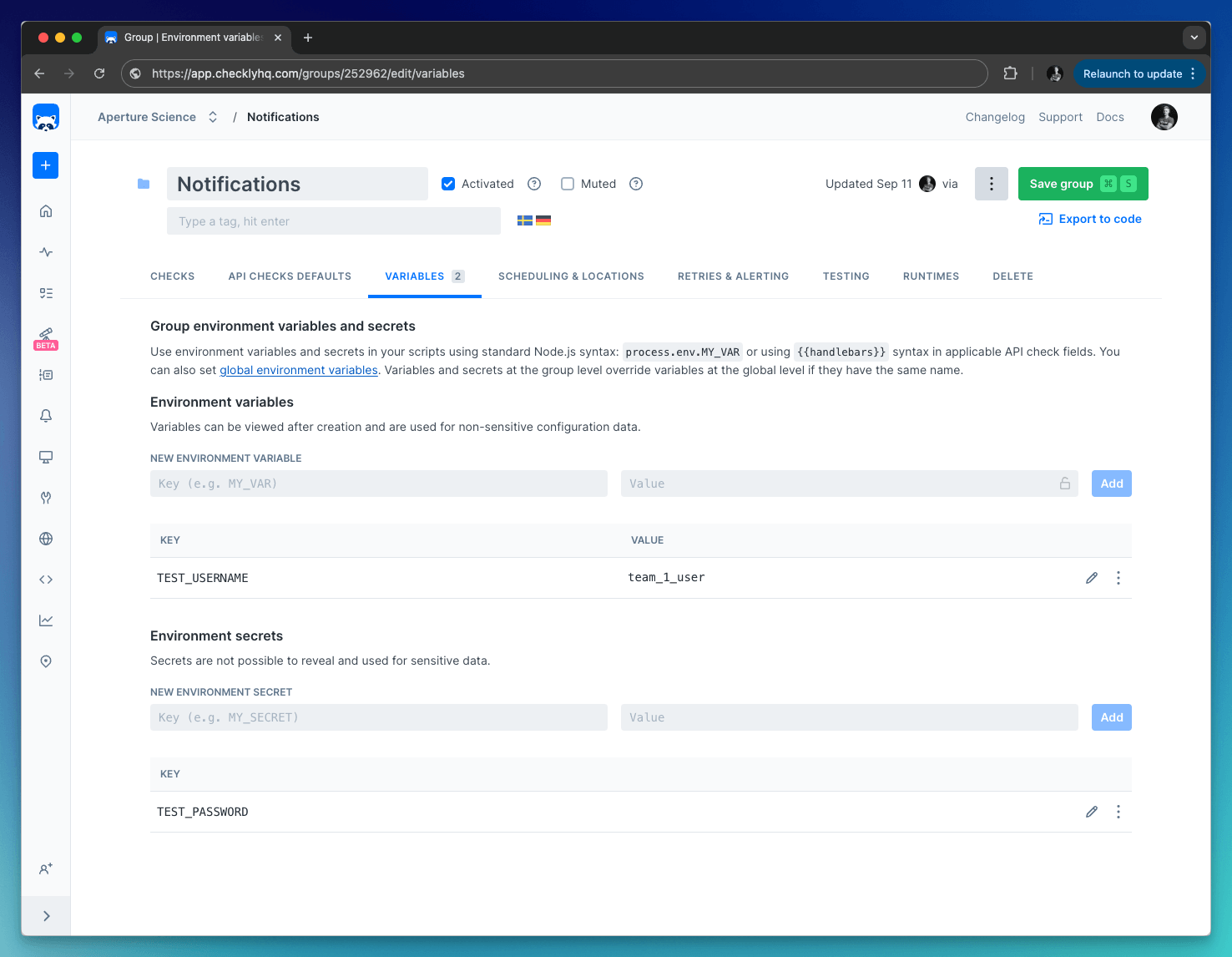
 Group variables are only accessible in the context of a group, which includes the checks within the group and their configuration.
Group-level variables are shown the **Variables** tab in a check group.
Group variables are only accessible in the context of a group, which includes the checks within the group and their configuration.
Group-level variables are shown the **Variables** tab in a check group.
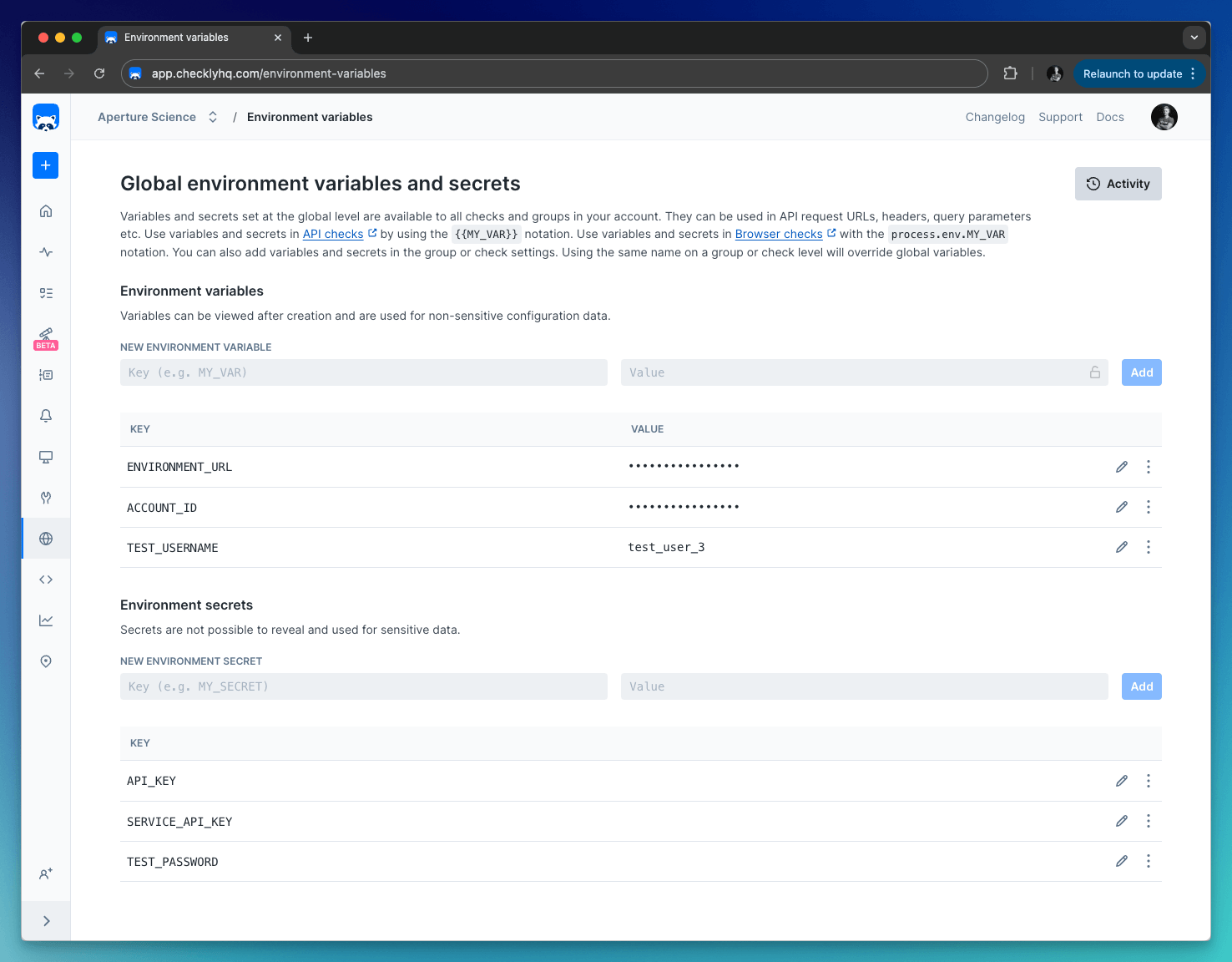
 Variables defined at the global level are available throughout Checkly, including in checks, alert channels, and global configuration options.
Global variables are shown in the [Environment variables](https://app.checklyhq.com/environment-variables) section on the left-side menu.
Variables defined at the global level are available throughout Checkly, including in checks, alert channels, and global configuration options.
Global variables are shown in the [Environment variables](https://app.checklyhq.com/environment-variables) section on the left-side menu.
 Store variables at the global level whenever possible to follow the DRY (Don't Repeat Yourself) principle.
By default, all variables are stored as string values.
When using variables, you can click the lock icon to hide the value. Any data you "lock" is encrypted at rest and in flight on our back end and is only decrypted when needed. Locked environment variables can only be accessed by team members with [Read & Write, Admin, or Owner roles](/admin/team-management/overview/).
Secrets are never visible for any user and are always encrypted.
## Variable hierarchy
As checks are scheduled, Checkly merges the check, group, and global environment variables into one data set and exposes them
to the runtime environment. During merging, variables at more specific levels override those at broader levels.
Or, in other words: **check** variables override **group** variables override **global** variables.
You can make use of this by providing a default value for a specific variable at the global or group level, but allow that variable to
be overridden at the check level.
## Accessing variables
How variables are accessed depends on where you're accessing them from:
* In [Browser](/detect/synthetic-monitoring/browser-checks/mac-structure#environment-variables), [Multistep](/detect/synthetic-monitoring/multistep-checks/overview#built-in-runtime-variables), and [API Check setup/teardown scripts](/detect/synthetic-monitoring/api-checks/setup-and-teardown#built-in-variables), use the standard Node.js `process.env.VARIABLE_NAME` notation.
* In [API Check requests](/detect/synthetic-monitoring/api-checks/configuration#accessing-environment-variables), use Handlebars/Moustache templating delimiters, i.e. `{{VARIABLE_NAME}}`
* In [webhook alert channels](/integrations/alerts/webhooks#template-variables), also use the Handlebar/Moustache format, i.e. `{{VARIABLE_NAME}}`
Handlebar (double brackets) variables will be URI encoded. To avoid encoding, you can access your environment variables with triple brackets, i.e. `{{{VARIABLE_NAME}}}`.
## Playwright Check Suite Variables
Checkly provides a set of [built-in environment variables](/detect/synthetic-monitoring/playwright-checks/environment-variables) that you can use in your [Playwright Check Suites](/detect/synthetic-monitoring/playwright-checks/overview) to distinguish between Checkly executions and local runs.
Store variables at the global level whenever possible to follow the DRY (Don't Repeat Yourself) principle.
By default, all variables are stored as string values.
When using variables, you can click the lock icon to hide the value. Any data you "lock" is encrypted at rest and in flight on our back end and is only decrypted when needed. Locked environment variables can only be accessed by team members with [Read & Write, Admin, or Owner roles](/admin/team-management/overview/).
Secrets are never visible for any user and are always encrypted.
## Variable hierarchy
As checks are scheduled, Checkly merges the check, group, and global environment variables into one data set and exposes them
to the runtime environment. During merging, variables at more specific levels override those at broader levels.
Or, in other words: **check** variables override **group** variables override **global** variables.
You can make use of this by providing a default value for a specific variable at the global or group level, but allow that variable to
be overridden at the check level.
## Accessing variables
How variables are accessed depends on where you're accessing them from:
* In [Browser](/detect/synthetic-monitoring/browser-checks/mac-structure#environment-variables), [Multistep](/detect/synthetic-monitoring/multistep-checks/overview#built-in-runtime-variables), and [API Check setup/teardown scripts](/detect/synthetic-monitoring/api-checks/setup-and-teardown#built-in-variables), use the standard Node.js `process.env.VARIABLE_NAME` notation.
* In [API Check requests](/detect/synthetic-monitoring/api-checks/configuration#accessing-environment-variables), use Handlebars/Moustache templating delimiters, i.e. `{{VARIABLE_NAME}}`
* In [webhook alert channels](/integrations/alerts/webhooks#template-variables), also use the Handlebar/Moustache format, i.e. `{{VARIABLE_NAME}}`
Handlebar (double brackets) variables will be URI encoded. To avoid encoding, you can access your environment variables with triple brackets, i.e. `{{{VARIABLE_NAME}}}`.
## Playwright Check Suite Variables
Checkly provides a set of [built-in environment variables](/detect/synthetic-monitoring/playwright-checks/environment-variables) that you can use in your [Playwright Check Suites](/detect/synthetic-monitoring/playwright-checks/overview) to distinguish between Checkly executions and local runs.