Checkly lets you use JavaScript and TypeScript in your Browser and Multistep checks, API check setup and teardown scripts, and Playwright Check Suites. Checks can use npm packages and import local JavaScript and TypeScript files. How dependencies work depends on the check type:Documentation Index
Fetch the complete documentation index at: https://checklyhq.com/docs/llms.txt
Use this file to discover all available pages before exploring further.
| Check type | Dependency model | Environment field |
|---|---|---|
| Browser Checks and Multistep Checks | Run in a Checkly runtime with fixed Checkly-provided dependencies | runtimeId |
| Playwright Check Suites | Install dependencies from your project files, including package.json and your lock file | engine |
runtimeId to choose a custom Checkly runtime for Browser Checks and Multistep Checks. Use engine only for Playwright Check Suites, where it overrides the JavaScript engine version that runs your own Playwright project.
npm packages
Browser, Multistep, and API Checks
Not all npm packages are available in a Checkly runtime.
runtimeId.
You can configure runtimeId at the check and group level using constructs, and set a project default in the project configuration file.
A runtime includes fixed dependencies such as:
- Node.js 22+
@playwright/test 1.51.1axios 0.28.0lodash 4.17.21moment 2.30.1
- Browse the latest runtime specs
- Learn more about runtimes
- Why can’t I import any npm package or other third-party dependencies?
Playwright Check Suites
Playwright Check Suites do not use Checkly runtimes. Instead, Checkly installs your project’s dependencies from yourpackage.json and lock file. This lets you use custom dependencies, including private packages or packages from a custom registry.
Use the engine field to override the JavaScript engine version for a Playwright Check Suite. engine does not select a Checkly runtime or a fixed package set.
Local Dependencies
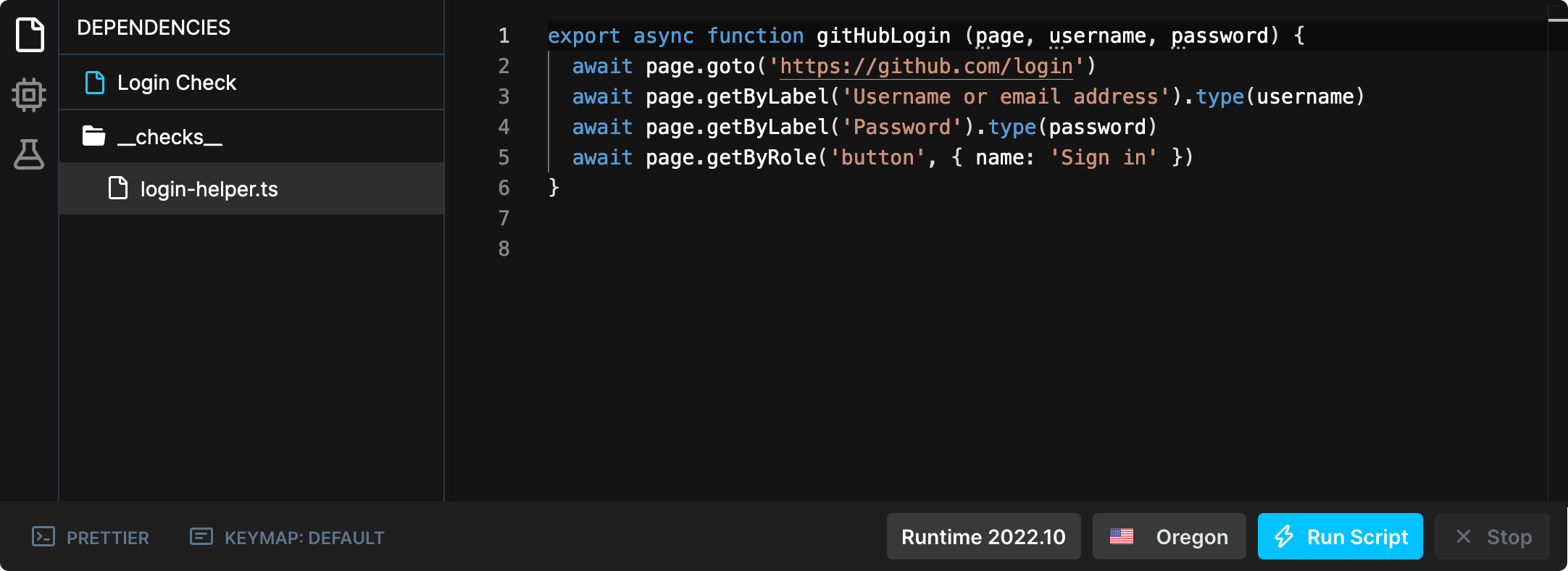
Your checks can also import other JavaScript and TypeScript files as dependencies. This is useful for defining helper functions to be reused across multiple checks. The Checkly CLI automatically detects these dependencies and bundles them with the check. No additional configuration is needed. Here is a Browser Check example of how this works in practice. The directory tree looks like the following:login-helper.ts defines a function gitHubLogin that can be used by multiple Browser Checks.
login-helper.ts
login.spec.ts we define the actual Playwright test. This file can import the gitHubLogin function from login-helper.ts.
It also reads the username and password from remote environment variables.
login.spec.ts
login.check.ts initializes a new BrowserCheck construct. Note that it’s only necessary to configure the main Playwright file login.spec.ts. The login-helper.ts dependency is automatically detected by the CLI.
login.check.ts
npx checkly deploy, you can see in the Web UI that the helper file login-helper.ts was also uploaded for this Check.