

-
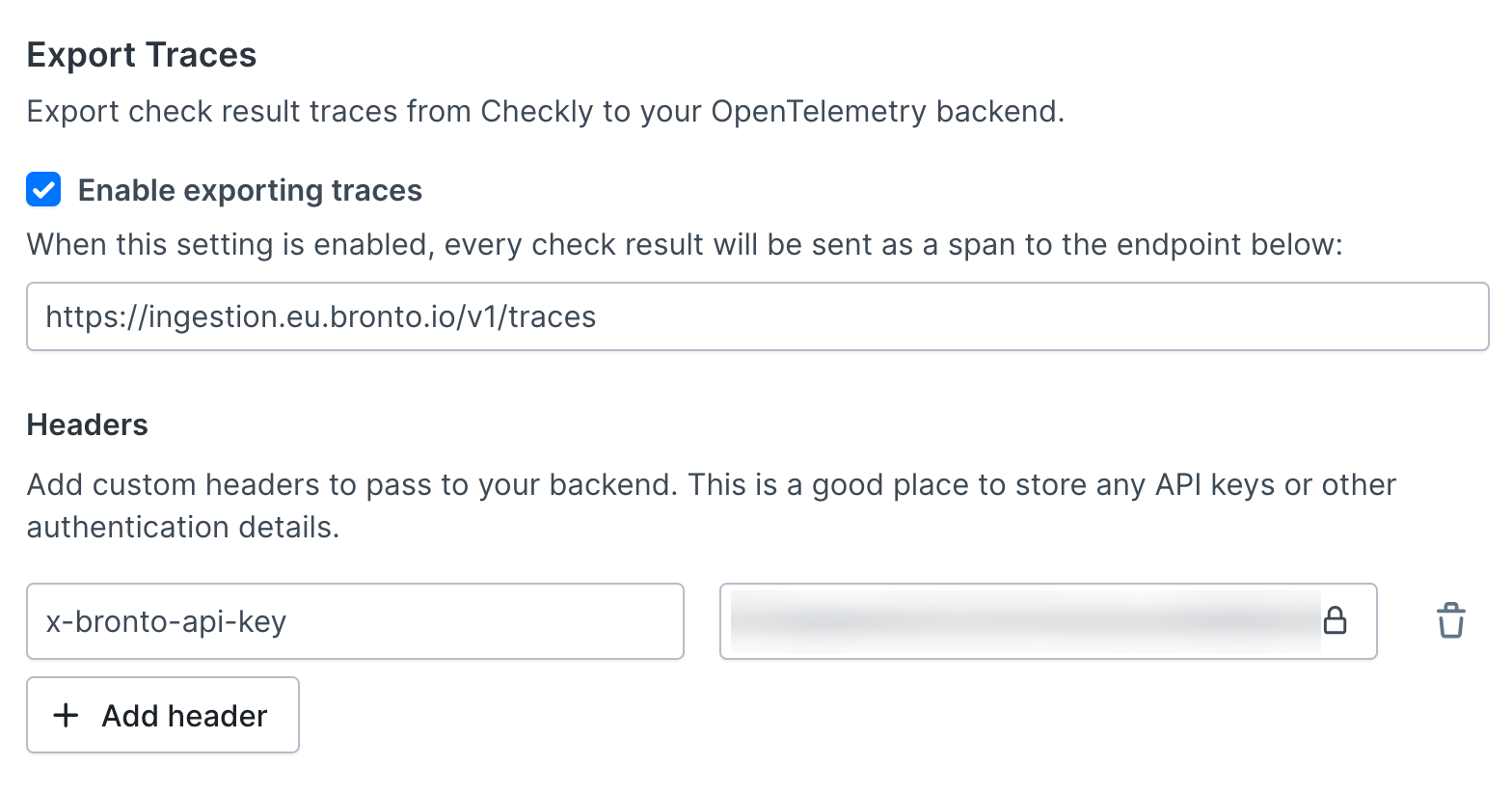
Get the endpoint for your Bronto region. EU is
https://ingestion.eu.bronto.io/v1/tracesand US ishttps://ingestion.us.bronto.io/v1/traces. Checkly posts to exactly the URL you enter, so keep the/v1/tracespath. -
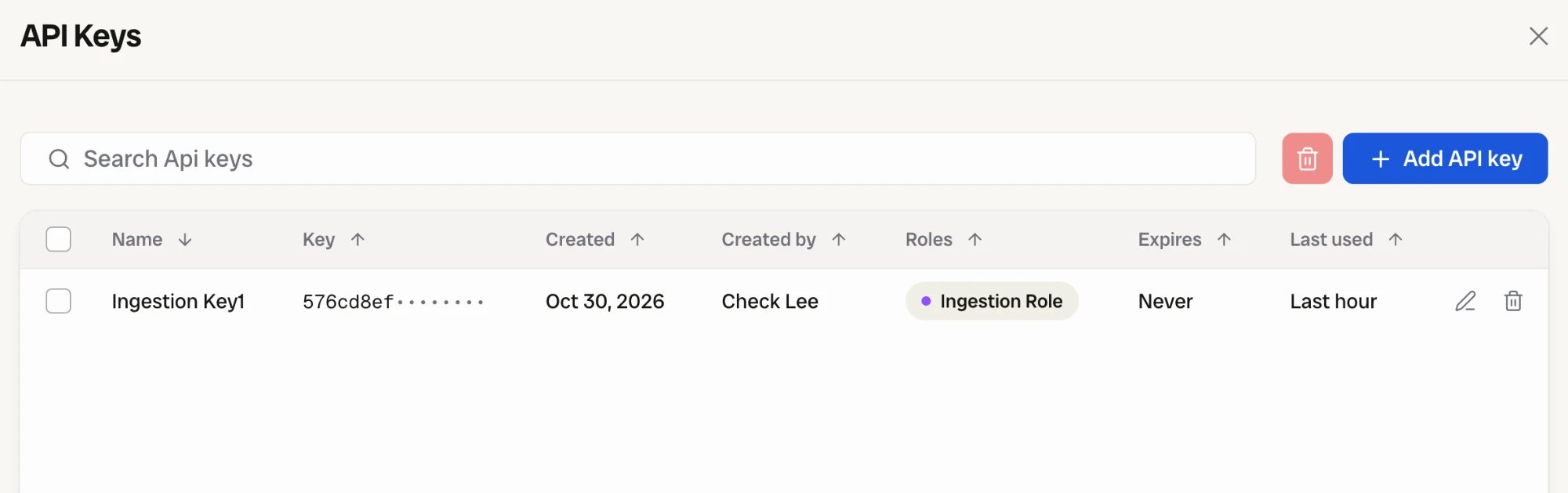
Get the key. In Bronto, open Settings > API Keys, select Add API key, name it and give it the Ingestion Role. Copy the key right away, because Bronto shows it once.
-
Paste the values into Checkly. On the Traces settings page, turn on Enable exporting traces, paste the URL, add the header below, and save.
- Run a check, or wait for its schedule. Ad hoc runs from the check editor are exported too.
-
Find the spans. In Bronto, open Tracing. The spans appear under service
checkly, named after the check.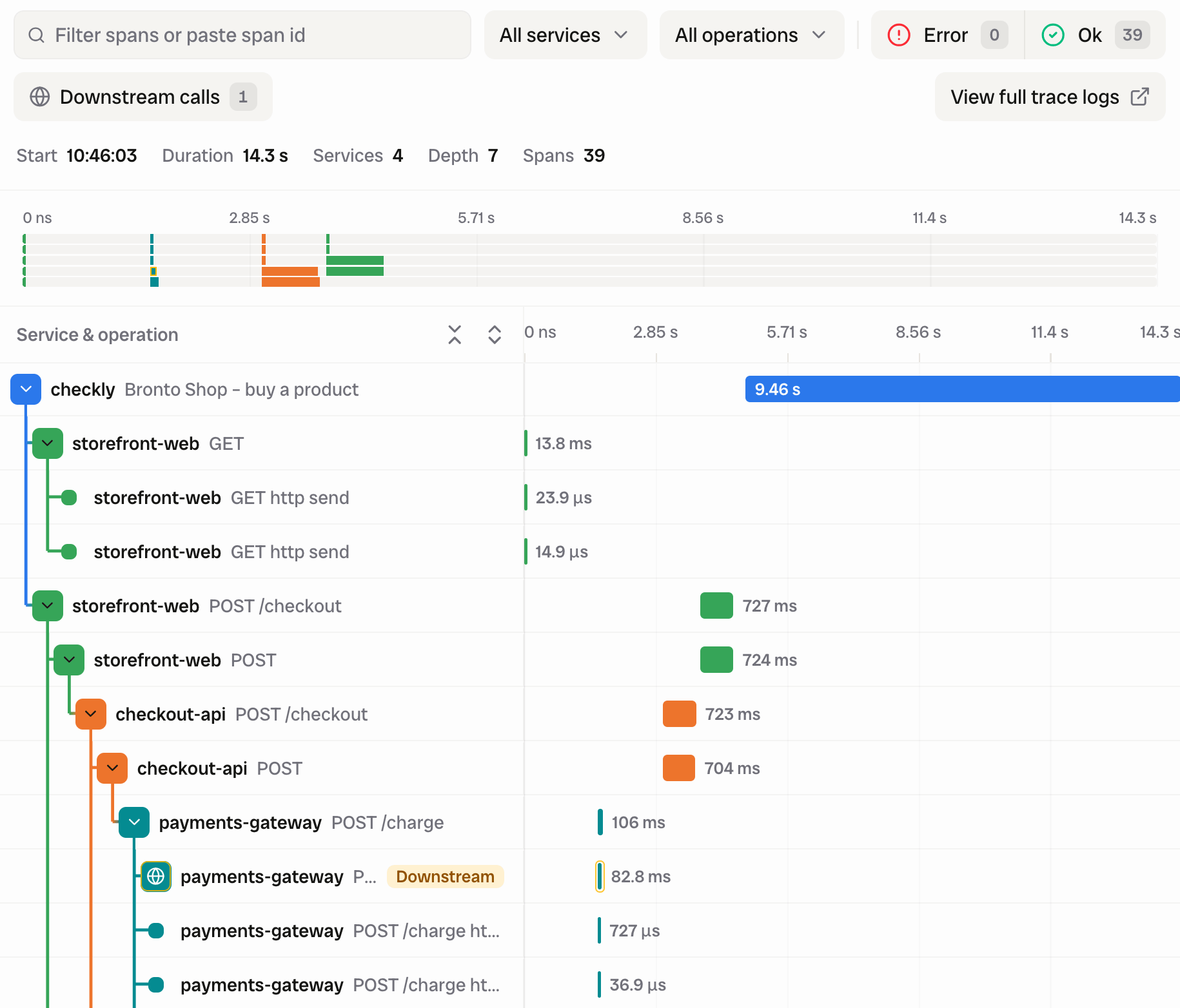
x-bronto-api-key and that the key carries the Ingestion role. Then check the region: an EU key sent to the US host is rejected, and the other way round.
When your own services are instrumented and report to the same Bronto account, their spans nest under the check run with no further setup. Correlate with your application’s traces covers the headers that make this work.
Build conditions with Filter: pick the field Span:checkly.check.status, the comparison does not equal and the value PASSED to list the runs that did not pass, and add $service.name equals checkly to leave your own services out.
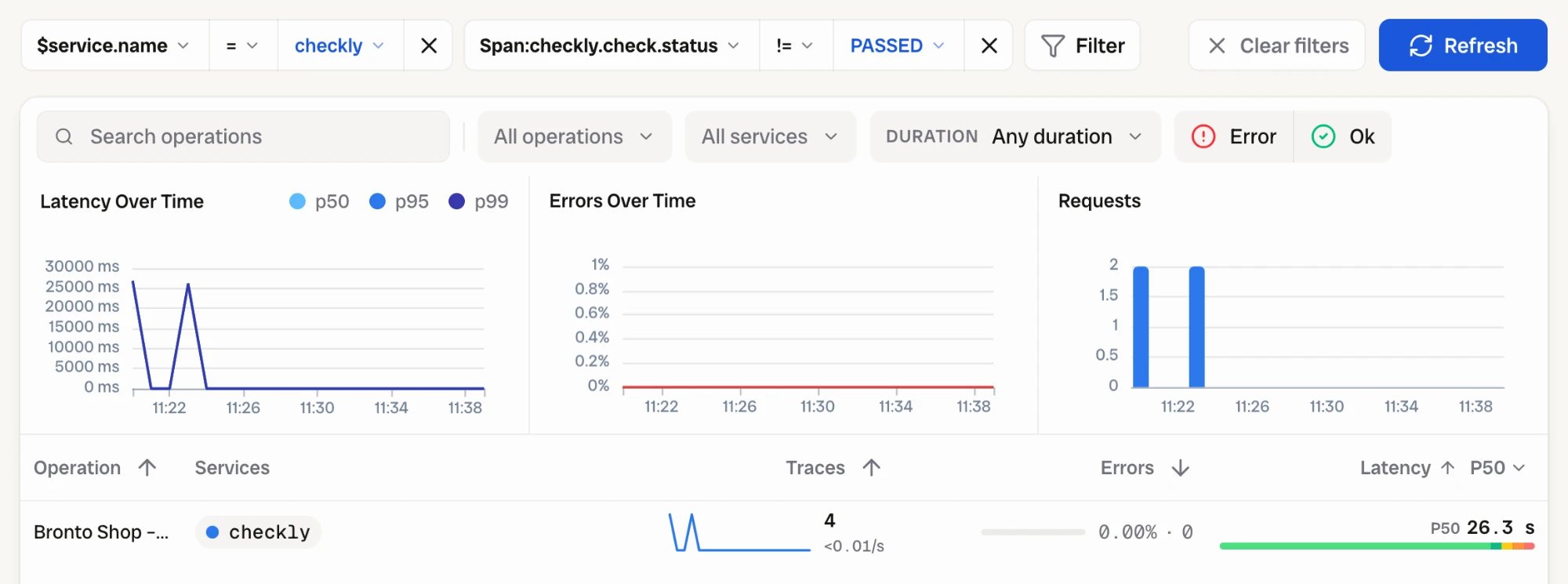
checkly.check.status with the value FAILED.
The OTLP export page has the span schema.