

main.
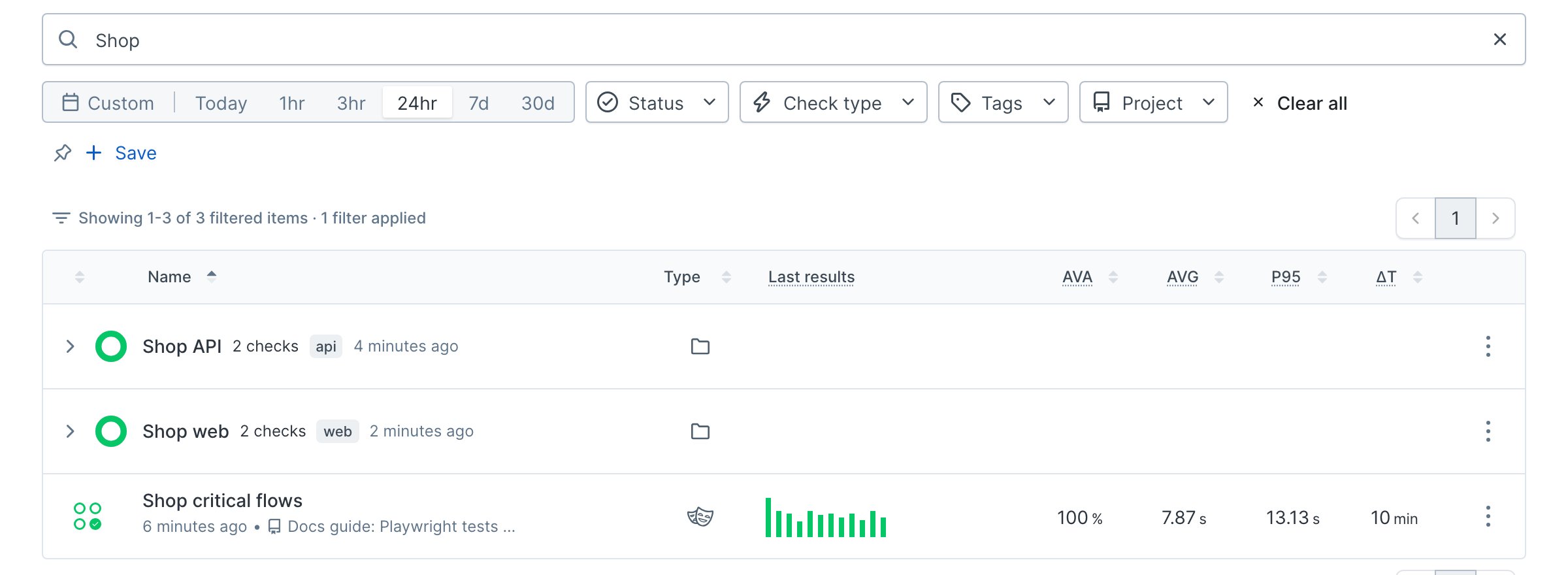
Let your agent do it
Let your agent do it
To run this guide from your terminal or your coding agent, run The sections below are the same work done by hand, so you can see what the agent built and why each piece is there.
npx checkly init in your project first. It installs the Checkly CLI and Checkly Skills for your agent. Then paste the prompt below into Claude Code, Cursor, Codex, or any agent that supports skills. It builds the same setup as this guide, proves it with npx checkly test --record, and stops for your confirmation before npx checkly deploy.Prompt
How a project is organized
Every Checkly project has three levels of configuration, and settings inherit downward. A value set on a check wins over the group, which wins over the project.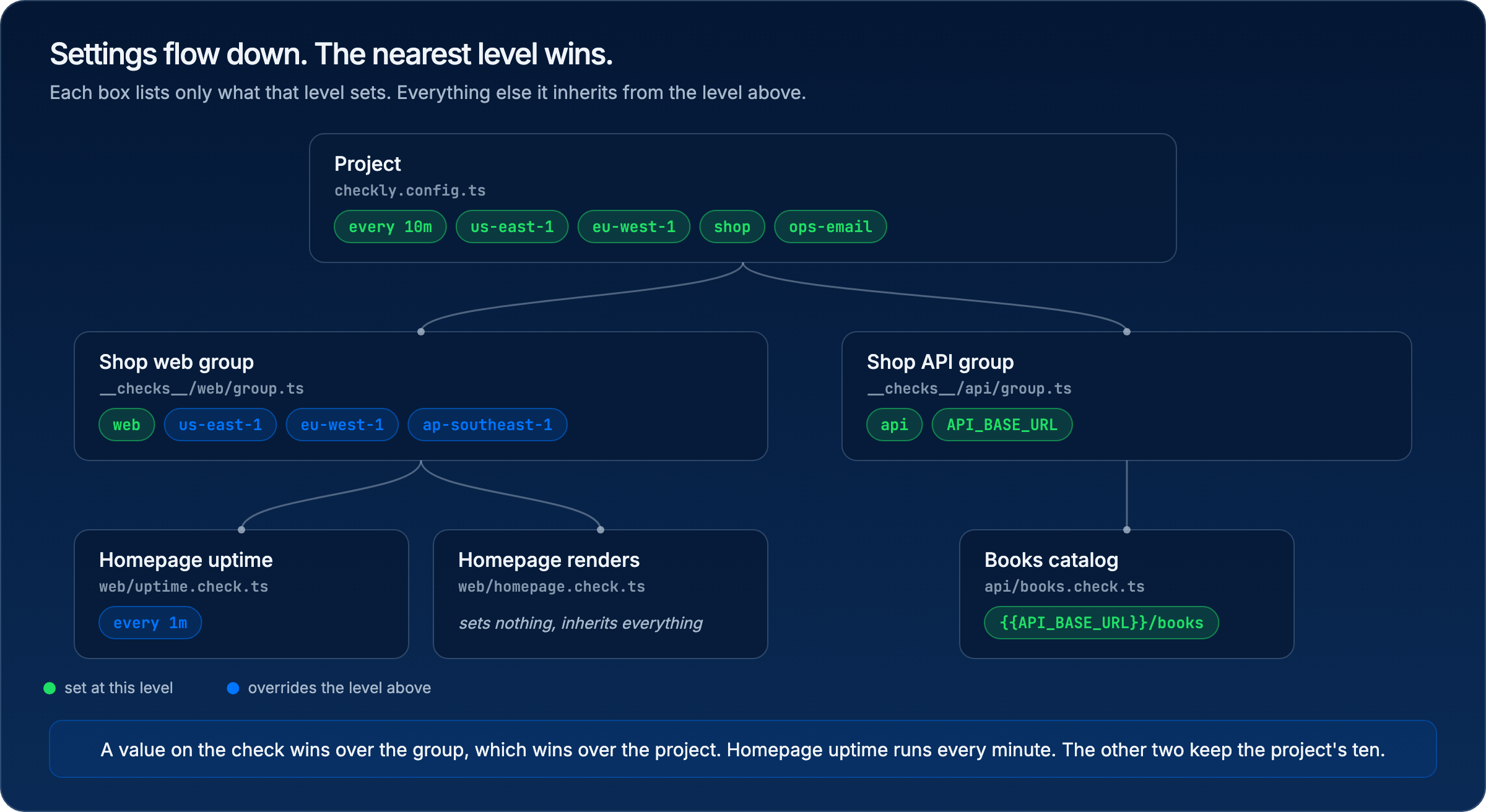
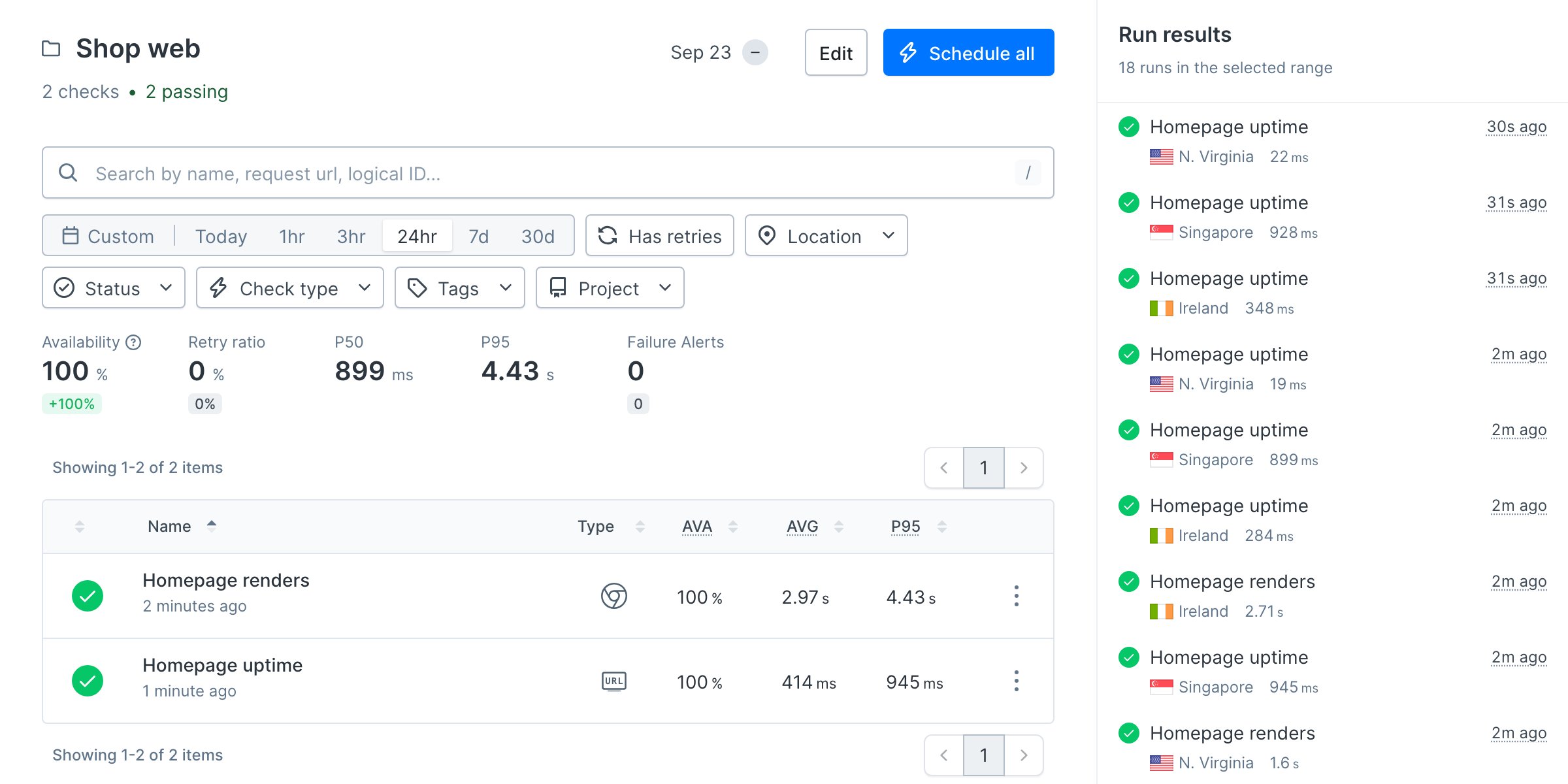
Groups are optional. A project with a handful of checks does fine with project defaults alone. Once several people own different parts of the system, a group per service gives each part its own settings and its own page in Checkly, and lets you run or mute that service as a unit.
The folder layout is a convention, not a rule. Checkly finds check files with the
checkMatch glob and does not care where they sit. Mirror the groups anyway, one folder per service, so the path tells you who owns a check and what it covers. Splitting by check type or by team works too, but service folders are the ones that survive a reorg.
Project layout
Project defaults
Put the settings every check should inherit incheckly.config.ts, and the alert channel they share next to the checks.
checkly.config.ts
__checks__/alert-channels.ts
checkMatch glob finds check files at any depth, so adding a service folder needs no config change. Keep logicalId stable. Changing it makes Checkly treat the project as new and drops its history.
A group per service
Each service folder gets agroup.ts with a CheckGroupV2. The two groups here carry different things, which is the point: a group holds whatever is true for that service and nothing else.
The storefront group sets locations. It runs from three regions so a regional CDN problem shows up as a single-location failure.
__checks__/web/group.ts
{{API_BASE_URL}}, so moving the API to a new host is a one-line change.
__checks__/api/group.ts
Checks
A check joins its group through thegroup property and inherits everything above it. The file itself holds only what is specific to this check. The uptime monitor below overrides one inherited value, because a URL monitor is cheap enough to run every minute.
__checks__/web/uptime.check.ts
__checks__/api/books.check.ts
Terminal
Terminal
Deploy from CI on every merge
The structure above is code, so it ships like code. Preview what the first deploy creates, then deploy once from your machine.Terminal
Terminal
Terminal
main touches monitoring code. Checkly diffs the project against what is deployed and applies only the change, so re-running it is safe.
.github/workflows/checkly-deploy.yml
CHECKLY_API_KEY as a repository secret and CHECKLY_ACCOUNT_ID as a repository variable. Both come from your Checkly settings, described in CLI authentication. The --force flag skips the interactive confirmation.
This workflow deploys after a merge. Running
npx checkly test on every pull request, so a broken check never reaches main, is the subject of the checks on every deploy guide.Verify it works
Add a check the way a teammate would: one new file in the service folder, nothing else.__checks__/api/book-detail.check.ts
Terminal
Terminal
Next
Turn your Playwright tests into monitors: the tests you already have become the checks in yourweb folder.