

The Problem: Monitoring in a Complex World
Modern software systems are no longer simple. With the rise of cloud-native technologies, microservices, and distributed systems, applications have become more complex than ever. Front-end frameworks like React and Angular, each implementing modeling that’s more complex than an entire 2010 web application, have added further edge cases and wrinkles. Questions like “if this microservice goes down, will users still be able to add items to their cart?” are harder to answer than ever.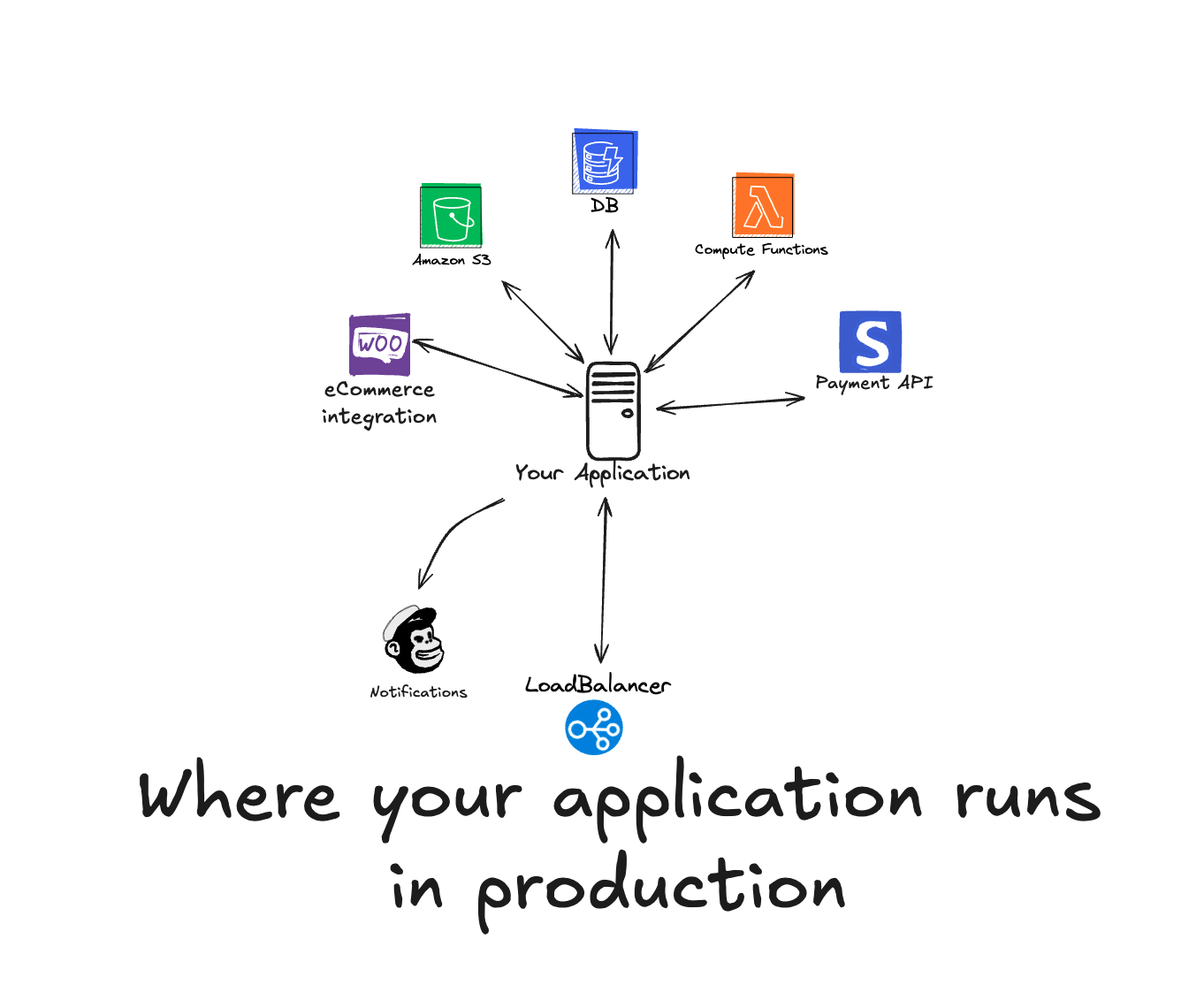
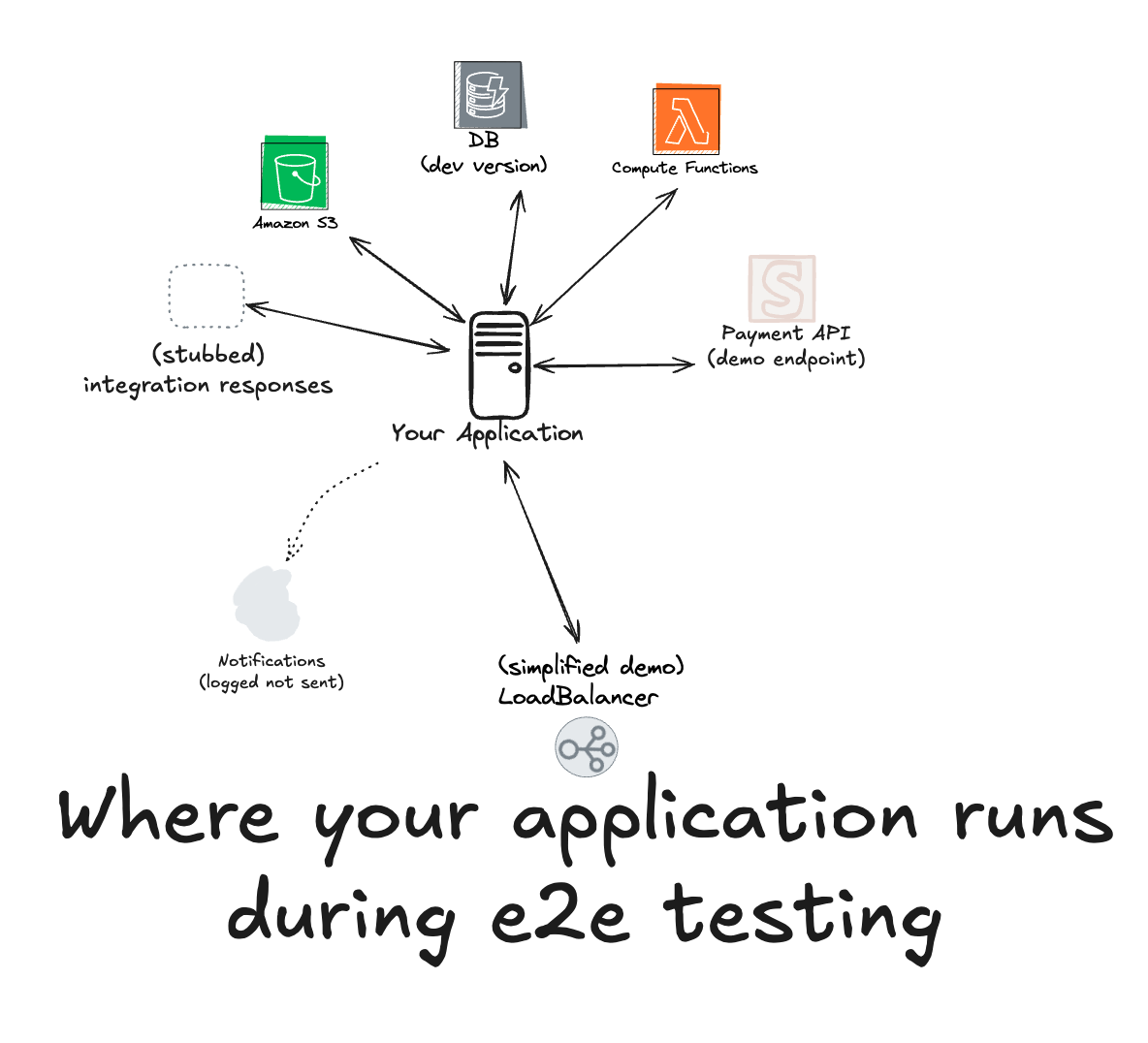
Why Traditional QA Falls Short
Traditional QA processes, including unit tests and end-to-end tests, are essential but often stop at the pre-production stage. Once the application goes live, monitoring takes over, typically handled by a different team using different tools. This disconnect between QA and monitoring creates gaps in visibility and reliability.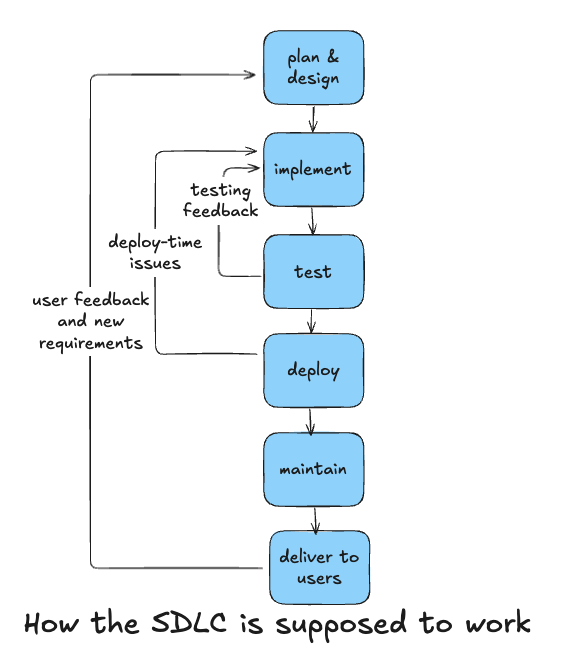
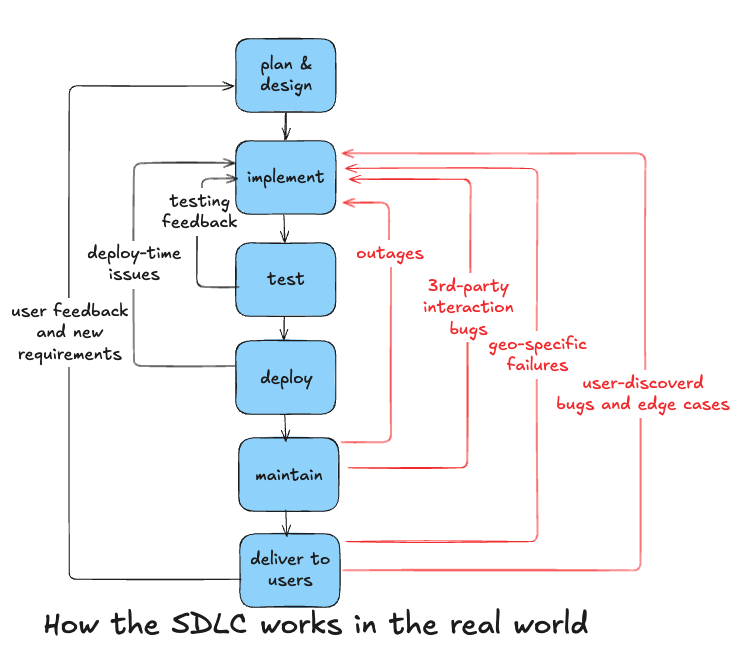
- Can we agree that no level of pre-deployment QA will catch every failure?
- And if so, is it acceptable that everything not caught by QA will have to be found and reported by a user?
Enter Playwright: A Modern Browser Automation Tool
Playwright is Microsoft’s open-source browser automation framework that simplifies end-to-end testing. It supports multiple platforms and provides a robust API for interacting with web pages and APIs. Here’s why Playwright stands out:- Web-First Locators and Assertions: Playwright uses web-first locators, making it easier to interact with dynamic web elements without relying on brittle CSS selectors.
- Automatic Retries and Waits: Playwright automatically retries actions and waits for elements to be visible, reducing flaky tests.
- Powerful Debugging Tools: Playwright provides traces, videos, and screenshots to help diagnose issues quickly.
- API Testing: Beyond browser automation, Playwright can also handle API testing, making it a versatile tool for end-to-end workflows.
- Detailed Assertions: No more do we call every
200 OKresponse a passing test. Playwright can make complex, programmatic assertions about the responses it receives, checking things like ‘every loaded record has a connected ID’ or ‘all buttons are set to be a brand-approved color.‘
Testing in Production with Playwright and Checkly
While Playwright excels at browser automation, Checkly takes it a step further, automating runs of Playwright tests and enabling Monitoring as Code. Playwright Check Suites let you run and schedule Playwright tests against production environments, providing real-time insights into your application’s health. Run a Playwright test every hour or every minute from locations all across the globe, all managed from a workflow that fits into your current CI/CD model, rather than requiring a cumbersome interface to manage monitors.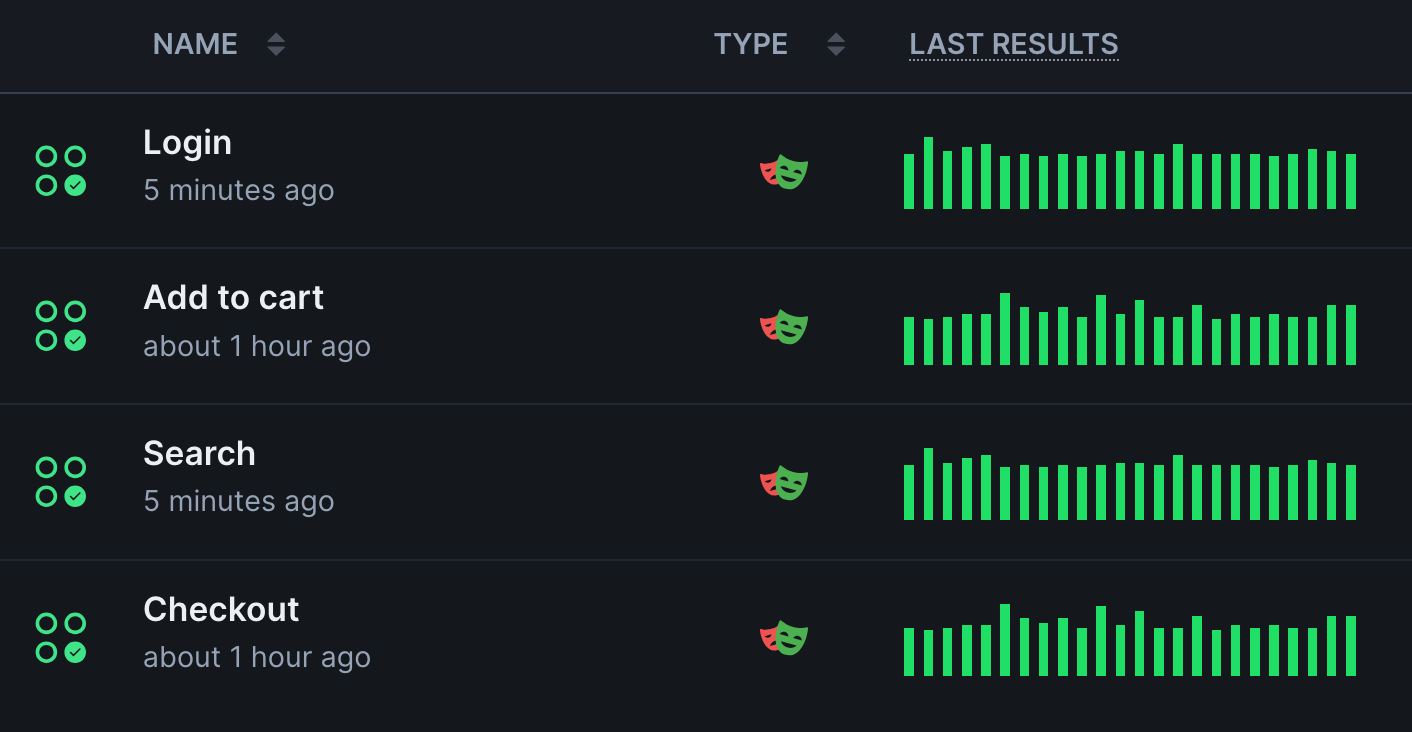
Key Features of Checkly:
- Global Test Execution: Run your Playwright scripts from multiple geographic locations to ensure your application performs well for users worldwide.
- Monitoring Cadence: Run tests every minute or every hour, and set a monitoring cadence that defends your SLA.
- Alerting and Notifications: Set up alerts via email, Slack, PagerDuty, or other channels to notify your team of failures.
- Connect Backend Traces: With Checkly Traces, harness the power of OpenTelemetry to see backend traces connected to each testing session.
- Code Workflow Integration: Manage your monitoring scripts as code, enabling version control, collaboration, and CI/CD integration.
A Practical Example: Monitoring an E-Commerce Workflow
Let’s say you’re running an e-commerce platform. Any regression, missing feature, or unavailability means users can’t check out on your site, so even a few minutes of a problem costs your business money. A critical user journey might involve:- Logging into the application.
- Searching for a product.
- Adding the product to the cart.
- Checking out.
- Write the Playwright Script: Automate the login, product search, and checkout steps. Run initial tests through the Checkly network to make sure it’s working from all your users’ geo-locations.
- Configure Monitoring Settings: Define how often the script should run (e.g., every 15 minutes) and from which locations (e.g., Ireland, Frankfurt).
- Set Up Alerts: Notify your team if a Playwright test fails, ensuring quick resolution of issues.
- Deploy to Production: Use Checkly’s CLI to deploy your Playwright tests and start monitoring your production environment.
What to Consider When Getting Started with Monitoring in Production
But what do you need to consider when you start globally monitoring in production? How do you make your Playwright tests geo-location aware? How can you avoid having your tests counted as real users? And should every test become a Playwright monitor? We covered all these questions in a recent webinar. If you want to learn how to apply different Playwright settings depending on the execution environment, watch the recording. This guide will include essential snippets below.Environment-Aware Playwright Tests
Once your Playwright tests run locally, in CI/CD, and as scheduled monitors, they need to be aware of their execution environment. A local Playwright test executed withnpx playwright test needs to target localhost, a CI/CD test run via npx checkly pw-test or npx checkly test needs to target environment-specific preview URLs, and global production monitoring might need to be aware of its execution region.
To differentiate your Playwright test runs in Checkly, use the provided environment variables.
environment.ts
baseURL, retries, and any other additional configuration.
- Base URL
- Retries
- Blocked Domains
base-url.ts
process.env.CHECKLY_REGION to adjust your tests based on where your tests are executed.
Request Blocking to Avoid Incorrect Analytics
If you start running Playwright against production sites, you must ensure not to mess with possible client-side analytics. Luckily, request interception is quickly done in Playwright.Monitoring Selection via Playwright Projects
Playwright test suites running over ten minutes are very common. And while it makes sense to run all tests before going live and deploying to production, a slow test suite is not ideal for monitoring because it will delay sending triggered alerts. If your Playwright monitoring takes ten minutes to finish, your users might already face production issues for ten minutes before you get notified.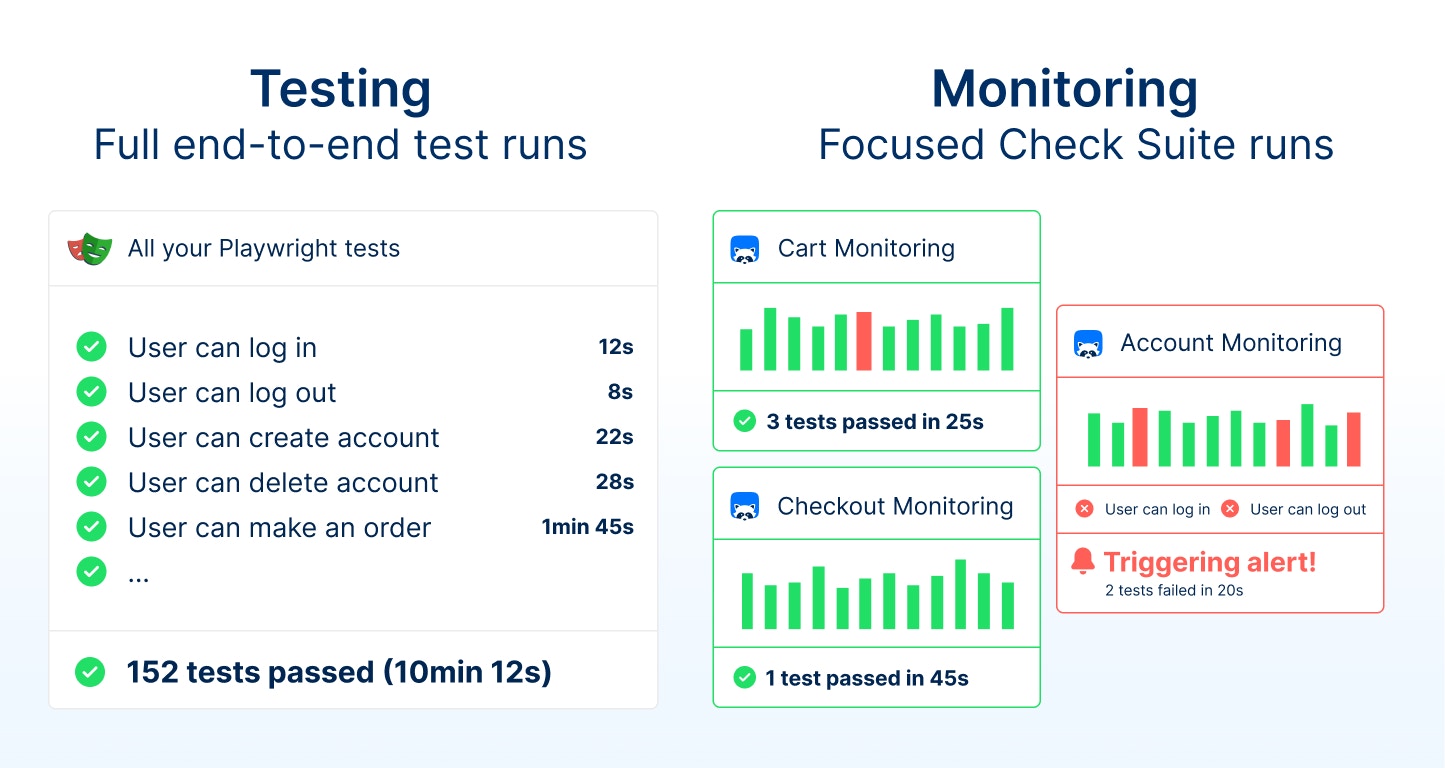
- Checkly Config
- Playwright Check Suite Construct
checkly.config.ts