

Let your agent do it
Let your agent do it
To run this guide from your terminal or your coding agent, run The steps below are what the agent does, in the open.
npx checkly init in your project first. It installs the Checkly CLI and Checkly Skills for your agent. Then paste the prompt below into Claude Code, Cursor, Codex, or any agent that supports skills. It builds the same setup as this guide, proves it with npx checkly test --record, and stops for your confirmation before npx checkly deploy.Prompt
Step 1: Route alerts by who needs them
An alert is only useful if it lands with someone who can act on it. Split your channels by urgency. The team channel hears everything, including slow responses. The on-call inbox only hears about failures and their recovery.__checks__/alert-channels.ts
SlackAppAlertChannel needs the Checkly Slack app installed in your workspace first. Invite the app to the channel if it is private.
Attach both channels as project defaults, so every check gets them without anyone remembering to add them.
checkly.config.ts
Step 2: Absorb blips before they count
Most noise comes from single failed requests: a DNS lookup that times out, a dropped connection, a cold container. The retry strategy in the config above handles those. A failed run is retried twice, 30 seconds apart, in the same region. Only if all three attempts fail does the run count as failed. Retrying in the same region confirms the problem where it happened, instead of hiding it behind a pass from somewhere else. Slow is not the same as down. Give each check two thresholds. AbovedegradedResponseTime the result is degraded: the Slack channel hears about it, and the on-call inbox does not, because it has sendDegraded: false. Only above maxResponseTime does the check fail.
__checks__/api/books.check.ts
Step 3: Escalate on runs, and let regions vote
Retries confirm that one run failed. Escalation decides when that is worth a notification. The same check file sets a run-based escalation: two failed runs in a row before anyone is alerted, then one reminder 10 minutes later if the check is still failing. When the check recovers, any pending reminder is cancelled. The threshold is a trade between noise and speed. On a check that runs every minute, two failed runs plus their retries took about three minutes in the test below. On a check that runs every 10 minutes, it is twenty, so lower the threshold or raise the frequency for anything that pages. For a check that runs from several locations at once, count locations instead of runs. The homepage runs in parallel from three regions and alerts only when half of them fail.__checks__/web/homepage.check.ts
Step 4: Mute a planned deploy
A deploy that restarts the API is not an incident. Put a tag on what the deploy touches and schedule a maintenance window for that tag.__checks__/api/group.ts
__checks__/maintenance.check.ts
api also pauses every other team’s checks that use it.
Test everything, then deploy:
Terminal
Terminal
Terminal
Verify it works
Break the check on purpose. In__checks__/api/books.check.ts, change statusCode().equals(200) to statusCode().equals(201) and run npx checkly deploy.
This is what happened when the sample was deployed that way:
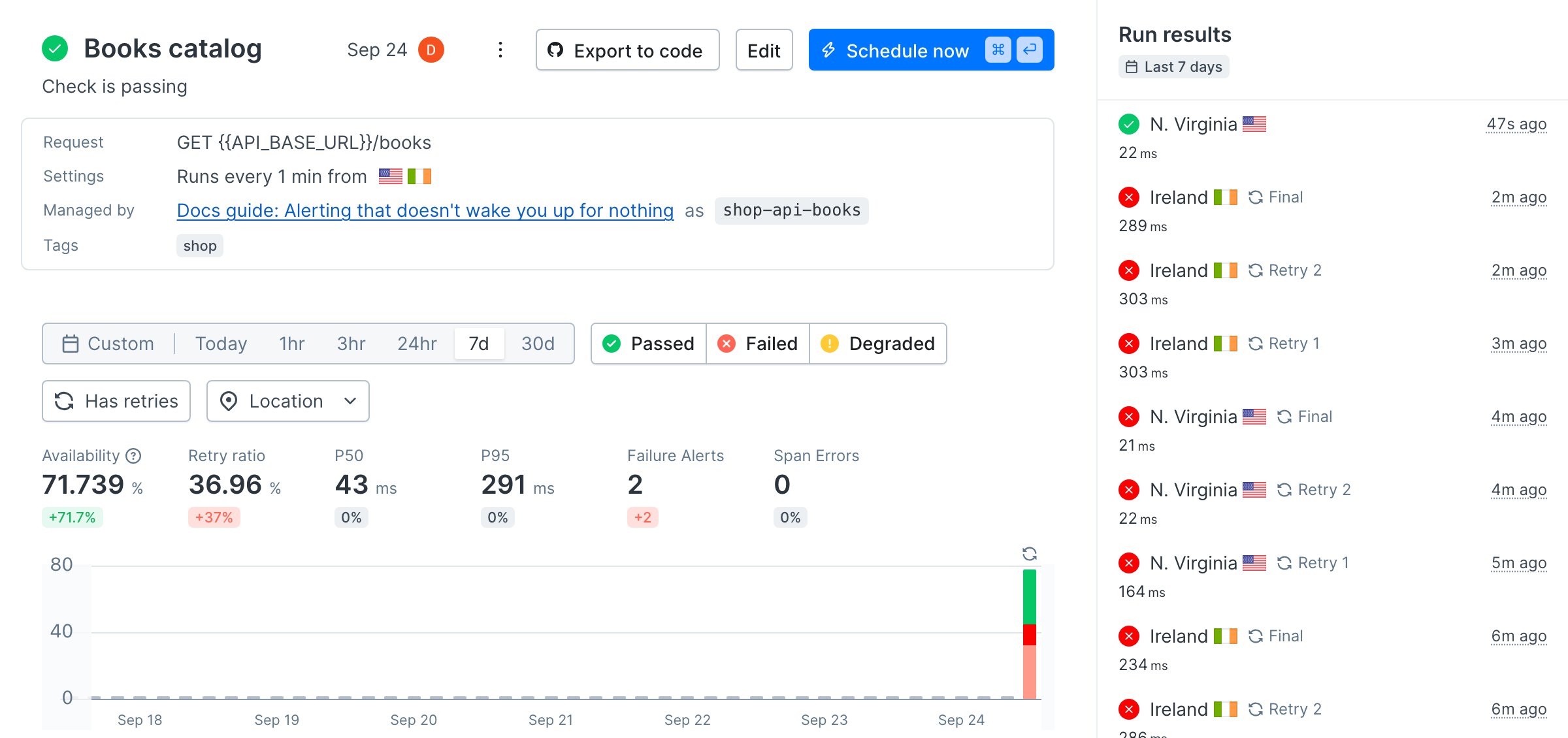
- The first run, from Ireland, failed three times in a row, 30 seconds apart. That was one failed run and no alert.
- The next run, from N. Virginia, did the same. Two failed runs met the threshold, and the alert went out about three minutes after the deploy.
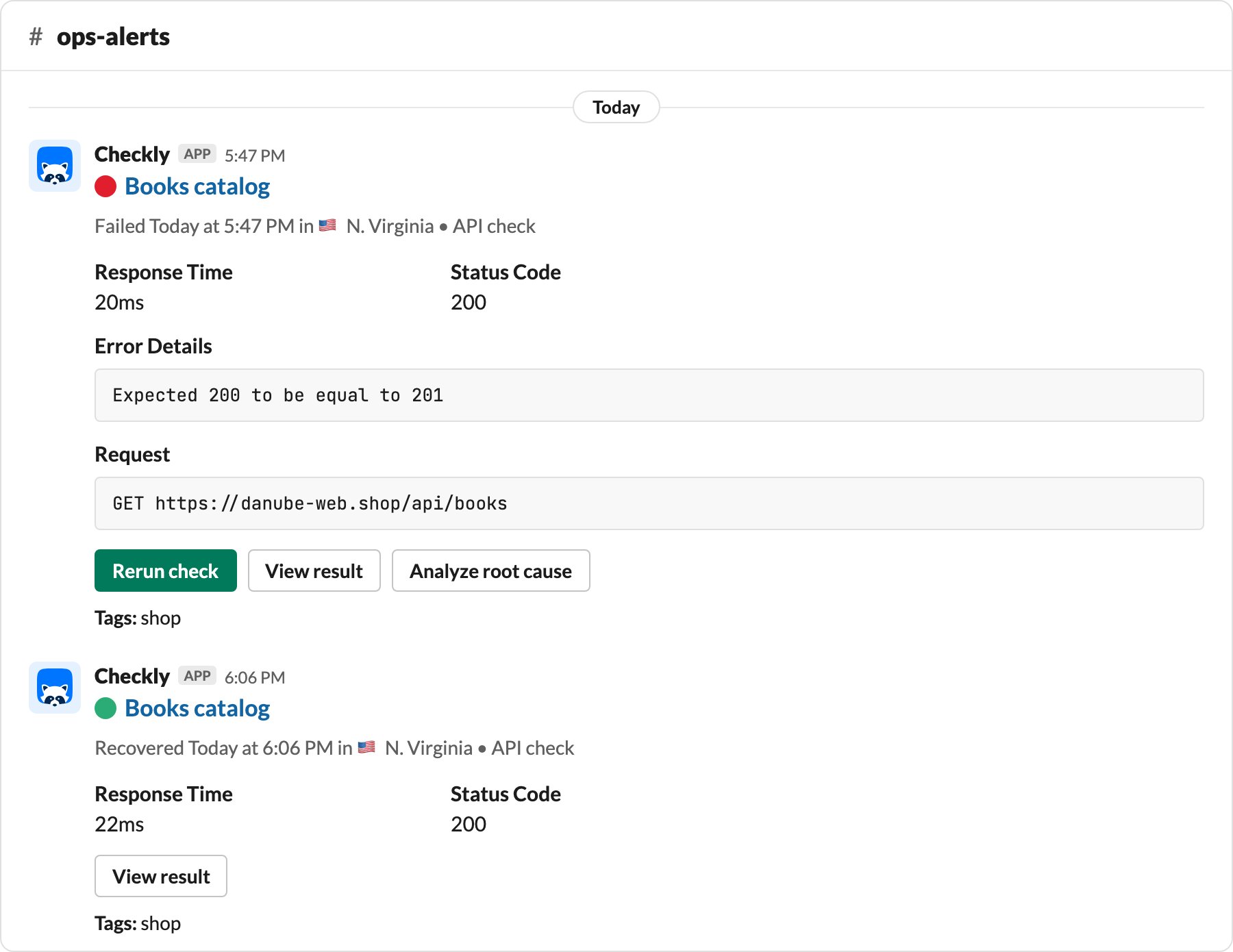
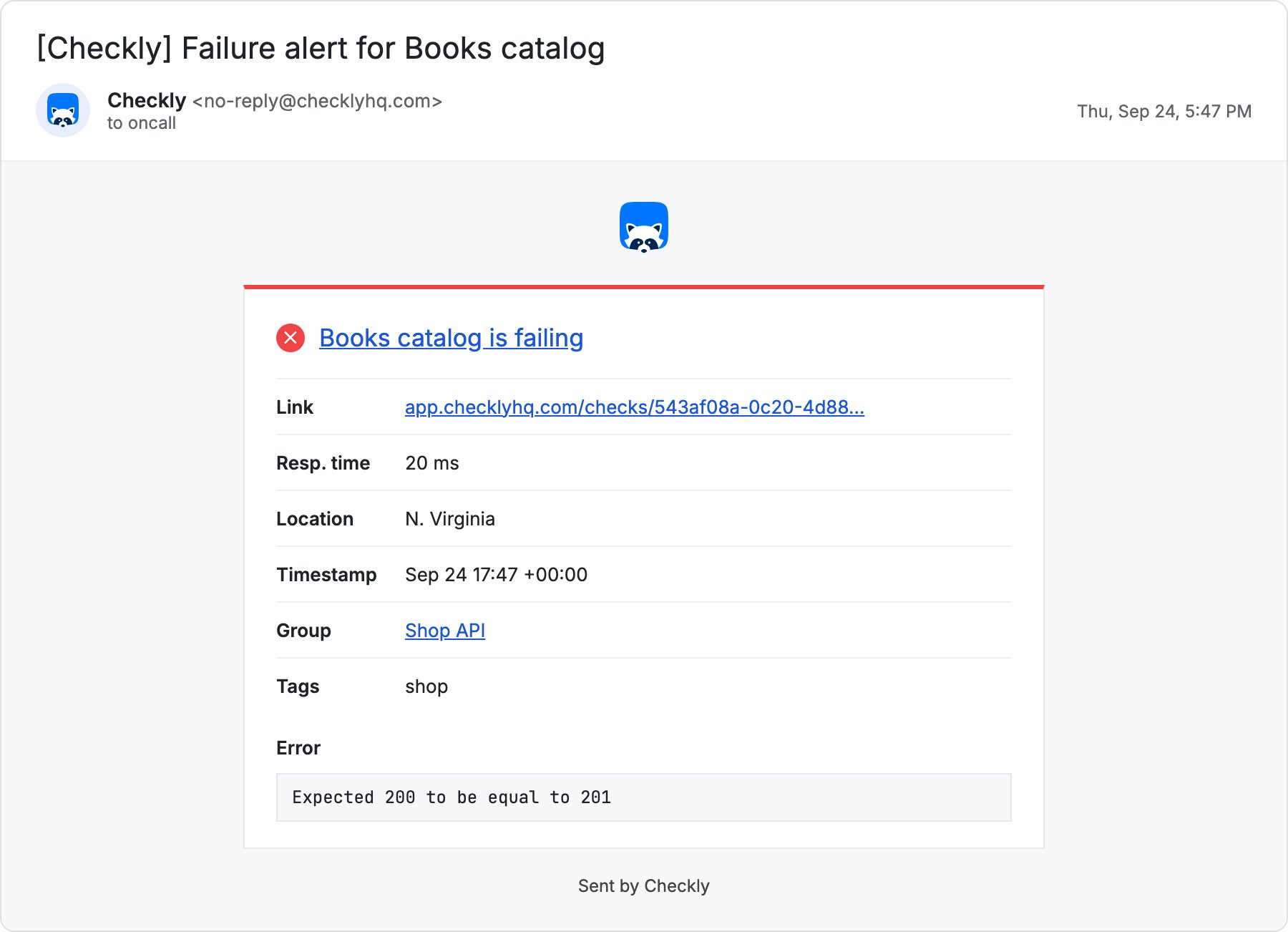
equals(200) and deploy again. The first passing run sends a recovery to both channels. Open the check in the web app and filter run results by Has retries to see each failed run with its two retries.