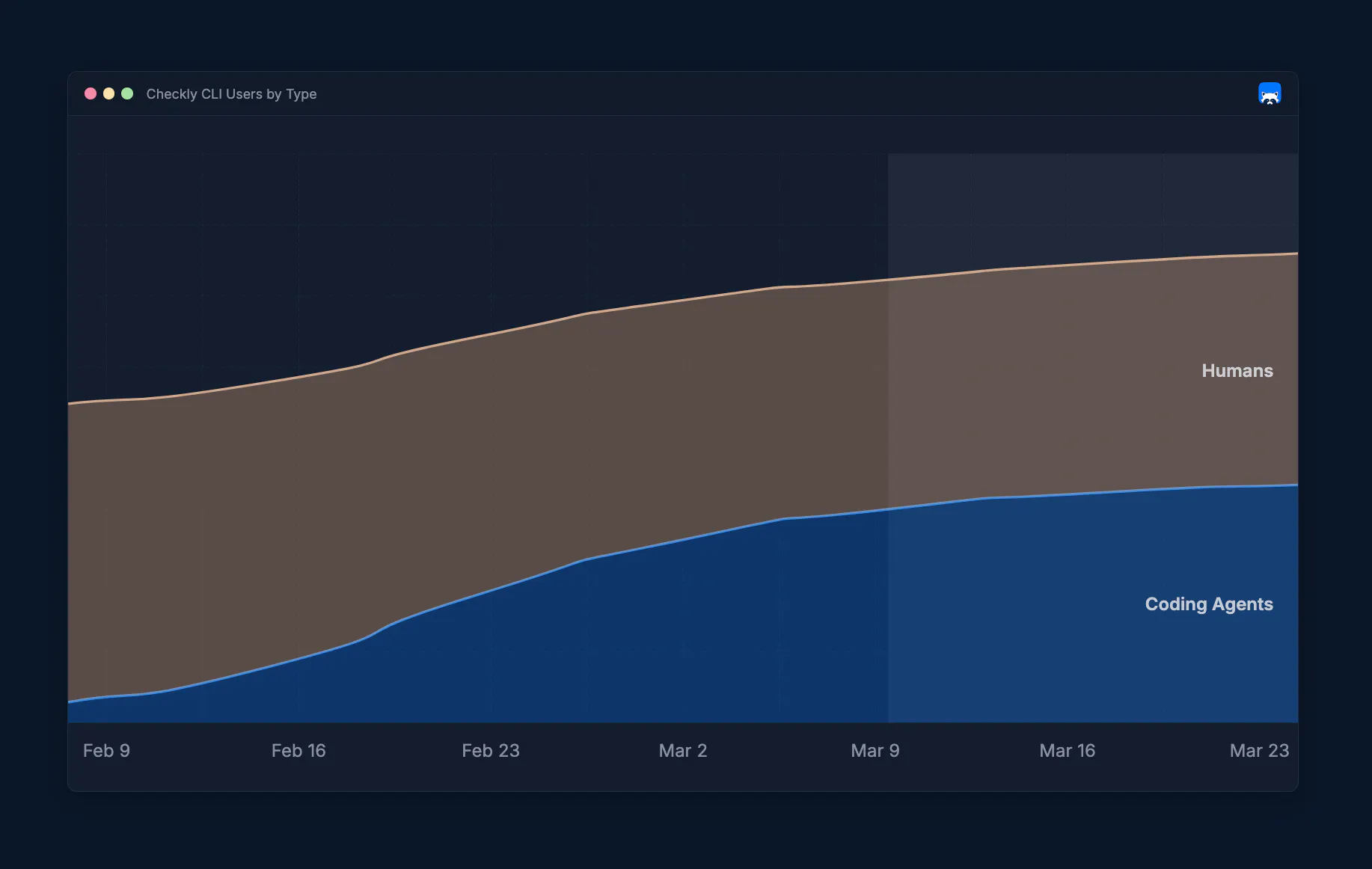
Half of the Checkly CLI users are already coding agents. This is not a prediction — it's what the data shows today.
Since February, more and more agents have been using the CLI to manage and configure their Checkly monitoring setups. Right now, we're at 50% human and 50% agentic CLI users. And we predict that by the end of 2026, it won't be humans using the CLI; the agents will have taken over.
The terminal became the primary interface for AI agents doing real work in the Checkly ecosystem. Configuring monitoring, resolving incidents, and communicating outages; all this can be done automatically.
The CLI became the new agentic layer. So we asked: how do you build for two audiences at once?
The full agentic loop — from alert to resolution
To show what this looks like in practice, here's a real scenario: a Playwright check detects that the storefront's login flow is broken. The old way would be to manually open the Checkly dashboard, click through results, and switch between the IDE, alert information, and Git logs to figure out what's off. We now hand these tasks to the agent with a single prompt.
I just received a monitoring alert in Checkly about a broken login flow. Can you check what's up, investigate a fix, and communicate the issue?
It's a simple but powerful prompt. Here's what happens next:
- The agent discovers Checkly capabilities. With the installed Checkly Skill, it pulls in the context it needs to act. Available commands, your account information and plan, investigation playbooks, and best practices; all these things become accessible through
checkly skills. - The agent investigates. It calls
npx checkly checksto get the current state of all monitors, identify the failing check, and analyze the Playwright error. It reads the check results, correlates them with your codebase, and additional context sources. Eventually, it finds the root cause. - The agent communicates. Before fixing anything, it tries to open an incident so customers know what's happening, but the CLI rejects the command and prompts for confirmation. Agents can't just declare a public incident without approval. Once confirmed, the incident goes live: "Login flow is broken, users cannot log in."
- The agent provides a fix and deploys. It applies the fix, commits, and pushes. Your existing CI/CD pipeline takes it from there — the agent waits for the deployment to complete.
- The agent verifies. Once deployed, it triggers the Checkly checks to confirm the fix actually works.
- The agent resolves. If all the ad hoc tests pass, the incident is resolved with a summary of what happened and what was done. The status page goes green.
This might sound like future music, but you can see this flow in action below.
Coding agents can handle the full incident life cycle today. Detect, understand, communicate, fix, verify, resolve; all this can happen in a single agent session. All actions are enabled through the CLI. There's no need for you to open a monitoring dashboard. There's no context switching. Sit back and let the agent be the incident manager.
But how does this work in detail? How did the agent know what to do?
Checkly Skills: teach your agent how to handle your monitoring
Your agent didn't hallucinate, fetch docs, or browse the internet. It was tasked by the Checkly skill to rely on the built-in documentation accessible via npx checkly skills.
You can install the Checkly skill with a single command:
npx checkly skills installThis command drops a SKILL.md file into your project that any coding agent (Claude Code, Cursor, Codex, Copilot) can pick up. Everybody is raging about skills right now, but most skills have a fundamental flaw. Most skills are static. If you look at all the skills listed on skills.sh, you'll find that the majority of them are on-off documentation that you need to update manually.
The Checkly skill file is different because it's only a thin wrapper around the checkly skills command.
Run `npx checkly skills communicate` for the full protocol details.

### `npx checkly skills initialize`
Learn how to initialize and set up a new Checkly CLI project from scratch.

### `npx checkly skills configure`
Learn how to create and manage monitoring checks using Checkly constructs and the CLI.

#### `npx checkly skills configure api-checks`
Api Check construct (`ApiCheck`), assertions, and authentication setup scripts
Yes, you read that right, we've put optimized agent documentation right into the CLI itself. Required monitoring context ships within the tooling you use to manage your monitoring. Every CLI version update brings updated documentation, new workflows, and current best practices. There's no web search, no stale docs, no external files to maintain. Whenever you update the CLI, your agent gets smarter.
But we didn't stop there. Skills also use progressive disclosure across three levels:
- Overview —
npx checkly skillslists all available action categories:initialize,configure,investigate,communicateandmanage. - Action —
npx checkly skills investigatereturns the detailed guide for that category — which commands to run, what to look for, and how to triage. - Reference —
npx checkly skills configure api-checksreturns construct-level documentation for any resource.
The built-in Checkly skills save tokens and tell your agent exactly what to do. No guessing. No hallucinations.
This single command transforms your agent into an up-to-date Checkly expert. But what can your agent handle for you now that it knows every corner of the Checkly ecosystem?
Structured output: the agent's dashboard
If you're facing issues and alerts, as a human, you head into Checkly, open the dashboard, click through the check results, and scan the graphs. And while you could task your agent to open the web app with a browser, this process couldn't be more inefficient. We released new CLI commands to enable the agent to access structured output, replacing the good old Checkly dashboard you know and love.
Read commands support multiple output formats optimized for agentic workflows:
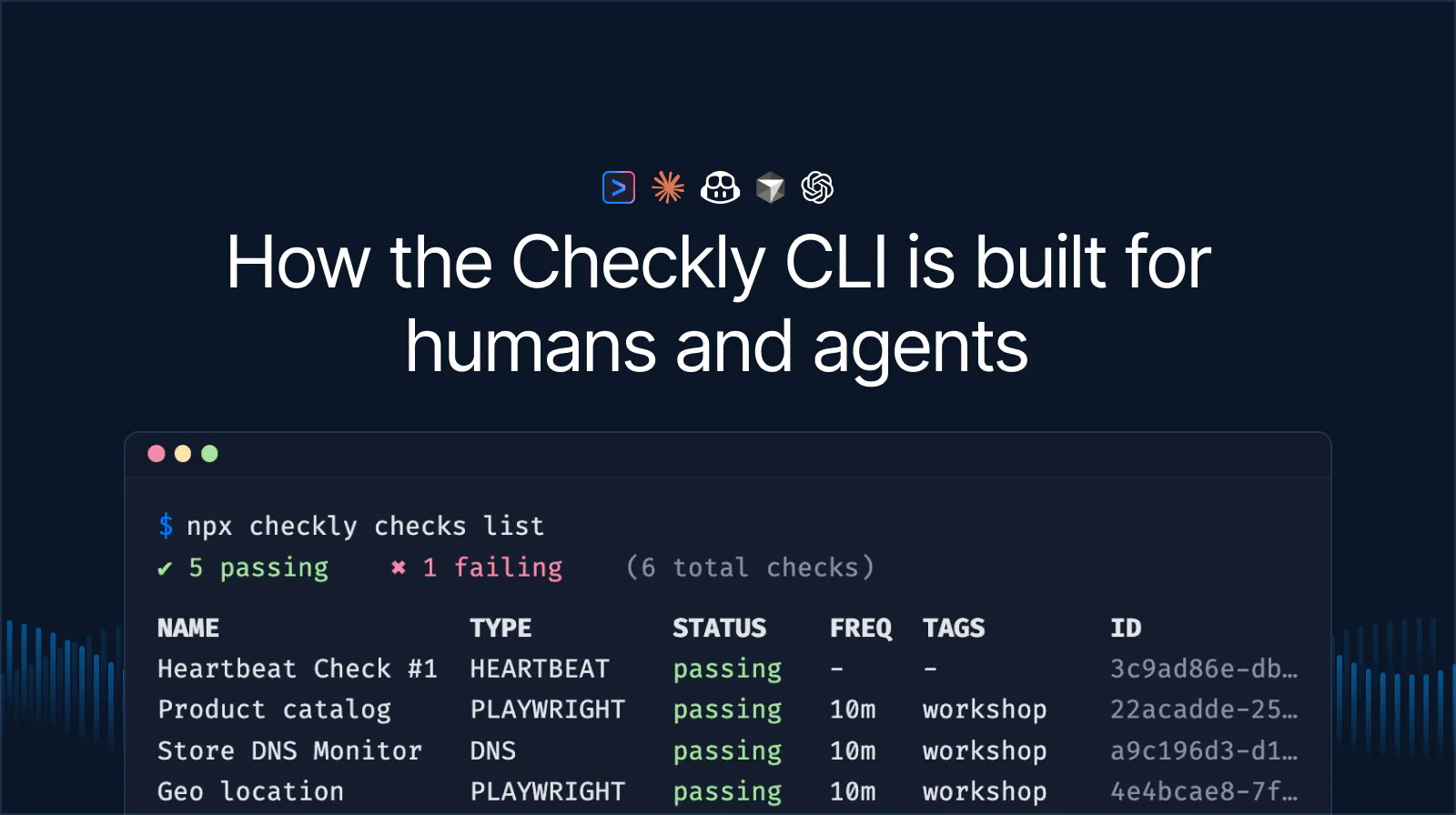
npx checkly checks list --output json
npx checkly checks get 12345 --output md
npx checkly checks stats --output table
It's the same data you'll find in your Checkly web app, but rendered in text. Agents get parseable data they can reason about.
The new read commands cover the full monitoring setup:
checks list: All checks with current status. Filter by name (--search), tag (--tag), or check type (--type).checks get <id>: Configuration, recent results, error groups, and analytics for a single check. Customize with--stats-range,--group-by,--metrics, and--filter-status.checks stats: Availability, response times, and key metrics across multiple checks at once.
# Stats for all production API checks over the last 7 days
npx checkly checks stats --range=last7Days --tag=production --type=API
By exposing the monitoring data via the CLI, your agent now understands what an alert means and how to investigate. With access to your codebase, it can get to work and provide a fix.
Incident lifecycle through the CLI
Once the agent (and you) decide that you're facing a real issue, it's time to communicate it. The CLI covers the full incident lifecycle on your status pages:
npx checkly status-pages list          # discover your status pages
npx checkly status-pages get <id>      # inspect a specific page and its services
npx checkly incidents create           # open a new incident
npx checkly incidents update <id>      # post a progress update
npx checkly incidents resolve <id>     # close the incident
The same communication loop a human on-call would run: detect, communicate, resolve. But this time, you'll be faster, don't have to leave your terminal, and can supervise your agent to do the dirty work.
But isn't it dangerous to let your agent handle incidents? We thought so, too!
Guardrails: safe autonomy
Providing agents read-only commands was an easy decision, but what if wrong reasoning could have real consequences? What if the agent accidentally opens an incident, updates your monitors without you reviewing, or destroys your entire Checkly project, thinking it's "absolutely right"?
These actions and commands are deep in the danger zone, and you definitely don't want to wake up your teammates because your agent misconfigured something while you were vibing the time of your life.
We thought about how to handle these situations and decided to implement agent guardrails. If your agent decides to declare a public incident or deploy your monitoring, they need to ask you for confirmation first.
Critical commands implement an agent confirmation protocol. The CLI detects agent usage by checking for environment variables that coding agents set automatically (like CLAUDE_CODE, CURSOR_SESSION, or CODEX). If we detect that an agent is running a critical command, the CLI returns an exit code 2 with a JSON envelope:
{
  "status": "confirmation_required",
  "command": "incidents create",
  "changes": [
    "Will create incident \\"Login flow broken\\" on status page \\"Acme Store\\"",
    "Severity: major"
  ],
  "confirmCommand": "checkly incidents create --title=\\"Login flow broken\\" ... --force"
}
This forces the agent to present the changes to the user, wait for approval, and only then run the provided confirmCommand.
And what if the agent gets it wrong? What if it misdiagnoses the root cause or opens an incident for a false positive? That's exactly why the confirmation protocol exists. The agent proposes, you approve. A misdiagnosis becomes a learning moment, not an incident. The human stays in the loop for every action that has real-world consequences.
CLIs are the new agent interface
CLIs were built for humans first. But with a few design patterns, they become agent-ready. Here's what we learned building for both audiences:
- Built-in documentation. Don't make agents search the web or rely on external docs. Ship agent-optimized documentation inside the CLI itself. When the tooling updates, the docs update as well. Minimize stale knowledge and hallucinations.
- Structured output. Every read command should support machine-readable formats (
--output json,--output md). Agents don’t care about colorful output, and humans shouldn't have to read raw JSON. Support both worlds. - Human/agent detection. Some CLI flows need to behave differently depending on who's running them. Detect the caller through environment variables and adapt — interactive prompts for humans, structured JSON responses, and additional command information for agents.
- Agent guardrails. Critical commands need a confirmation protocol. Enforce human approval. Autonomy without oversight is just a liability.
These patterns aren't Checkly-specific. They're how every CLI should think about agent users. One CLI, two audiences — and the design choices made for agents make things better for everyone.
Half of our CLI users are already agents. Keep them coming!
Get started
Upgrade to the latest Checkly CLI:
npm install checkly@latestInstall the Checkly skill:
npx checkly skills installOr, if you don’t have Checkly set up yet. Tell your agent the following:
Run 'npx checkly skills initialize' and follow the instructions.It will figure out the rest.