November 24th, the Opus 4.5 release turned around the entire tech industry. This was the moment when agents became capable. Capable enough to write solid staff-level code. Capable enough to reason about alerts, investigate root causes much faster than most engineers, and set up the reliability layer faster.
For me, this feels like an iPhone moment on steroids; the adoption of AI is accelerating much faster than any adoption curve I’ve seen over the past few decades. This rapid growth is fueled by early adopters who experienced their eureka moments early on, followed by many startup CEOs who have been actively developing prompting software during the holidays, making significant progress 10x quicker than ever before.
Now, AI is a topic in every customer conversation. While it took years to adopt DevOps, AI is on track to outpace that by a wide margin; in fact, it is already surpassing it.
The rise of AI agents introduced a new user of developer tools, one that doesn't click buttons, doesn't read dashboards, and doesn't care about your beautifully designed settings page. Agents live in the terminal. They reason over text. Over the last few years, we introduced Monitoring as Code (MaC), a workflow that enables developers to own reliability; in text. Accidentally, MaC is exactly what agents need.
You can see where we are going here. The work we did to make Checkly great for developers turns out to be the groundwork for making Checkly great for agents.
But "accidentally ready" isn’t a strategy - it was an opportunity.
Three Layers of Software Interfaces
Every software platform serves its users through interfaces. Historically, there have been two, sometimes three:
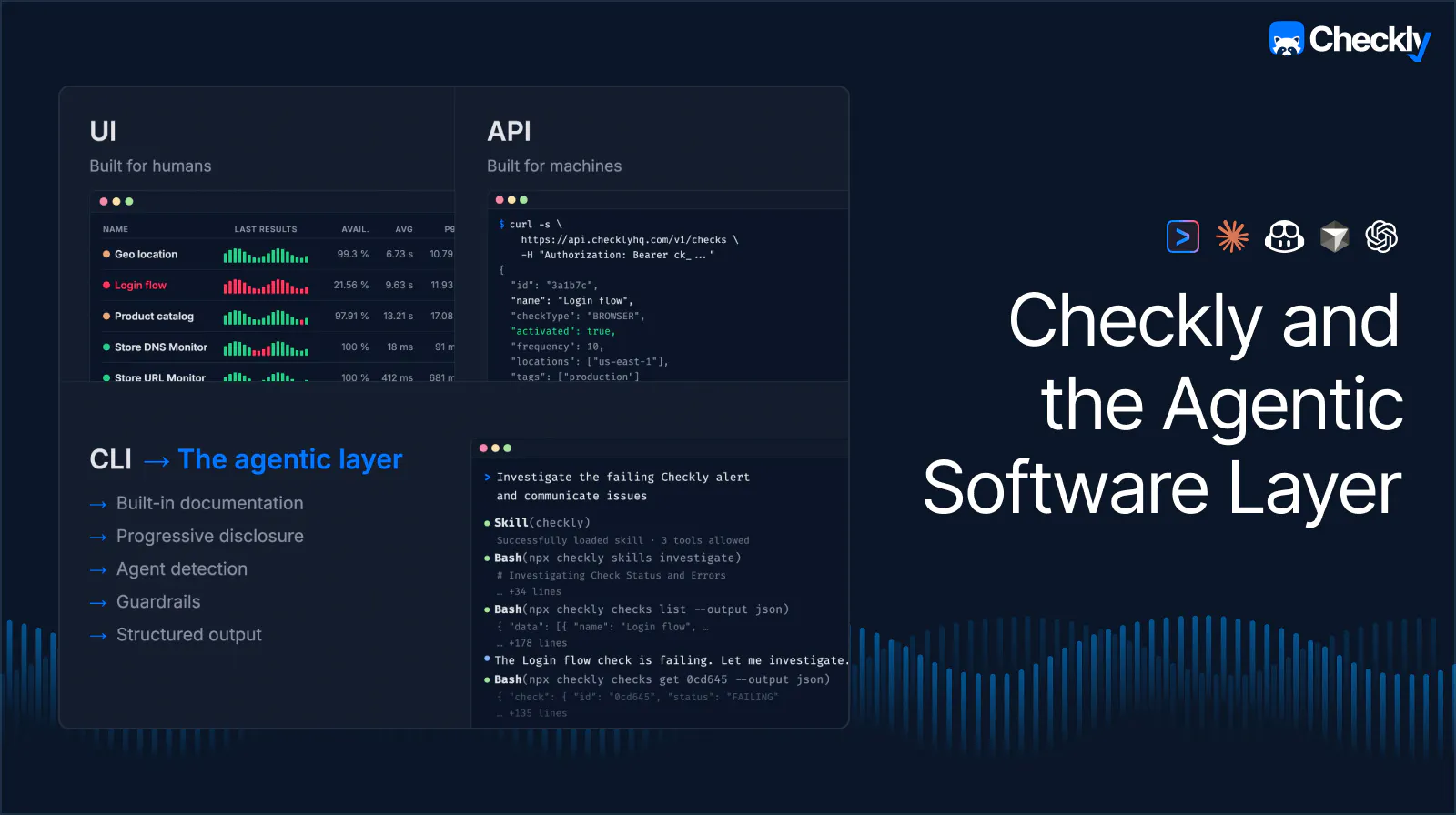
UIs are built for humans. They're visual, interactive, optimized for comprehension and exploration. Dashboards, forms, drag-and-drop builders. These are how people interact with software.
APIs are built for machines. They're structured, predictable, and designed for integration between systems. CI/CD pipelines, webhooks, Terraform providers. This is how humans have automated software.
CLIs are built to enable engineers to scale and automate their interactions with APIs. Especially, but not only for developer tools.
Turns out CLIs are great interfaces and became the agentic layer, and this is new. AI agents don't need pixel-perfect UIs or REST endpoints designed for static integrations. They need CLIs that output structured data in Markdown or JSON. They need progressive self-discovery, a way to explore capabilities without reading documentation. They need confirmation protocols for dangerous actions.
Most monitoring platforms were built for layer one. Some invested in layers two and three. Checkly is the first to double down on a new and redefined third layer. An application layer optimized for agents and for the modern software factory.
Why Code & CLI-First Platforms Win
Here's the thing about Monitoring as Code: it was already agent-friendly before agents existed.
When your monitoring lives in .ts files alongside your application code, an AI agent can read it, reason about it, generate new tests and checks, and deploy them the same way it works with any other code in your repository. There's no proprietary DSL to learn, no UI to scrape, no brittle browser automation required.
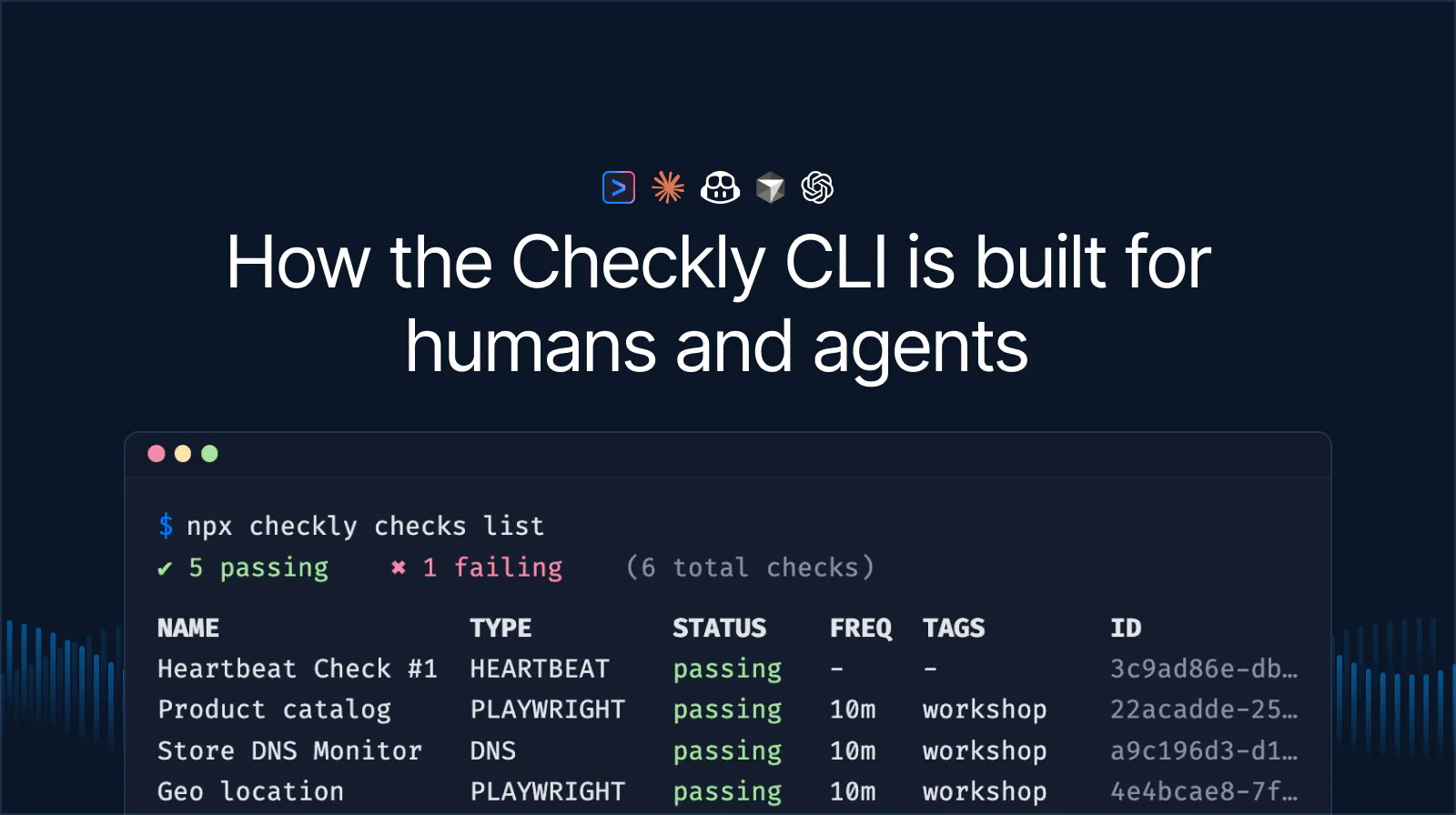
An agent working with the Checkly CLI can open your __checks__ directory, understand what's being monitored, identify gaps, write new checks using standard Playwright syntax, run npx checkly test to validate against our global infrastructure, and npx checkly deploy to ship the entire monitoring setup. Every step happens in the terminal, in code, using tools the agent already knows.
Legacy monitoring platforms trapped behind proprietary UIs and frameworks can't offer this. They'll bolt on a chatbot and call it AI. That's not the agentic layer: that's an AI-colored coat of paint.
Making the Implicit Explicit
Being code & CLI-first gave Checkly the agentic head start. But a head start doesn’t finish the race. We've shipped a new set of capabilities designed for the speed of this new world and purpose-built for agents.
Teaching your Agent Testing and Monitoring
Your agent understands how to configure Checkly today, because it can read the checkly.config and check.ts files. It also includes Checkly code in its training data, and if nothing else works, it can still fetch the docs to troubleshoot. But we thought, what if we could make it even easier?
Agent Skills are an open standard supported by Claude Code, Cursor, OpenAI Codex, and GitHub Copilot. Skills are providing agents with specialized knowledge on demand. Most skills out there are static files, though. We thought we could do better than providing some Markdown files!
Install the Checkly skill and see the magic happen:
npx checkly skills installThe Checkly SKILL.md file is your agents entry point to learn how to set up, configure and handle Checkly testing and monitoring. However, the static file doesn't include all the Checkly information. The Checkly skill is only a thin wrapper around the new npx checkly skills command. The new command that teaches your agent where to find construct documentation, other CLI commands, and monitoring workflows right in the CLI itself using npx checkly skills.

Once your agent discovers the npx checkly skills it can access agent-optimized docs to initialize, configure and manage the entire testing and monitoring setup. There's no relying on training data, no docs browsing, no context window compacting. Agents access the right docs when they need them.
But what does this mean in practice?
Creating your Monitoring Checks
The big difference between the agentic CLI layer and built-in product AI is that agents already understand and manage your codebase. They read and write files all day. With the right tools, coding agents have all the context they need to automatically set up and test your monitoring.
Your API endpoints, your login flows, your business logic; agents know about all of it. Task them to set up the monitoring and see your agent doing the work! In the previous world, you didn't have the time and energy to manage monitors for every page, endpoint, or application flow; now you do because your agent never gets tired.
Now, your agent can create, test, and deploy your entire monitoring!
More monitors also mean more alerts. Could your agent handle these, too?
Investigating Failures and Monitoring Results
If you received a monitoring alert in the old world, you usually log in to Checkly to understand what check failed and what triggered the alert. And while your agent could log in via a browser, it shouldn't need to do that to understand your monitoring setup.
A new set of read commands lets agents query and analyze your monitoring setup directly from the terminal:
# List all production API checks
npx checkly checks list --tag=production --type=API --output=json

# Get 7-day stats for a check, grouped by location
npx checkly checks get 12345 --stats-range=last7Days --group-by=location

# Analytics across all checks tagged "critical"
npx checkly checks stats --tag=critical --range=last7Days
Every command supports --output table|json|md — table for humans, JSON and Markdown for programmatic agent consumption. Metric defaults adapt to check type: response time percentiles for API checks, Web Vitals for browser checks, latency and packet loss for ICMP.
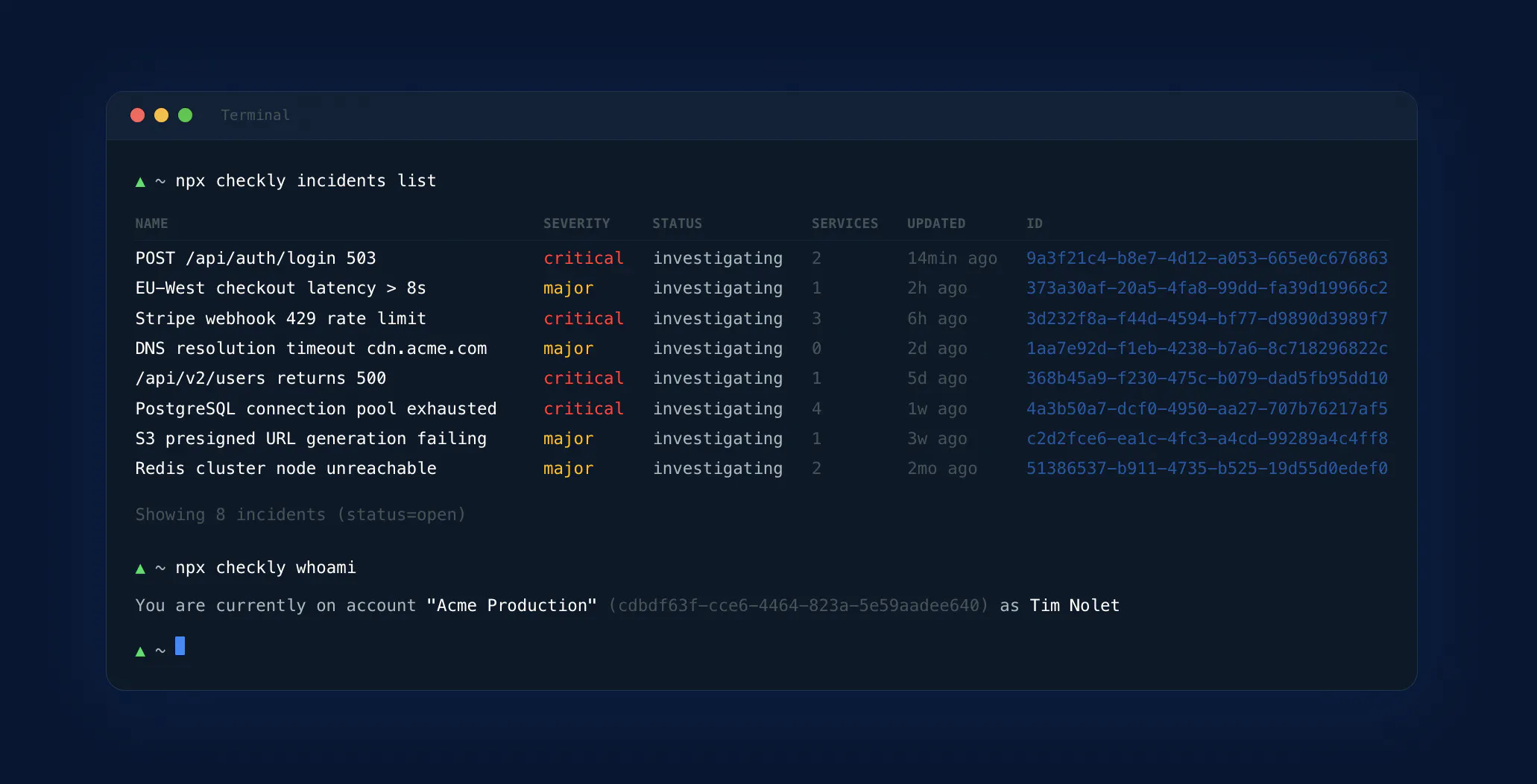
With these new commands, your agent can access all the monitoring information you usually look at in the Checkly dashboard. Pair this ability with code access and let your agent figure out the issue.
Detecting issues is only one part of the story. Could your agent communicate issues, too?
Acting On Incidents
Agents can manage the full incident lifecycle on your status pages.
npx checkly incidents create --status-page-id <id> --title="API degradation" --severity=minor

npx checkly incidents update <id> --message="Root cause identified"

npx checkly incidents resolve <id>
Write commands implement a confirmation protocol designed for agent safety. When an agent runs a destructive or public-facing command, the CLI returns a JSON envelope describing the changes and provides a confirmation command.
This enforced confirmation is critical. Agents that can take action without guardrails are a liability. Agents with structured confirmation flows are a force multiplier.
If you put all these features together, your agent can handle your entire incident management while you drink your coffee. Don't believe me? Here's a video showing it entirely.
The Agentic Layer is Here
The shift to AI agents isn't coming. It's happening now. 50% percent of our active CLI users are already agents.
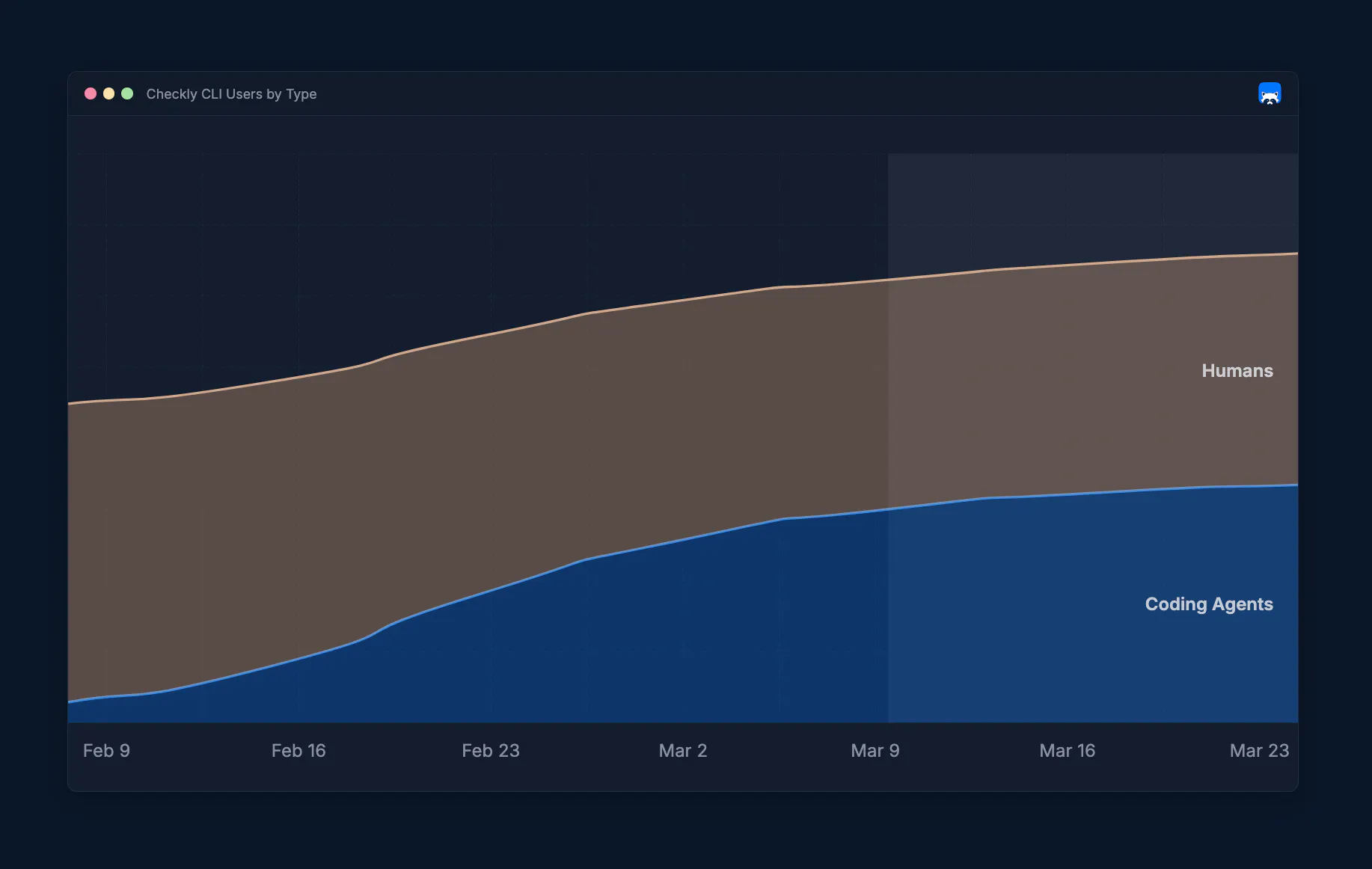
Development teams are using Claude Code, Cursor, and Copilot to write, test, and ship code. The tools in their stack that can't participate in that workflow will be replaced by tools that can.
Checkly is built for this moment. Upgrade your CLI, install the skill, and point your agent at your monitoring.
npm install checkly@latest
npx checkly skills install
… or, if you don’t have Checkly set up yet. Tell your agent the following:
Run 'npx checkly skills initialize' and follow the instructions.… and it will figure out the rest.