


The Checkly Playwright Reporter is an npm package that sends the results of npx playwright test to Checkly as a cloud test session, including traces, screenshots, videos, and full debugging context. Run your Playwright suite in CI or locally, and every result gets a persistent, shareable home in Checkly with AI-powered analysis, richer trace-derived views, and a direct path to production monitoring.
It does not replace Playwright. It makes the output of Playwright much easier to work with.
Today, the reporter is available at no additional cost on all Checkly plans.
Why we built this
Checkly has supported Playwright for years. You could write Playwright tests, validate them with npx checkly test, and deploy them as production monitors with npx checkly deploy. That workflow is powerful for production monitoring.
But most teams run npx playwright test hundreds of times a week in GitHub Actions, GitLab CI, or locally, and those results never reach Checkly. The evidence ends up scattered across CI logs, local trace files, and one-off HTML reports. That's manageable for an individual, but it breaks down for a team.
The Checkly Playwright Reporter helps close that gap by giving teams a shared place to review Playwright runs in Checkly.
From there, teams can run Playwright Check Suites with npx checkly pw-test, and when a test is important enough, npx checkly deploy can take it into production monitoring.
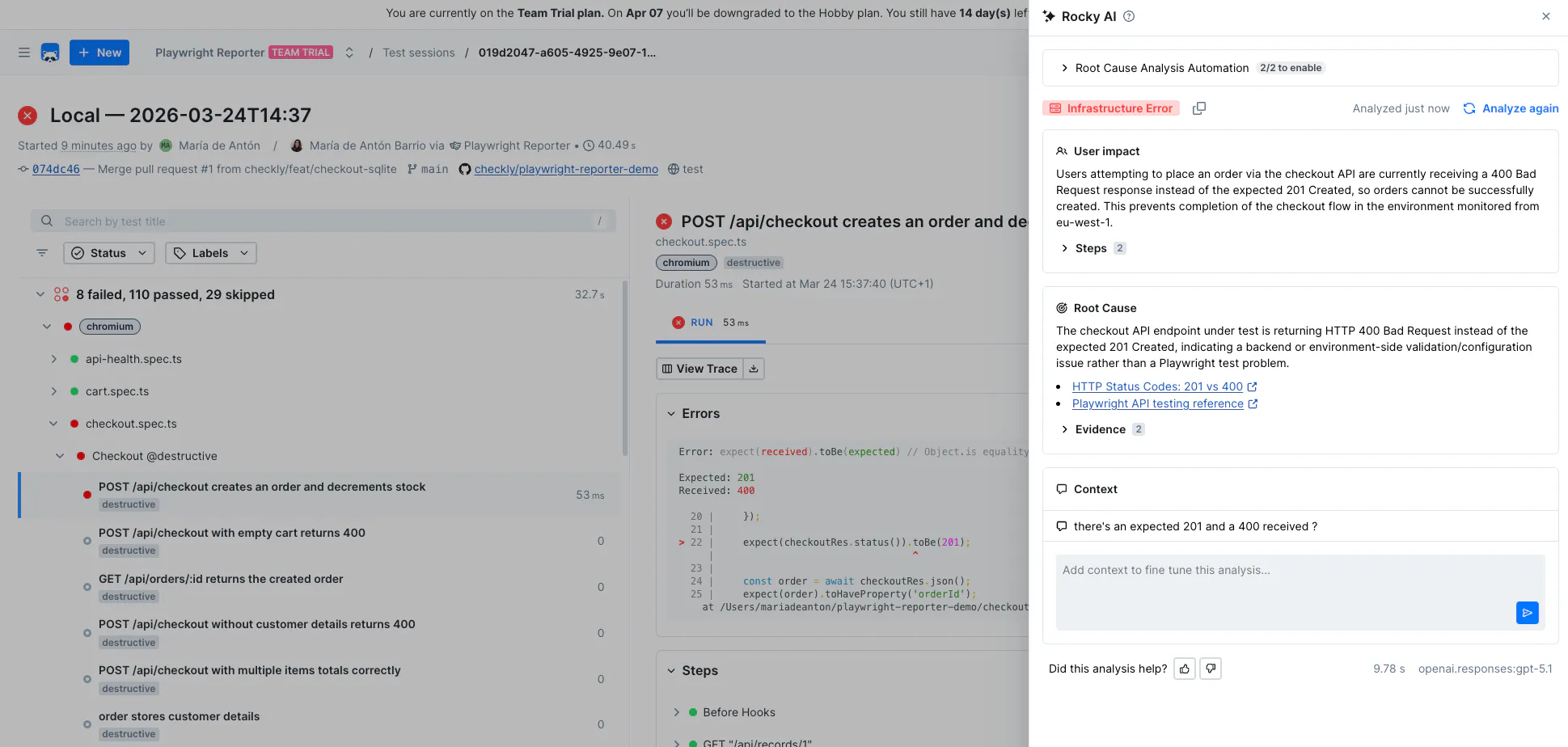
But it is not only about having a place to persist your test results. Once those results are in Checkly, Rocky AI can help analyze failed runs directly in the UI.
When enabled, Rocky AI can include AI-assisted root cause analysis and visibility into recurring failures across runs.
What you get beyond a hosted report
Today, there are several ways to get Playwright test results into the cloud, including Microsoft's own Playwright Workspaces. But most of them stop at hosting: they take the same local Playwright HTML report and put it behind a URL. That solves the sharing problem. It does not solve the understanding problem.
The Checkly Playwright Reporter goes further:
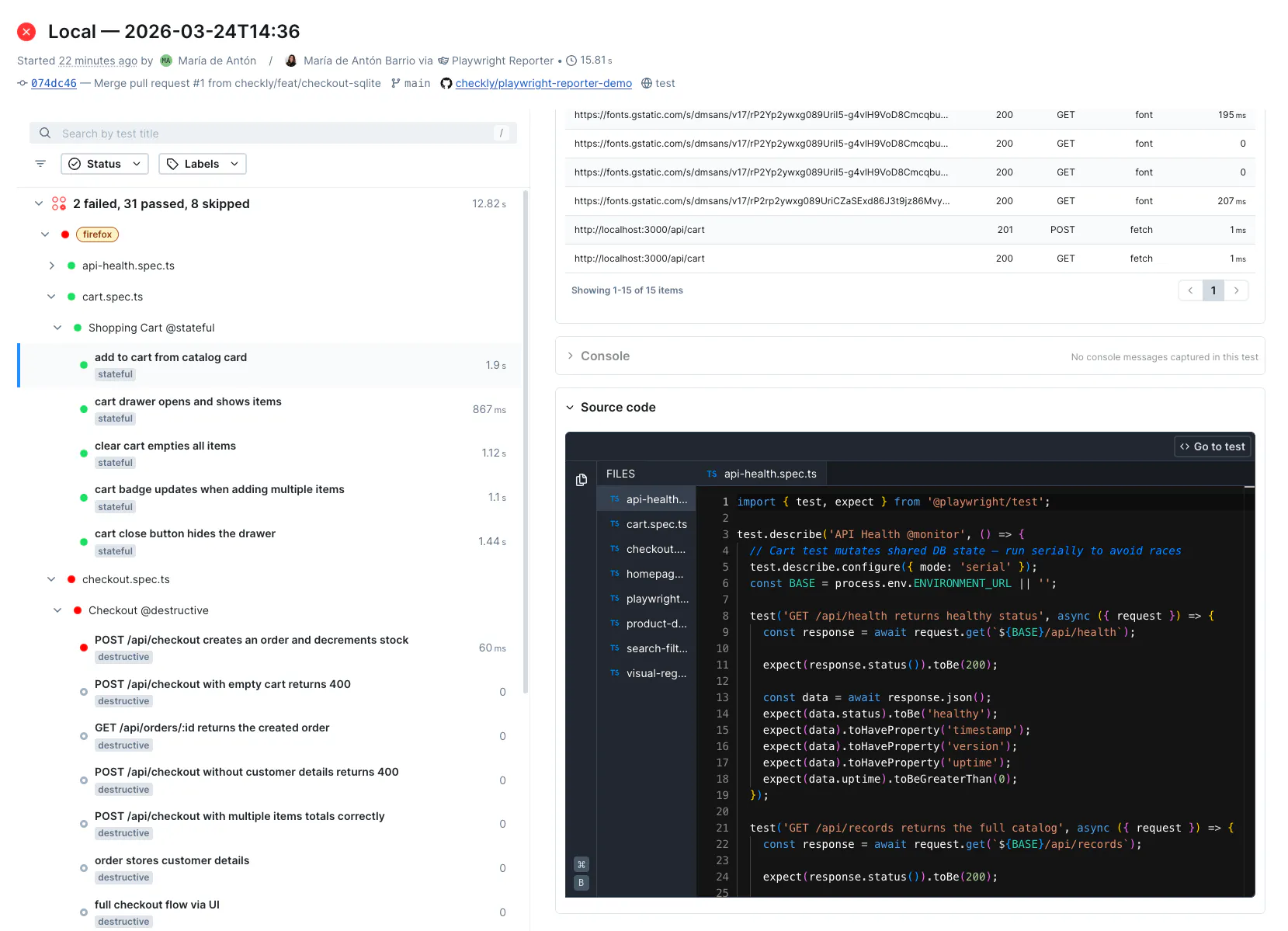
- Filterable network view — every request and response captured from the trace, organized so you can focus on the failures instead of scanning a raw list.
- Filterable browser console — browser console output pulled into a cleaner view, including an errors-only filter.
- Automatic secret scrubbing — secrets can be scrubbed before upload, including support for the CHECKLY_SECRET_ prefix and sensitive header redaction.
- System performance graphs — CPU and memory usage tracked throughout the test run, so you can spot whether a flaky or failing test might be tied to resource pressure.
- Terminal progress and summary table — a clearer terminal view of what passed, failed, flaked, or got skipped across projects.
- Automatic git detection — branch, commit, and author metadata can be attached to sessions automatically in CI and local git environments.
- History across runs — instead of treating every run as an isolated local report, you can review patterns over time and see when the same failures keep coming back.
Hosting a report gives you a link. A reporting system gives you answers.
How to set up the Checkly Playwright Reporter
You need:
- Node.js 18 or newer
- Playwright 1.40 or newer
- a Checkly account
- your CHECKLY_API_KEY and CHECKLY_ACCOUNT_ID
Install the package:
npm install --save-dev @checkly/playwright-reporterAdd it to your playwright.config.ts:
import { defineConfig } from '@playwright/test'
import { createChecklyReporter } from '@checkly/playwright-reporter'

export default defineConfig({
  reporter: [
    ['list'],
    createChecklyReporter(),
  ],
  use: {
    screenshot: 'only-on-failure',
    video: 'retain-on-failure',
    trace: 'on',
  },
})
Set credentials:
export CHECKLY_API_KEY=your_api_key
export CHECKLY_ACCOUNT_ID=your_account_id
Then run your suite as usual:
npx playwright testWhen the run finishes, you get a Checkly test session URL in the terminal. That is the entire setup. No cloud infrastructure to provision, no storage accounts to link, no role assignments to configure.
Try the Checkly Playwright Reporter
If your team already uses Playwright, this is the fastest way to stop losing useful test context after the run.
Start here: