Make the switch to Checkly
A practical guide to evaluating, piloting, and migrating to Checkly, from your first check to full rollout.
import { test, expect } from '@playwright/test'

// Your existing Playwright test, now a monitor. No rewrite.
test('checkout flow', async ({ page }) => {
  await page.goto('https://acme.com')
  await expect(page.getByText('Order confirmed')).toBeVisible()
})
What tool are you switching from?
What is Checkly?
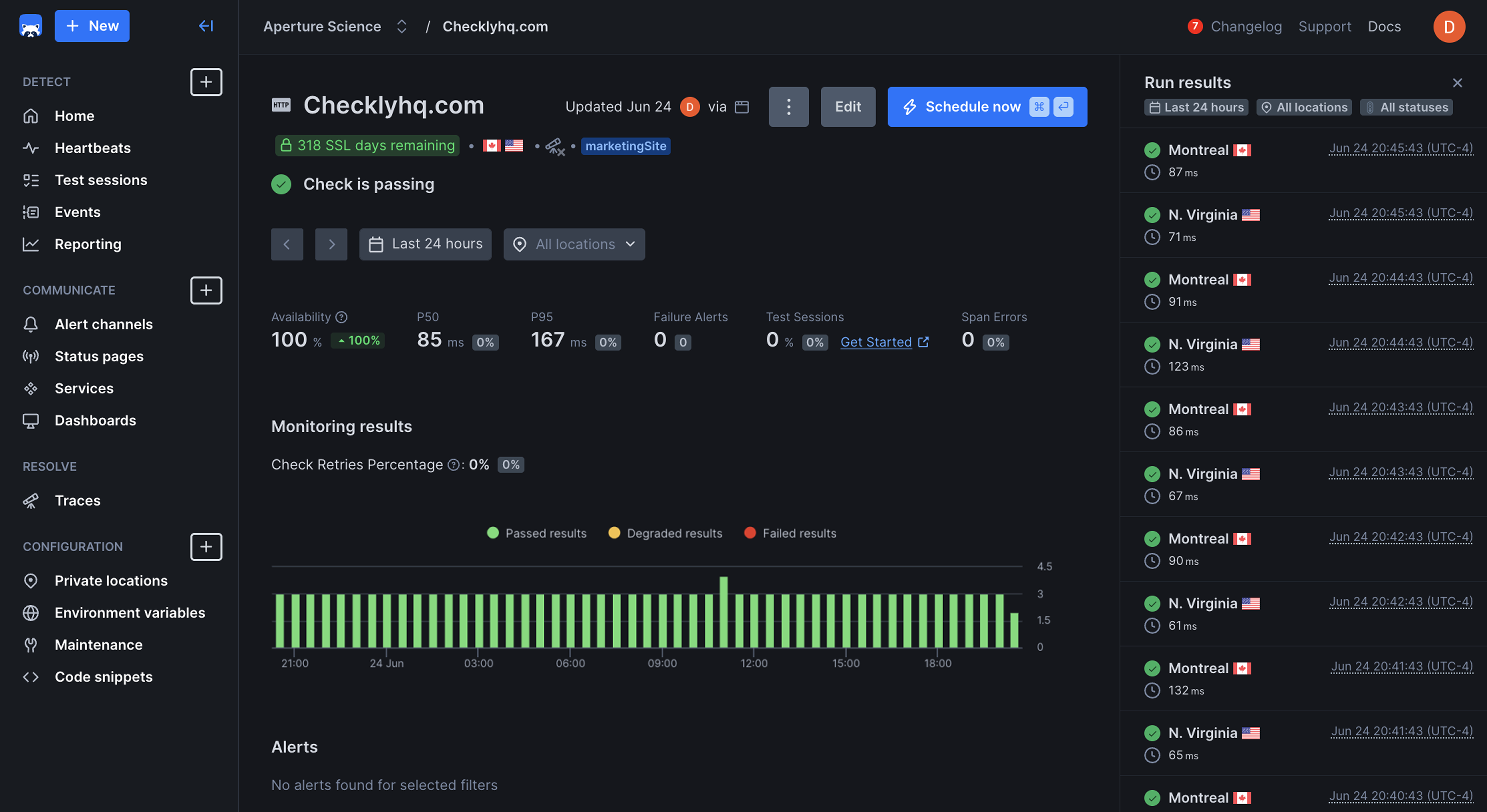
Checkly helps thousands of software teams improve their application reliability with a platform built for engineers to take control of their testing, monitoring, and incident management.
Create and reuse tests using Playwright or OpenAPI, run them locally or in CI/CD, then deploy them to our global infrastructure to monitor your applications and services at high frequency, 24/7.
If anything fails or degrades, you and your team are alerted instantly and your status page is updated.
Why teams switch
Traditional monitoring tools create three problems that hold engineering teams back.
Not built for AI or the modern development workflow
Traditional monitoring tools were designed for a different era of software. They use clunky UIs, require manual configuration of hundreds of monitors, and don’t integrate with your code or CI/CD pipelines. AI is tacked on as widgets, not built into an actual workflow.
Expensive and complex to scale
As your team and infrastructure grow, so too will your monitoring bill. Manually managing hundreds of monitors becomes unsustainable, and legacy tools make it painful to replicate, version, and manage monitoring at scale.
Too many false positives, not enough signal
When monitoring is disconnected from everyday work and siloed in operations, developers don’t use it. They ignore alerts they don’t understand, monitors fall out of sync with code, and reliability becomes an afterthought instead of a safeguard.
How Checkly improves reliability
A clear signal of real user experience
Most monitoring tools grew up around infrastructure dashboards or generic uptime validation. Checkly is built around applications, thinking in terms of APIs, UIs, and critical user journeys.
- Validate flows like sign-up, checkout, SSO, or critical APIs from multiple regions.
- Treat monitoring as a first-class part of the application, not an afterthought.
You get coverage that matches how users actually experience your app, not just whether an endpoint returns 200.
Built for developer experience and Monitoring as Code
Checkly leans into the tools and workflows your developers already use: JS/TS, Playwright, Terraform, CI/CD, GitHub, and more. It is configured and deployed as code, right in your existing workflow.
- Checkly CLI: define checks, alert policies, and environments as code.
- Playwright Check Suites: reuse your existing Playwright tests as production monitors.
- Terraform & Pulumi providers: manage monitors like you manage infrastructure.
Scales with your systems and your org
As companies grow, DIY scripts and UI-driven configs start to fall over. Checkly is built to scale from a single product team to large, multi-service organizations.
- Global public locations plus private locations for internal services.
- Environments, projects, and code-based configuration for multi-team setups.
- Enterprise plans with SLAs, SSO/SAML, long retention, and dedicated support.
You keep your monitoring model clean and maintainable even as you add more services, regions, and teams.
One workflow to detect, communicate, and resolve
Checkly stitches together what most stacks treat as separate tools.
- Detect issues proactively with high-frequency uptime checks and Playwright synthetics.
- Communicate clearly with status pages and routed alerts (Slack, SMS, webhooks, Opsgenie).
- Resolve faster with Checkly Traces and deep error context.
Instead of jumping between 3-5 tools, teams stay in one workflow from detection through to resolution.
The migration process
Here's a proven five-step process for migrating to Checkly.
- 1
Create your Checkly account
Start with the free tier or a paid trial. Install the Checkly CLI in a demo project to see Monitoring as Code in action.
- 2
Instrument your golden paths
Add a handful of critical uptime checks (core URLs, login, APIs) and build 2-5 Playwright checks for your most important browser flows: signup, checkout, SSO, key dashboards.
- 3
Run a pilot alongside your current tool
Run Checkly in parallel for 4-6 weeks. Compare signal quality, time-to-detect, developer adoption, and cost.
- 4
Codify your monitoring model
Move monitors and alert policies into code with the Checkly CLI, Terraform, or Pulumi. Standardize naming, labels, alert rules, and environments across teams.
- 5
Switch fully and decommission legacy monitors
Migrate remaining checks and status communication into Checkly. Turn off overlapping monitors to avoid double-paging and double-billing.
Need to pitch Checkly to your team?
Here are the talking points to help you get stakeholder buy-in.
“We’ll catch and fix issues before our customers report them”
Catch issues 2x faster with intelligent alerting and detailed error diagnostics. Multi-step checks catch complex failures that simple uptime monitors miss.
“We can finally monitor the things that earn us money”
Validate real user journeys like signup, checkout, and SSO from multiple regions, not just whether an endpoint returns 200.
“Our developers can share and reuse tests and monitors”
Monitoring as Code means developers spend less time clicking through UIs and more time writing code. Ship monitors as part of your release process, not as an afterthought.
“We’ll cut our monitoring bill”
Teams typically save 30-50% on monitoring costs with Checkly’s transparent, usage-based pricing.
Frequently asked questions
Helpful resources
Ready to make the switch?
Our team will guide you through every step of the migration.