
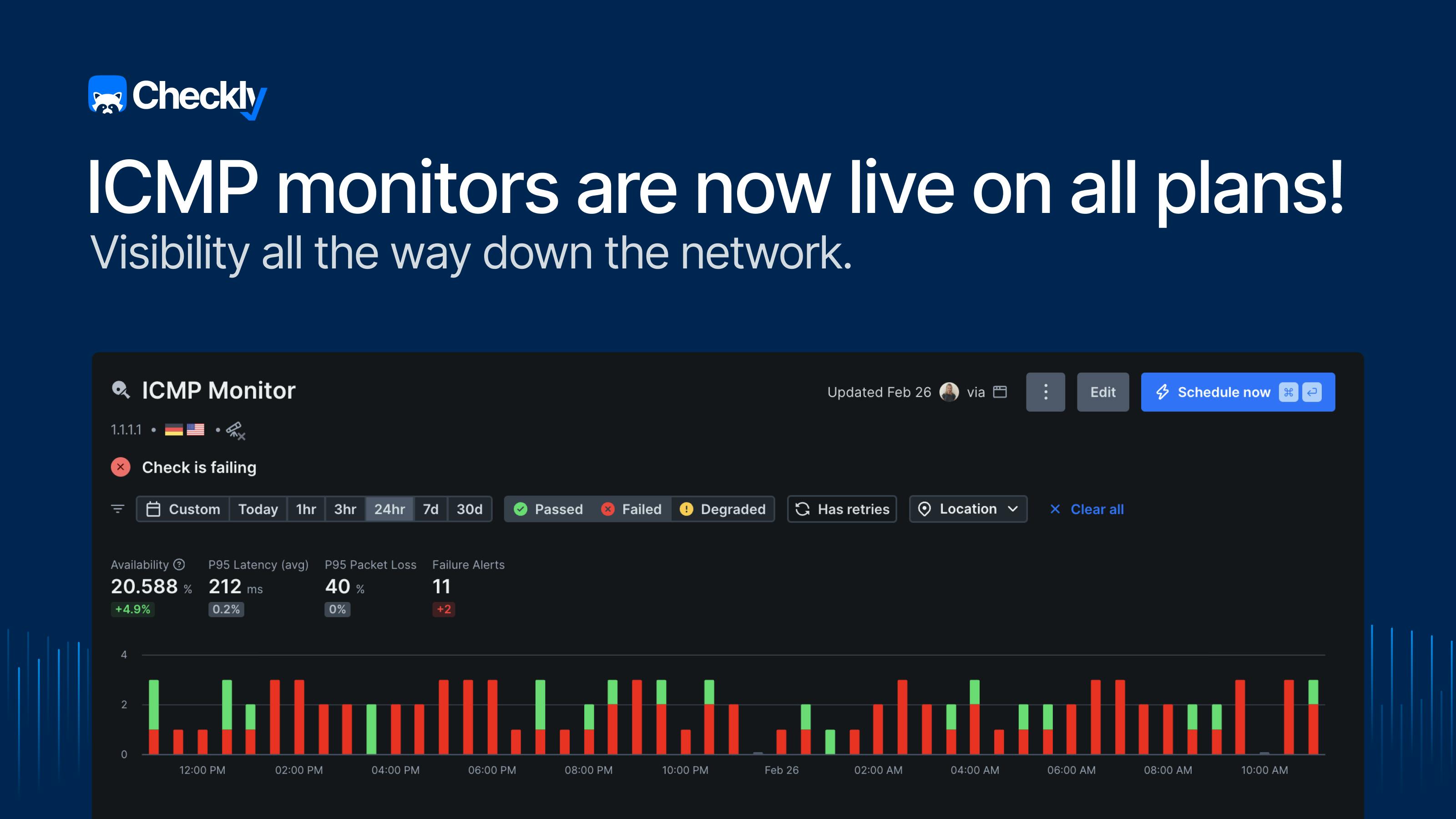
When we started building Checkly's uptime monitoring suite, the goal was to give engineering teams complete visibility across every layer of their stack, from application down to network, in one place. URL, TCP, DNS, and Heartbeat monitors covered a lot of that ground. But one fundamental piece was missing: the ability to simply ping a host and know if it's reachable.
We're now closing that gap by adding ICMP monitors to Checkly's uptime monitoring suite, available on all plans today, alongside URL, TCP, DNS, and Heartbeat.
What is ICMP monitoring?
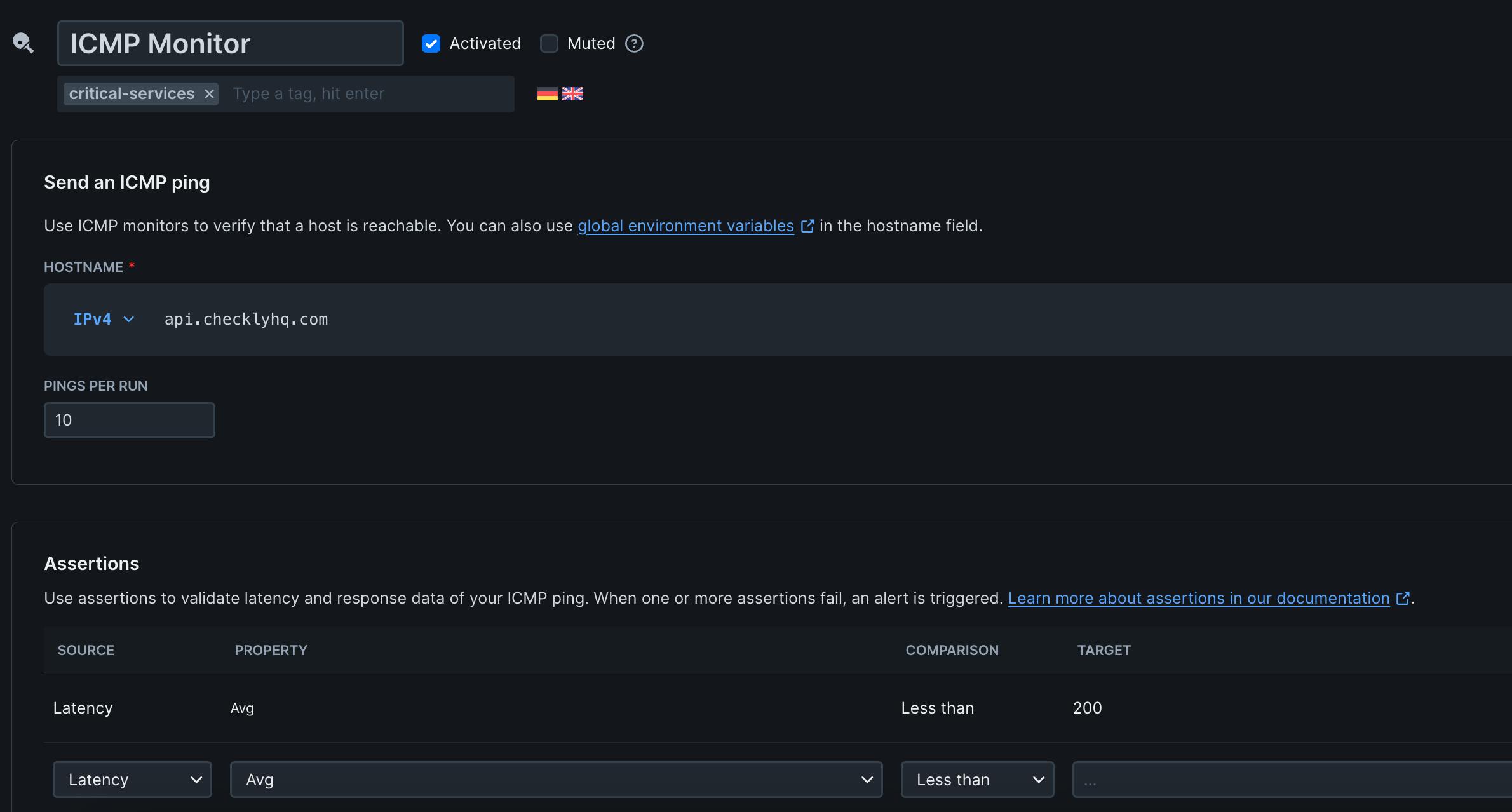
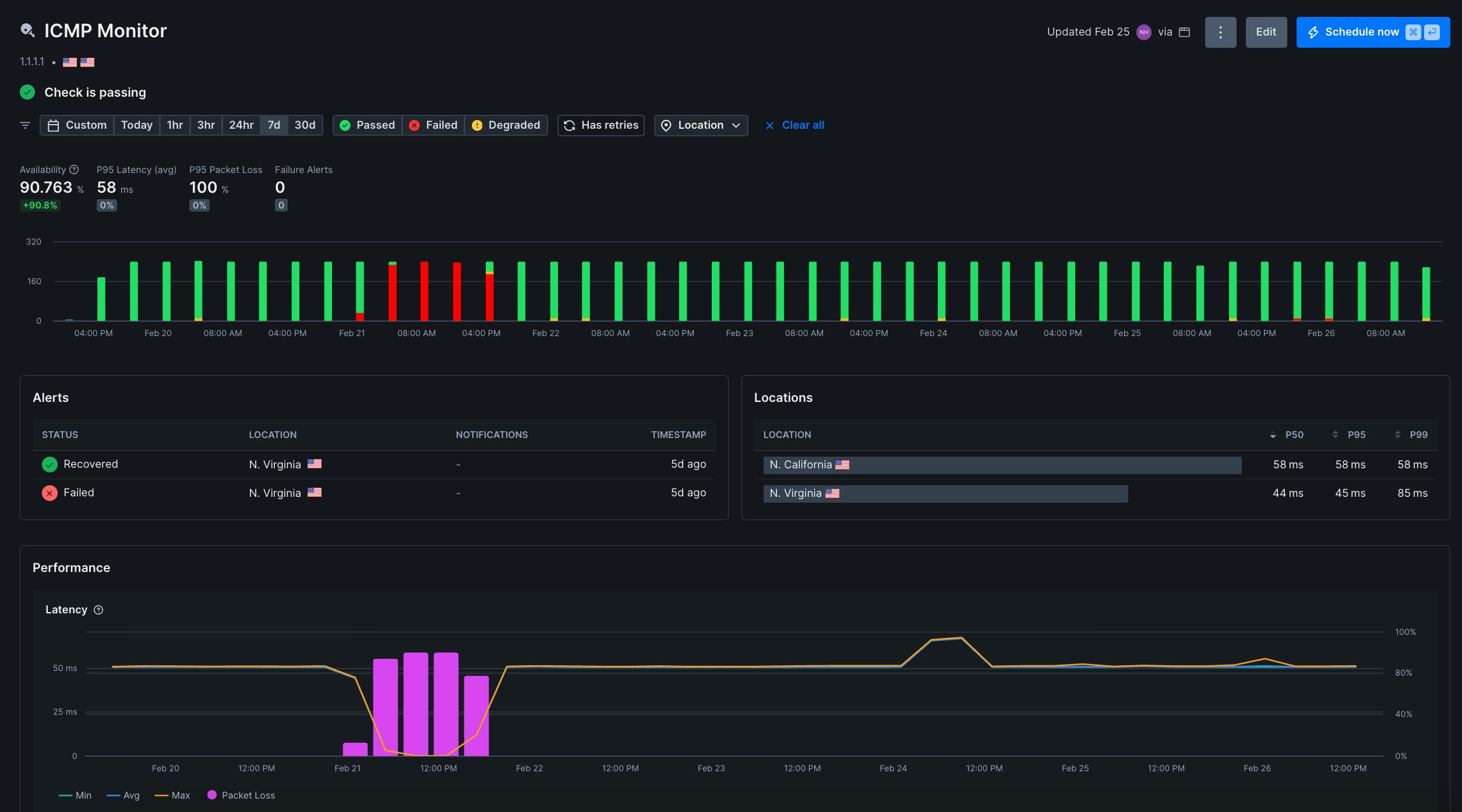
ICMP monitors send scheduled ping requests to any host or IP address to measure reachability, latency, and packet loss. You can set assertions on any of these to define exactly what "healthy" means for each host.
No application logic. No open ports required. ICMP is a low-level monitor that provides a direct network-level signal, independent of what is running on the machine.
What you can monitor with ICMP requests
Infrastructure without an HTTP endpoint
Databases, message queues, internal services, bare-metal servers, routers, and network devices don't serve web traffic, but they still need monitoring. TCP monitors cover many of these cases, but ICMP goes one level lower: no open port required. For hosts where no ports are intentionally exposed, ICMP is the right layer to monitor at. If a host can be pinged, it can be monitored in Checkly without adding extra tools to your stack.
Private networks and internal hosts
ICMP monitors are useful for hosts that aren't exposed to the public internet, making them valuable for teams monitoring internal infrastructure alongside their public-facing checks. This is possible via Checkly Private Locations, with ICMP support coming soon.
Incident triage
When an alert fires, the first question is always: Is the machine down, or is the service down? ICMP gives you that answer immediately. If ICMP fails, it's a network issue. If ICMP passes and your HTTP check fails, the server is up, but the service is broken. The right team gets paged with the right context from the start.
Regional latency comparison
Run ICMP monitors from multiple locations to compare latency across regions. If one region is consistently slower than others, you can catch geographic performance issues before they affect users in that area.
Some failures don't show up as outages. Intermittent packet loss is one of them. One of our beta users ran into exactly this:
"We had a serious issue in which every third packet was dropped, and it went completely undetected until Checkly caught it at the network level. That's the kind of signal that stops a problem before it becomes a customer-facing incident."
You can set separate degraded and failure thresholds on packet loss, and add latency assertions to define when to trigger an alert.
Shipping with full support for Monitoring as Code
ICMP monitors are fully integrated into Checkly's Monitoring as Code workflows, available in the CLI from v7.1.0.
Define your ICMP monitors in code alongside your Playwright and API checks, version them in Git, and deploy through CI/CD:
import { Frequency, IcmpAssertionBuilder, IcmpMonitor } from "checkly/constructs"

new IcmpMonitor('cloudflare-dns-icmp', {
  name: 'Cloudflare DNS ICMP Monitor',
  activated: true,
  frequency: Frequency.EVERY_1M,
  maxPacketLossThreshold: 20,
  degradedPacketLossThreshold: 10,
  request: {
    hostname: '1.1.1.1',
    pingCount: 20,
    assertions: [
      IcmpAssertionBuilder.latency('avg').lessThan(100),
      IcmpAssertionBuilder.latency('max').lessThan(200),
    ]
  }
})Or use an AI agent - copy this prompt to get started:
"Create an ICMP monitor in Checkly for [your-hostname-or-ip]. Ping every minute from us-east-1 and eu-west-1. Set a degraded alert at 10% packet loss and a failure alert at 20% packet loss or average latency over 200ms."
ICMP monitors are also available in Terraform and Pulumi:
Terraform (v1.18.0+): checkly_icmp_monitor
Pulumi (v2.8.0): checkly.IcmpMonitor
Pricing and availability
ICMP monitors are priced as uptime monitors: flat-rate per monitor, available on all plans today. Check out our pricing page for full details.
Get started
Try ICMP monitors in your Checkly dashboard or read the documentation to learn more about configuration, assertions, and alerting.
Questions? Find us in the Checkly community on Slack→