After months of being available in Beta for our app users, Rocky AI is now generally available to all users and plans. Rocky AI is Checkly’s AI agent that works around the clock, 24/7, to make sure your application’s reliability is optimal. In this first release, Rocky AI ships with the ability to run continual Analysis on test and check failures, giving your teams AI-powered root cause analysis, impact analysis, and more.
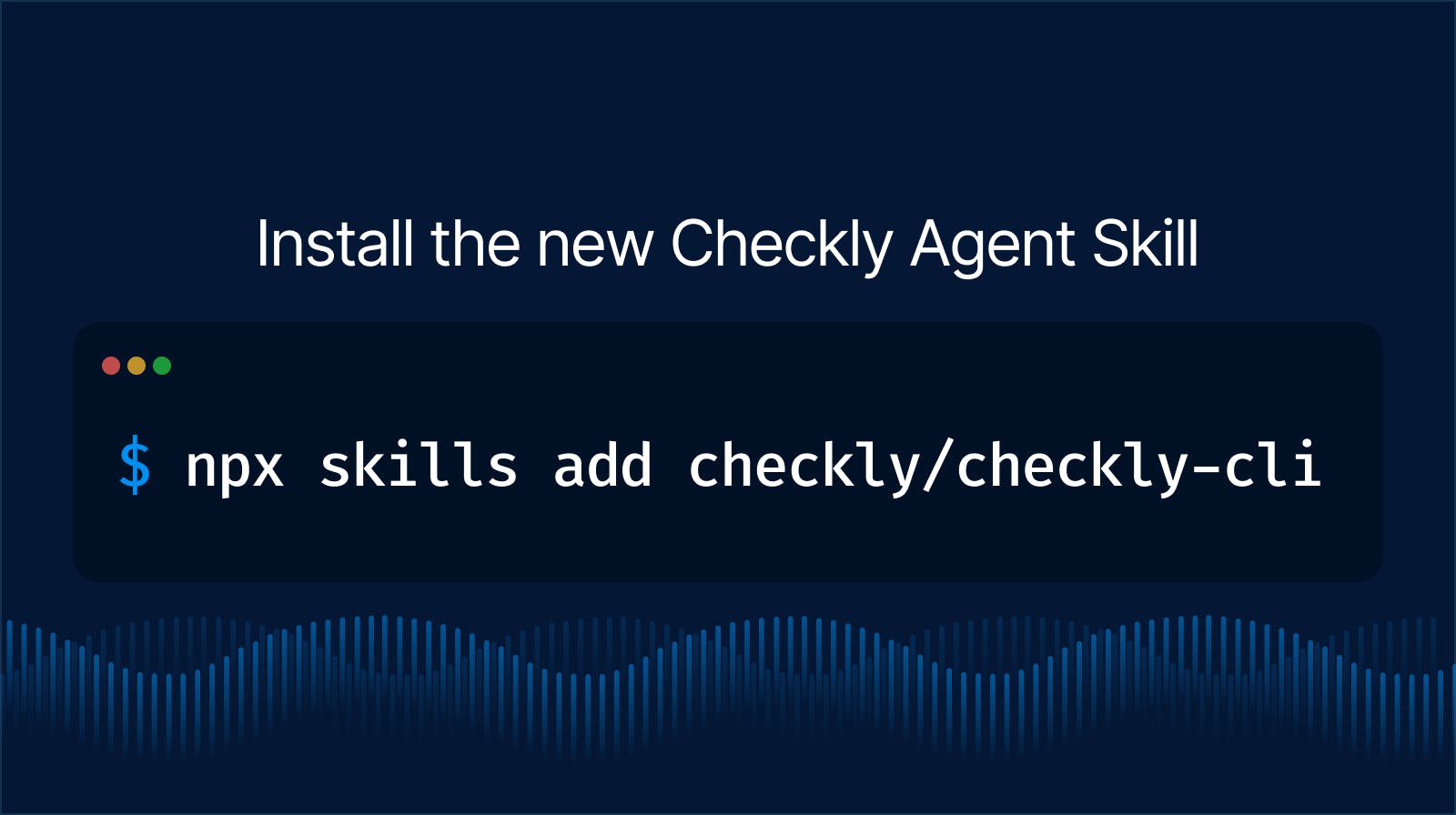
Since day 1 of the AI craze, Checkly has made it easy to work with your favorite LLMs and coding agents like Claude Code, Cursor, and OpenAI, allowing you to craft and manage your monitoring right from your IDE. Now, we’re bringing that power right into the Checkly workflow with Rocky AI.
Root Cause Analysis
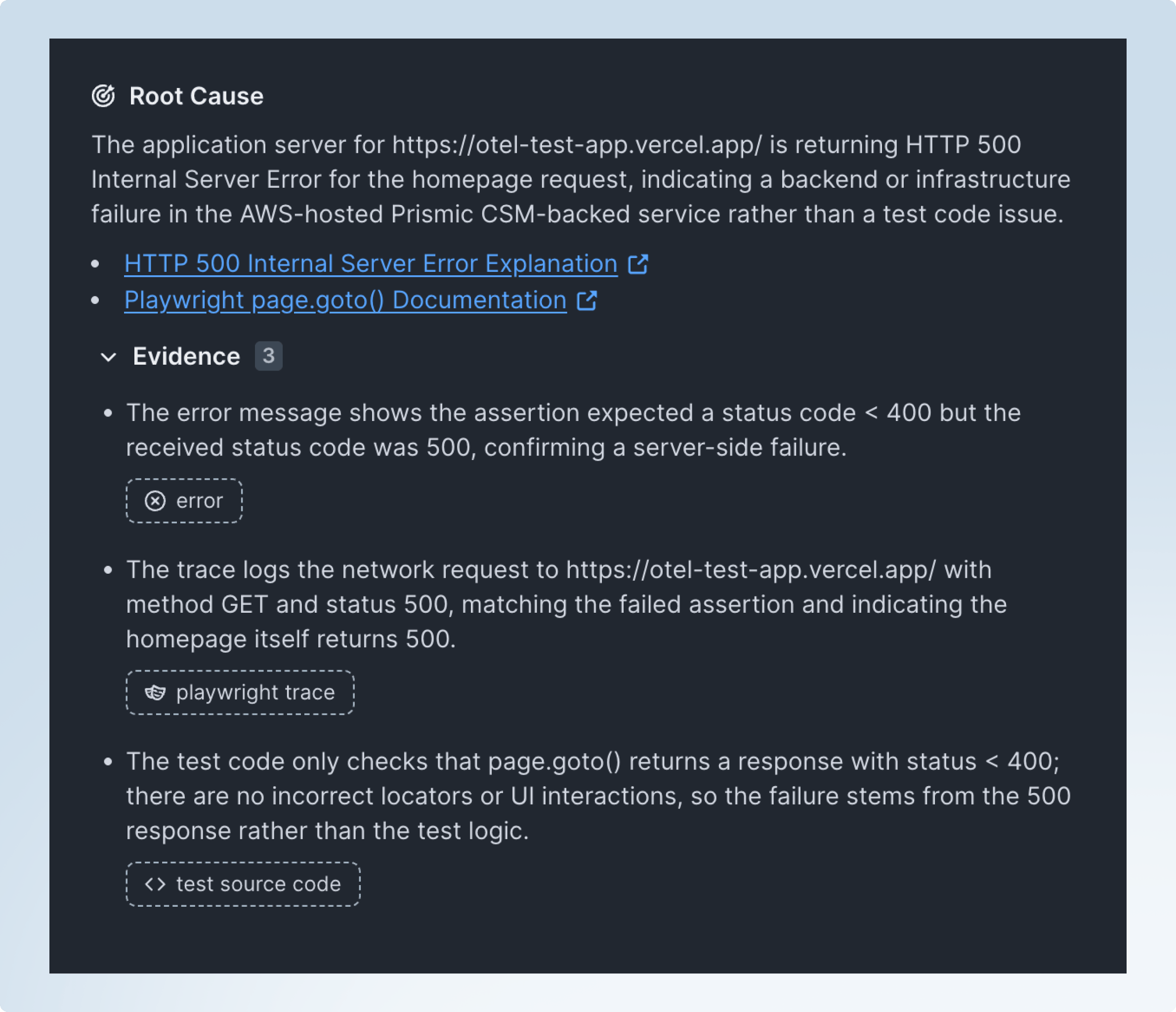
When a test or monitor fails, Rocky AI analyzes multiple vectors across your application, including logs, traces, and more to understand what exactly caused the failure; and how to best fix it.
For large teams with hundreds of monitors across their apps and services, Rocky AI can help engineers understand the context of the check itself, even if they didn’t create it, reducing cognitive overload in the heat of an outage. For individuals and smaller engineering teams, Rocky AI will cut down on hours of back and forth, working to replicate the problem, and other triage works that delay teams from getting a quick fix back in production.
User Impact
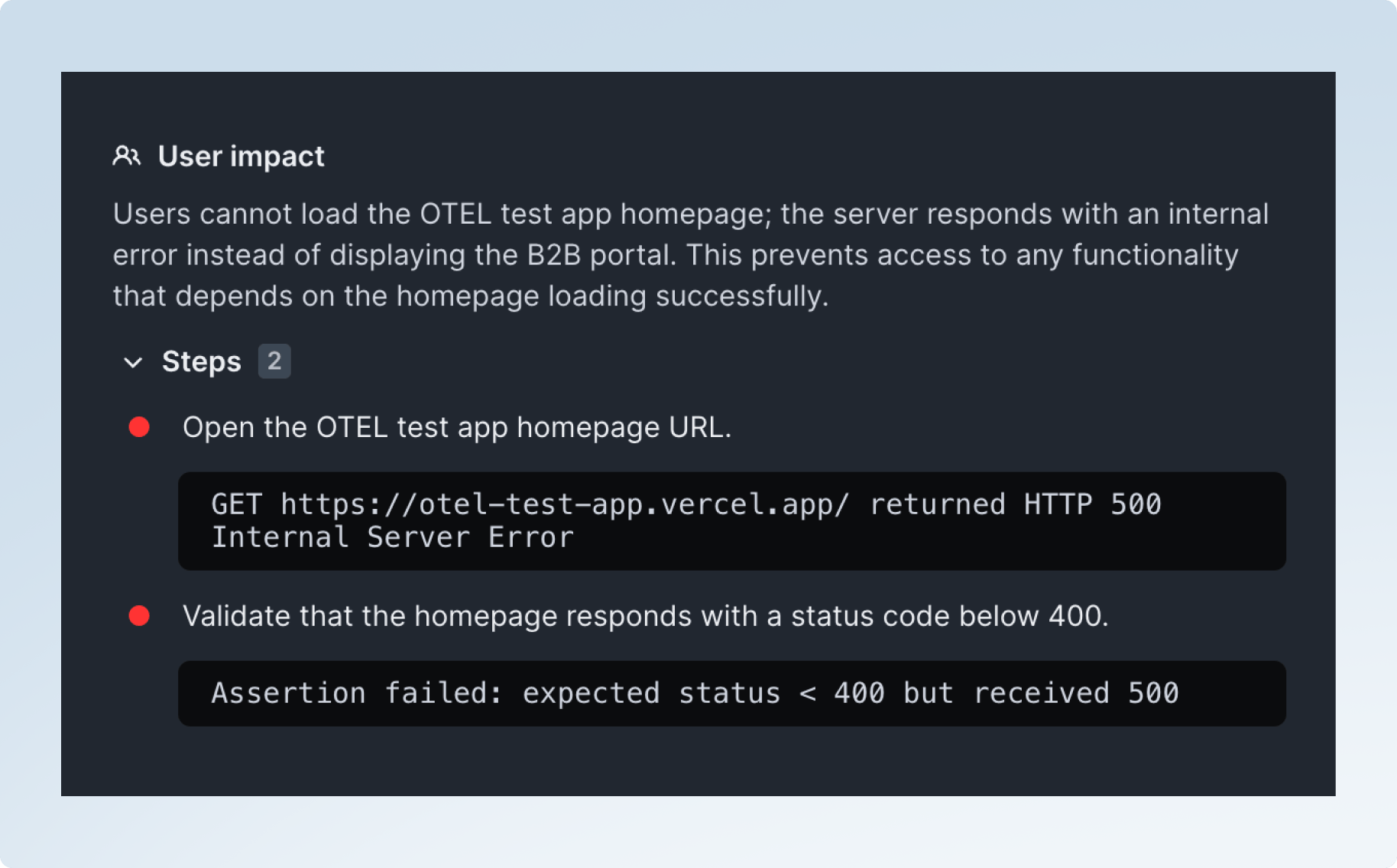
Rocky AI also tries to understand and surface who exactly is impacted during an outage. Are users impacted from logging into the application? Is a core workflow being blocked? Is it a network failure that causes the test to fail, but user impact is actually minimal? Rocky AI can help you get the answers you need, faster than humanly possible, so you can get your application back up and running.
Automation
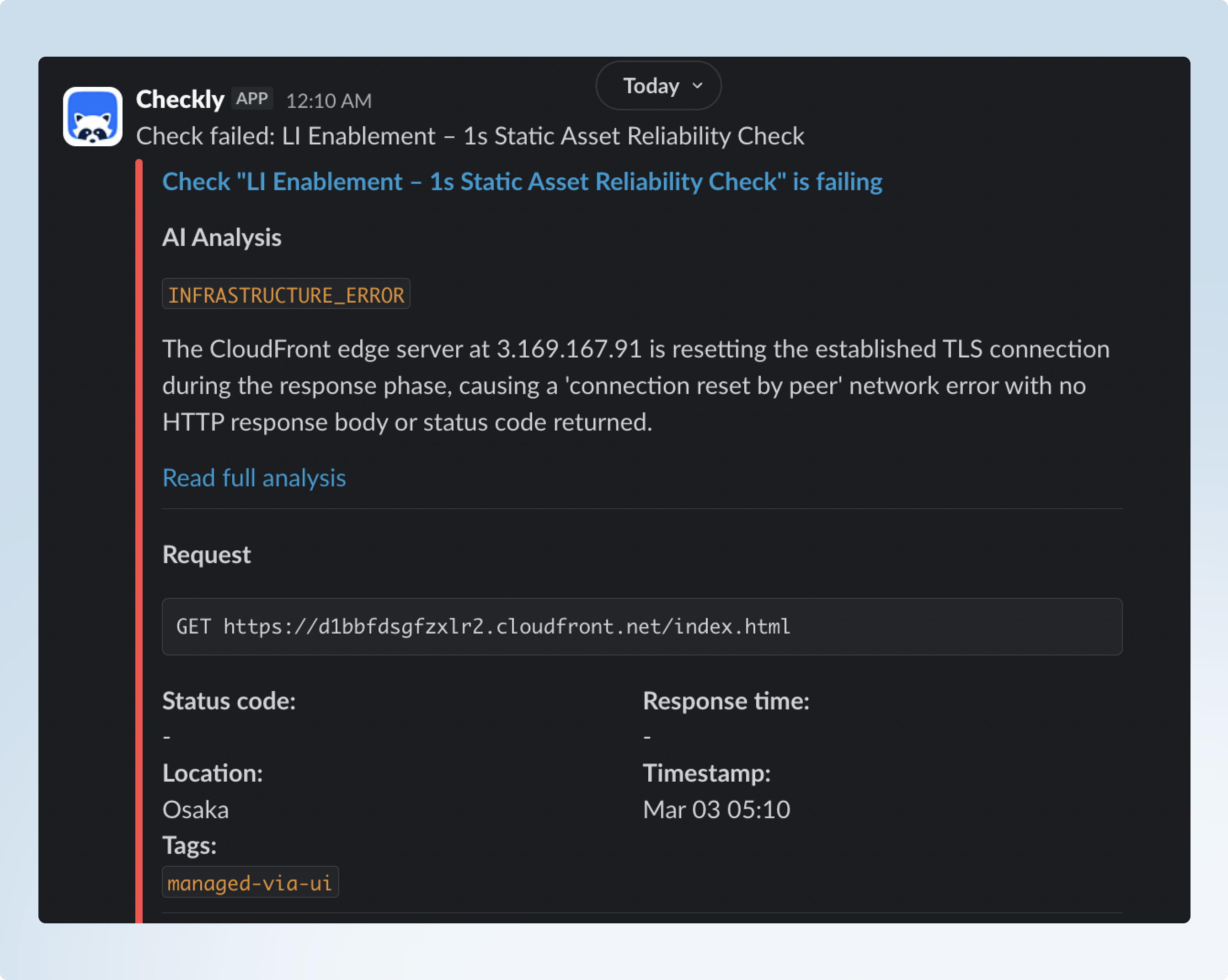
For teams with heavy alerting systems, Rocky AI can tap in and automatically send its findings inside any alert, right to your inbox or Slack channel. You'll get highly relevant context to the downtime, directly inside your workflow, allowing you to break out, fix it, and get back to work.
Getting Started
Rocky AI Error Analysis is available in Checkly Resolve today. To get started with Rocky AI right now in Checkly, just head over to app.checklyhq.com and click Rocky AI Analysis.
Or read through our documentation to get a better grasp of Rocky AI
What’s Next
With Rocky AI hitting general available with the ability Analyze results, we are only getting started. We will be adding other capabilities and skills to Rocky AI over time, to bring you native AI powered test generation, alert configuring, and more - right inside the Checkly dashboard. If you are a heavy user of LLMs or Agents, then check out Rocky AI or start using Checkly with tools like Claude Code today.